
ElementTile and PeriodicTable
Cargo featurefeatures = ["chemistry"]
ElementTile is one element as a square: the atomic number, the symbol, the name and the
atomic weight, tinted with the colour of its category (or color without
category_colors). Gallery scene: ElementTile.
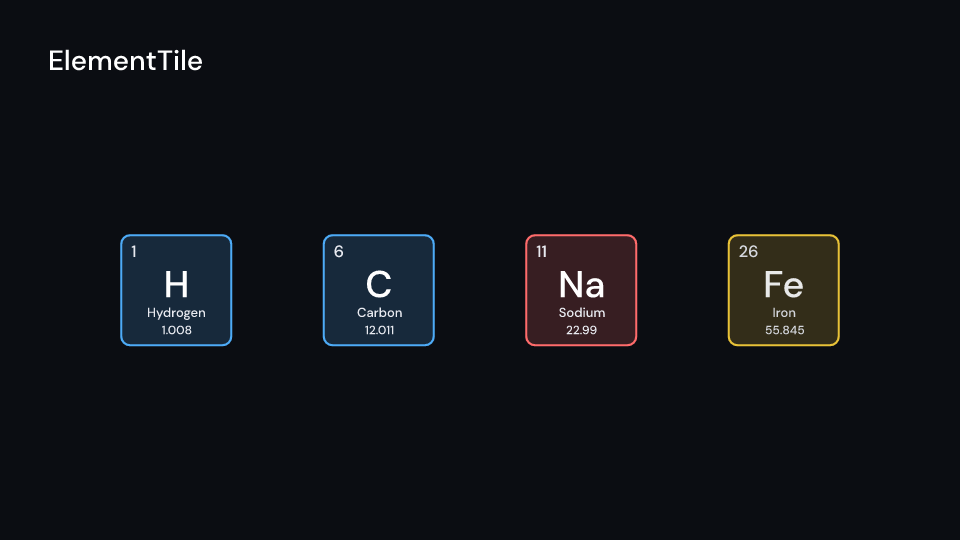
ElementTile 2.5 sPeriodicTable lays out all 118 tiles, cell pixels wide, with the lanthanides and
actinides in two rows under the main table.
- Rise. After
delaythe tiles rise in by atomic number,staggerseconds apart. - Highlight. From
highlight_atevery tile outsidehighlight_group(1 to 18) andhighlight_categorydims todim. - Trend. From
trend_ata sweep runs left to right oversweepseconds and recolours the tiles bytrend, fromlow_colortohigh_color. The trends areTrend::AtomicRadius,Trend::IonizationEnergyandTrend::AtomicWeight. Tiles without a value (the radius of the heaviest elements is not known) turnmuted. Withlabelsthe range is written in the empty top row.
tile_center gives the middle of an element’s tile, for an arrow or a callout. Gallery
scenes: PeriodicTable (the halogens) and PeriodicTrend (the atomic radius).
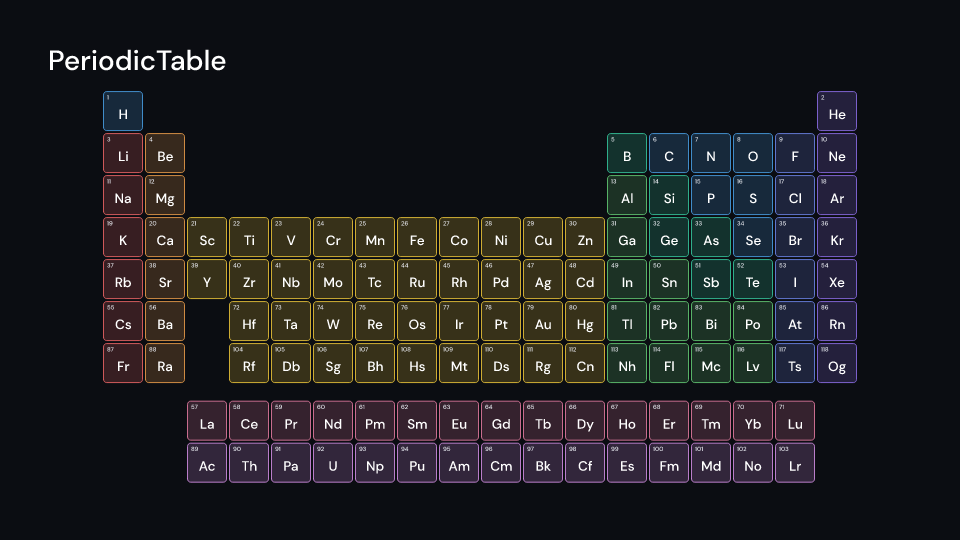
PeriodicTable 4 s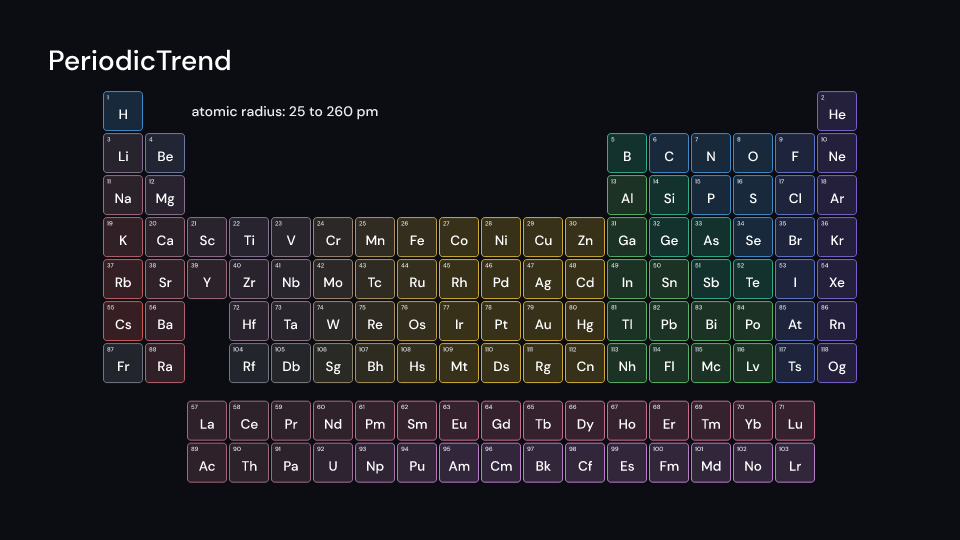
PeriodicTrend 3.5 suse fframes_kit::prelude::*;
fn figures<'a>(ui: &mut Ui<'a, '_, '_>) -> Svgr<'a> { let carbon = ui.show(ElementTile { element: 6, center: (-5.0, 2.0), size: 160.0, ..ui.defaults() }); let table = ui.show(PeriodicTable { center: (0.0, -0.3), cell: 60.0, highlight_group: Some(17), highlight_at: 2.0, trend: Some(Trend::IonizationEnergy), trend_at: 3.5, ..ui.defaults() }); svgr!(<g>{carbon}{table}</g>)}Components are plain structs. Set the fields you need and fill the rest with ..ui.defaults(): the defaults below come from the current theme (theme. values are fields of Theme).
ElementTile
Section titled “ElementTile”One element as a tile size pixels wide centred at center (units of ui.space): its atomic number, symbol, name and atomic weight, tinted with the colour of its Category (or color without category_colors).
| Field | Type | Default | Description |
|---|---|---|---|
element |
u32 |
6 |
Atomic number of the element shown. |
center |
(f64, f64) |
(0.0, 0.0) |
The middle of the tile, in units of ui.space. |
size |
f32 |
220.0 |
Width and height of the tile in pixels; the text scales with it. |
details |
bool |
true |
Writes the name and atomic weight under the symbol; false for the number and symbol only. |
category_colors |
bool |
true |
Tints the tile with the colour of the element’s category; false uses color. |
color |
Color |
theme.colors.accent |
Tint of the tile’s background and border when category_colors is false. |
text_color |
Color |
theme.colors.text |
Colour of the number, name and weight. |
enter |
Option<FadeIn> |
None |
Fade in at the start; None for none. |
exit |
Option<FadeOut> |
None |
Fade out before the end; None for none. |
Feature chemistry · Source
PeriodicTable
Section titled “PeriodicTable”The periodic table: 118 tiles cell pixels wide, gap apart, centred at center (units of ui.space), the lanthanides and actinides in two rows under it. After delay the tiles rise in by atomic number, stagger seconds apart. From highlight_at the tiles outside group highlight_group (1 to 18) and outside highlight_category dim to dim. From trend_at a sweep runs left to right over sweep seconds and recolours the tiles by trend, from low_color to high_color (tiles without a value turn muted), and with labels a legend under the table gives the range.
| Field | Type | Default | Description |
|---|---|---|---|
center |
(f64, f64) |
(0.0, 0.0) |
The middle of the table, in units of ui.space. |
cell |
f32 |
78.0 |
Width and height in pixels of one tile. |
gap |
f32 |
6.0 |
Pixels between neighbouring tiles. |
delay |
f32 |
0.0 |
Seconds after the container’s start before the first tile rises in. |
stagger |
f32 |
0.01 |
Seconds between one tile’s rise and the next, by atomic number. |
highlight_group |
Option<u32> |
None |
Group (1 to 18) whose tiles stay bright while the others dim; None for no group. |
highlight_category |
Option<Category> |
None |
Category whose tiles stay bright while the others dim; None for no category. |
highlight_at |
f32 |
0.0 |
Seconds after the container’s start when the dimming begins. |
dim |
f32 |
0.2 |
Opacity from 0 to 1 that tiles outside the highlight fall to. |
trend |
Option<Trend> |
None |
Property the sweep recolours the tiles by, such as electronegativity; None for no sweep. |
trend_at |
f32 |
0.0 |
Seconds after the container’s start when the sweep begins. |
sweep |
f32 |
1.2 |
Seconds the recolouring takes to cross the table from left to right. |
labels |
bool |
true |
Draws a legend under the table giving the trend’s range; false for none. |
low_color |
Color |
Color::hex("#4dabf7") |
Colour of the lowest trend value. |
high_color |
Color |
Color::hex("#ff6b6b") |
Colour of the highest trend value. |
muted |
Color |
theme.colors.muted |
Colour of tiles that have no value for the trend. |
text_color |
Color |
theme.colors.text |
Colour of the numbers, names and weights on the tiles. |
enter |
Option<FadeIn> |
None |
Fade in at the start; None for none. |
exit |
Option<FadeOut> |
None |
Fade out before the end; None for none. |
Methods:
fn tile_center(&self, ui: &Ui, number: u32) -> Option<Point>: The middle of elementnumber’s tile, in pixels.
Feature chemistry · Source