
Coordinate systems
The explain layer measures in units of ui.space, 8 units tall with y up, like Manim
(see the explain module docs for NumberLine, Axes, NumberPlane and their graphs).
These build on it:
| Component | Props | What it does |
|---|---|---|
Scaling |
Linear, LogBase(base) on Axes::x_scaling, y_scaling and NumberLine::scaling |
a logarithmic axis; its Range is in exponents (Range::new(0.0, 3.0, 1.0) runs from 1 to 1000), everything else takes values: c2p(250.0, ..), the numbers to write, a graph’s x_range |
NumberLine::unit_interval(theme) |
a NumberLine |
Manim’s UnitInterval: 0 to 1 in tenths, 10 units long |
ComplexPlane |
plane: NumberPlane |
the imaginary numbers written i, 2i, -i; n2p((re, im)), p2n, label(z, decimals) writes 3+2i at its point (format_complex) |
PolarPlane |
center, size, radius_max (4), radius_step (1), azimuth_step (12 spokes), azimuth_units (PiRadians, TauRadians, Degrees, Gradians, None), azimuth_offset, azimuth_direction (Ccw, Cw), radius_numbers, line and number paints, enter, exit, labels_enter, labels_exit |
circles and spokes with the radii and azimuths written; pr2pt((r, θ)), pt2pr |
SampleSpace |
columns: Vec<SampleColumn> (each p, label, rows: Vec<SampleRow>), center, width, height, colors, fill_opacity, stroke, label_style, brace_depth, enter, exit, labels_enter, labels_exit |
a rectangle split into columns by probability and each column into rows, so a cell’s area is the joint probability; column labels under braces; cells_in(space) gives the rectangles |
Gallery scenes: NumberLine, NumberPlane, SinAndCosFunctionPlot, GraphAreaPlot,
Canvas, VGroup, Leader, Sim, ComplexPlane, PolarPlane, LogBase, SampleSpace,
Axes, FunctionGraph, ParametricFunction.
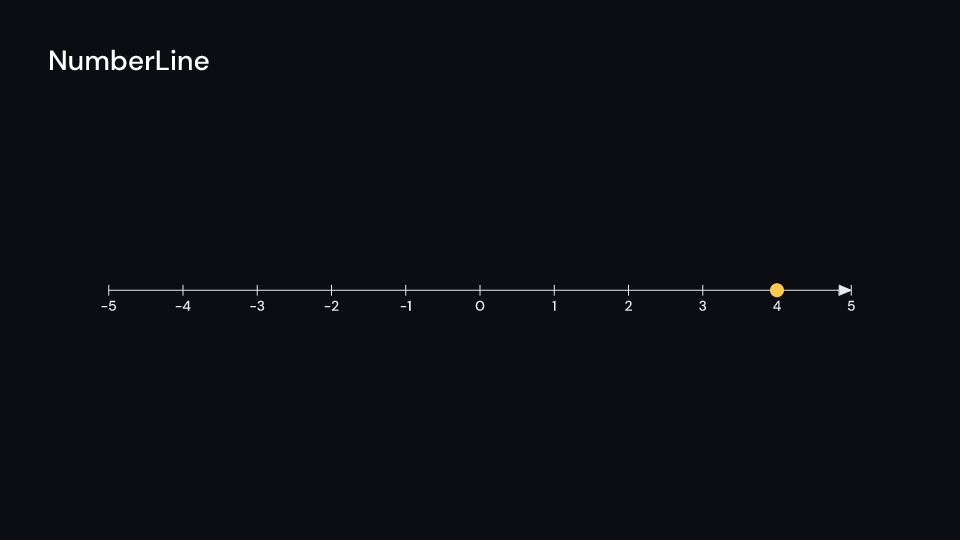
NumberLine 3 s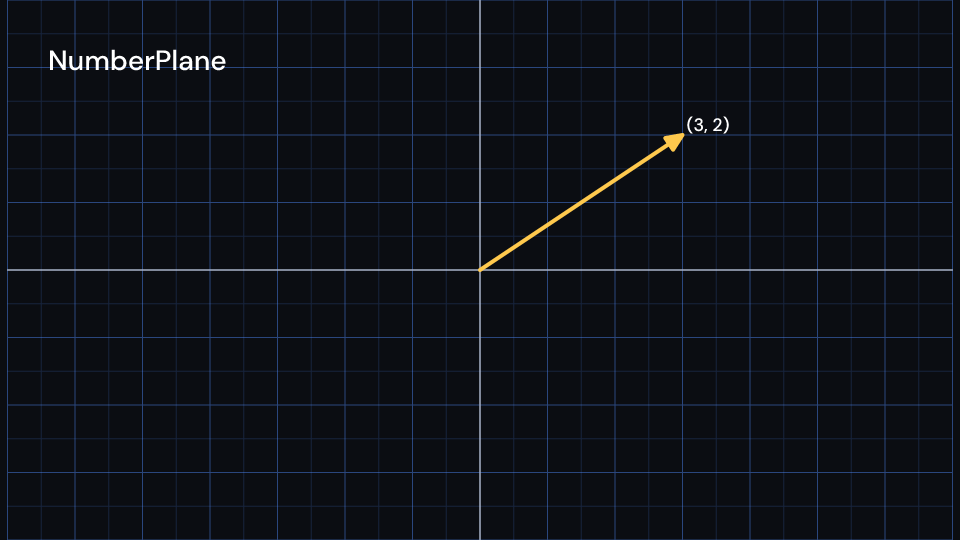
NumberPlane 3 s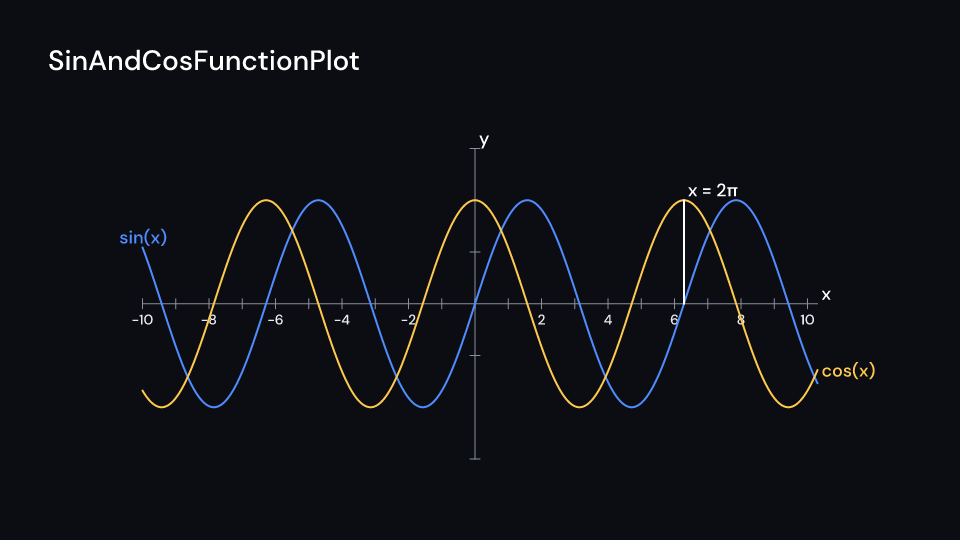
SinAndCosFunctionPlot 4.5 s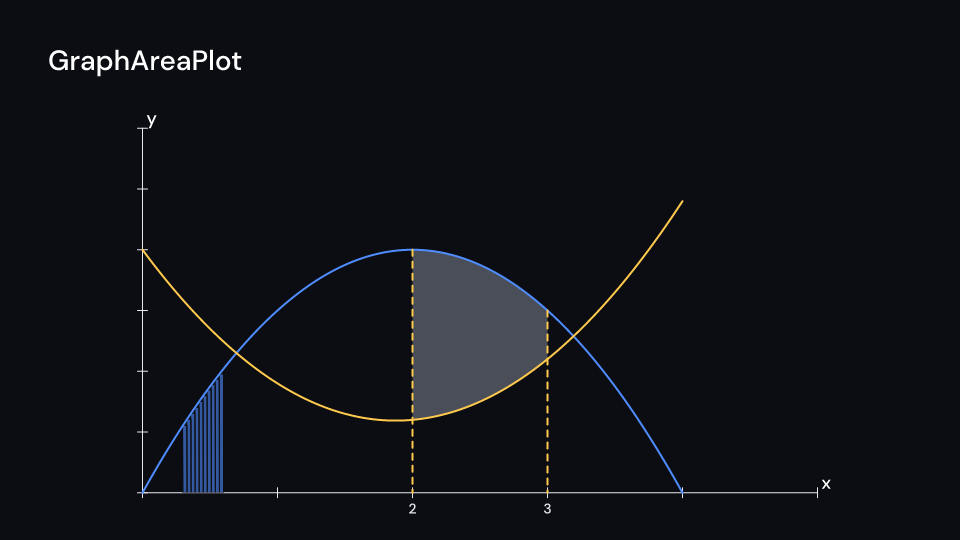
GraphAreaPlot 3.5 s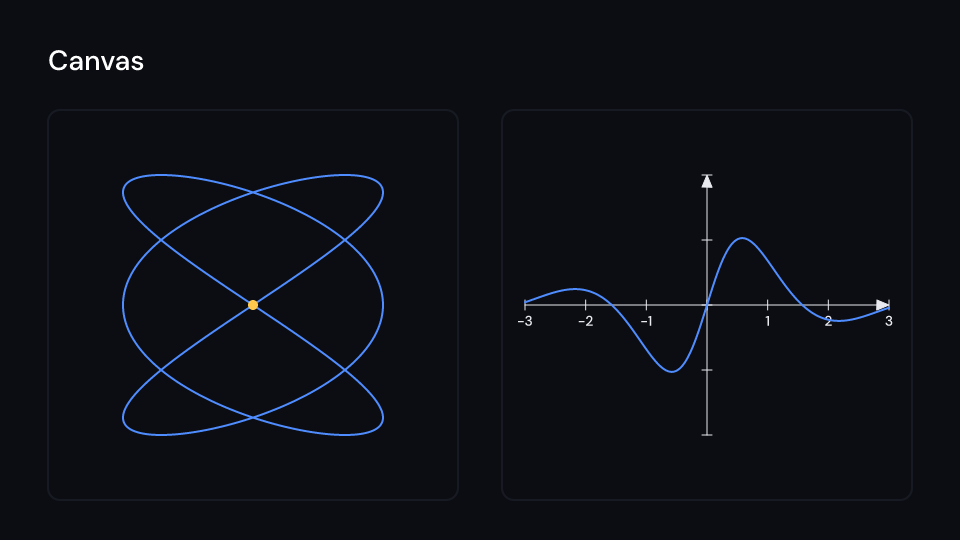
Canvas 3 s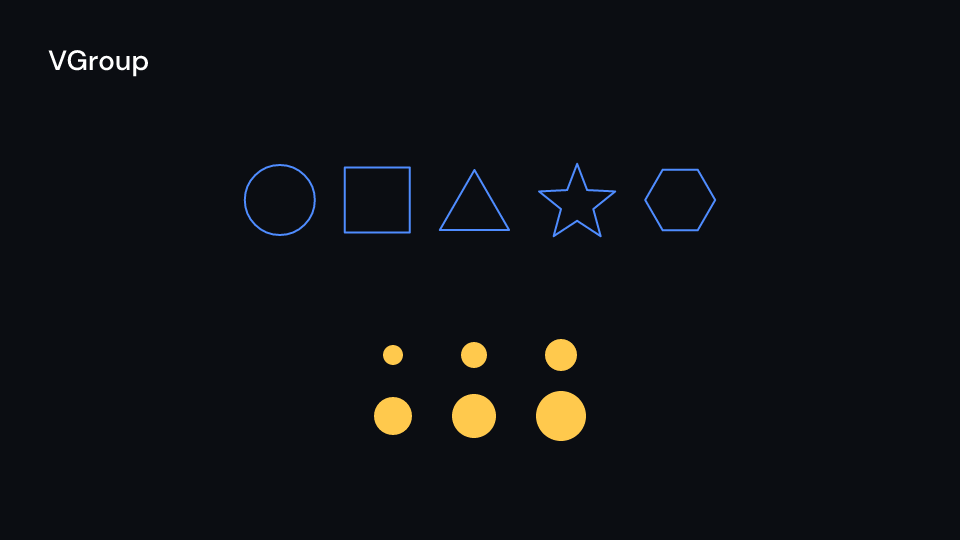
VGroup 2.5 s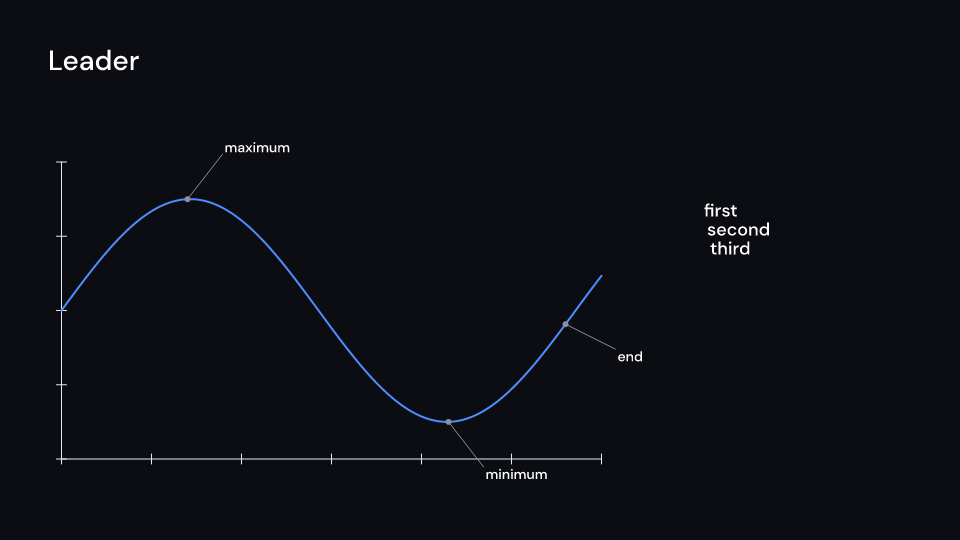
Leader 3 s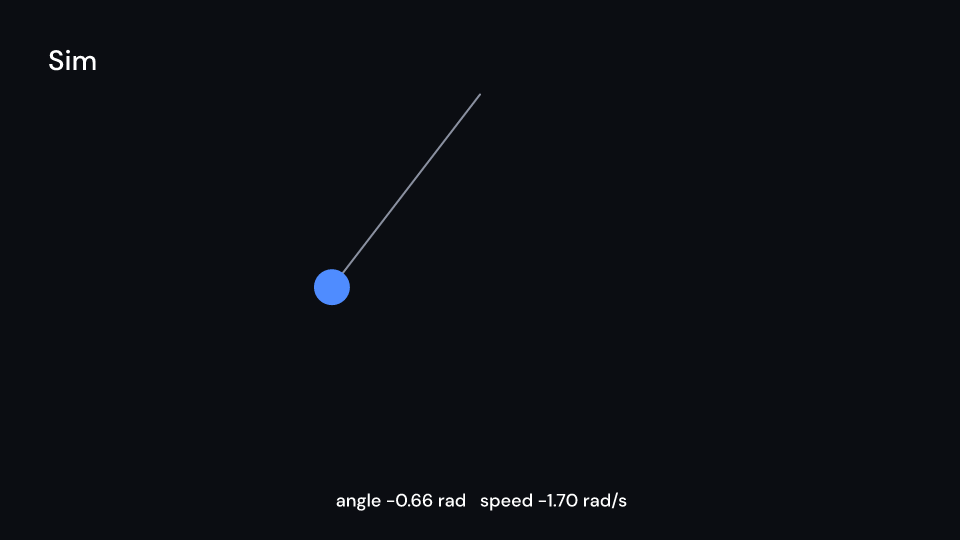
Sim 4 s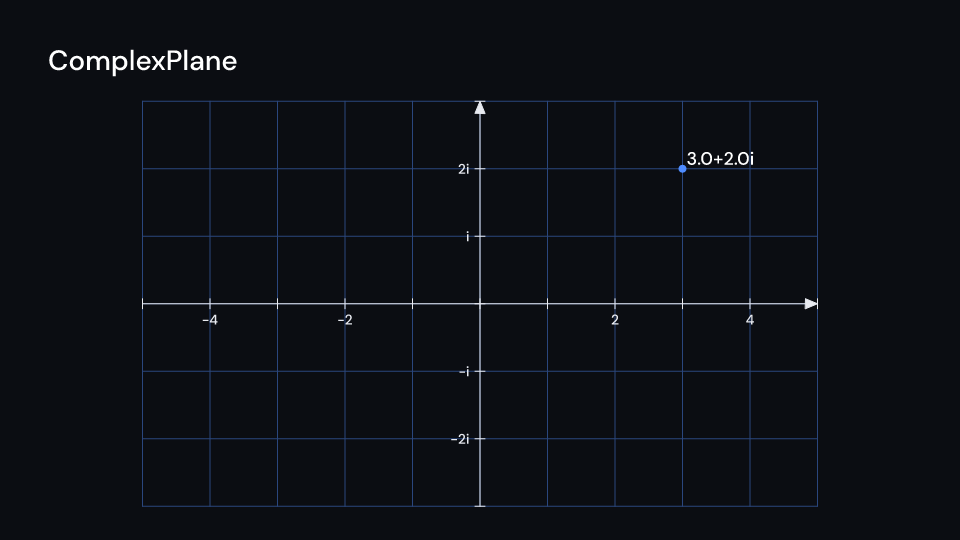
ComplexPlane 2 s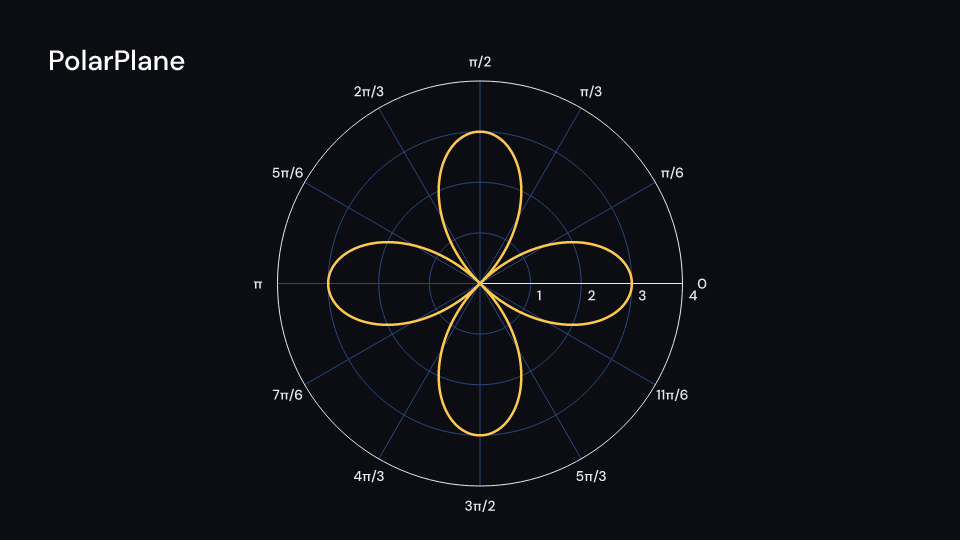
PolarPlane 2 s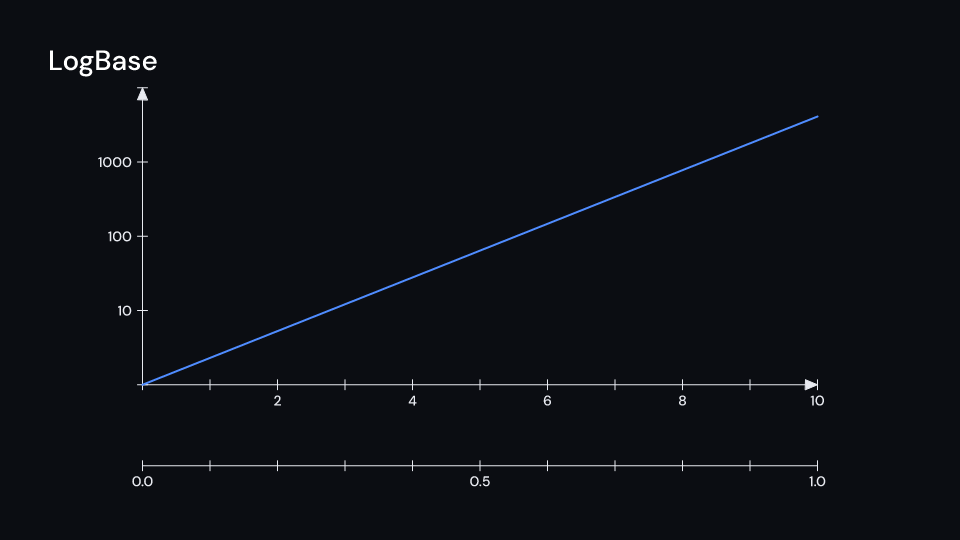
LogBase 2 s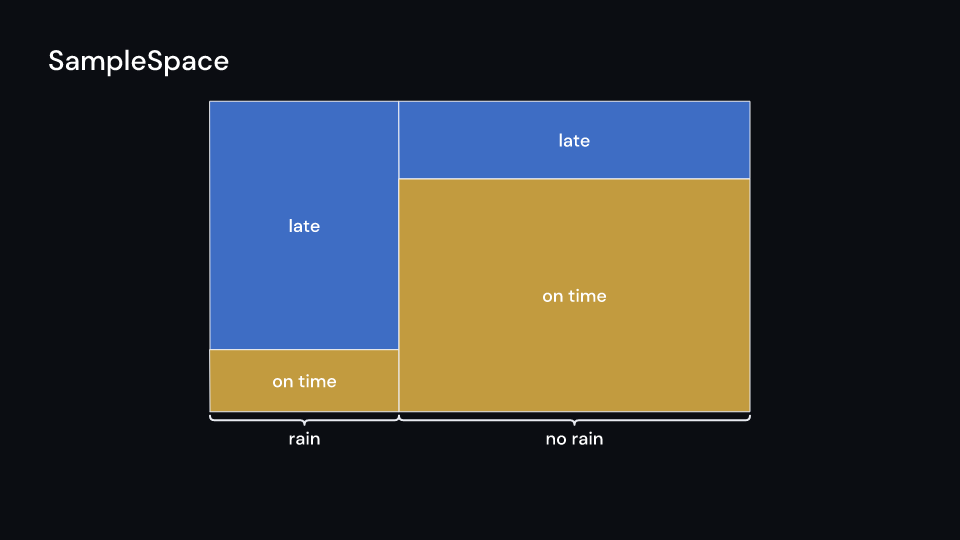
SampleSpace 2 s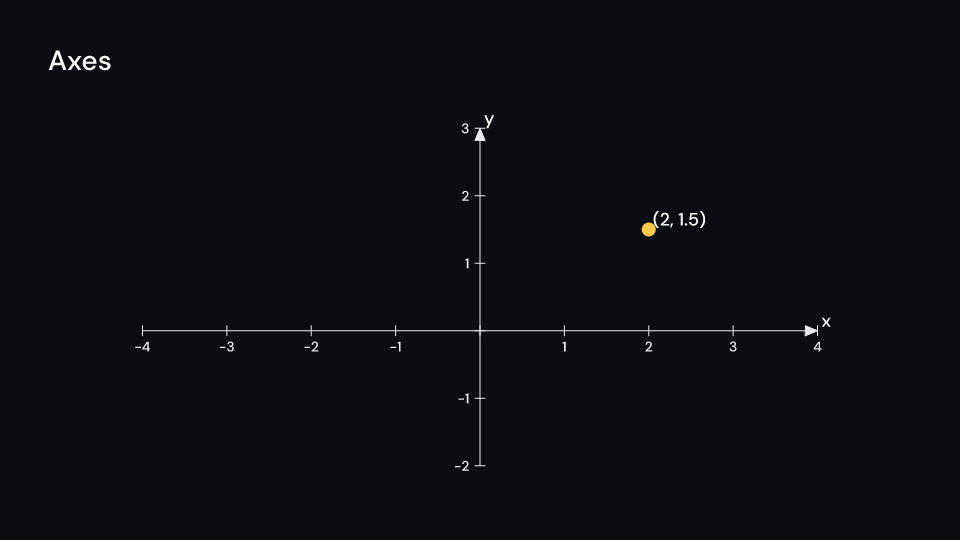
Axes 2.5 s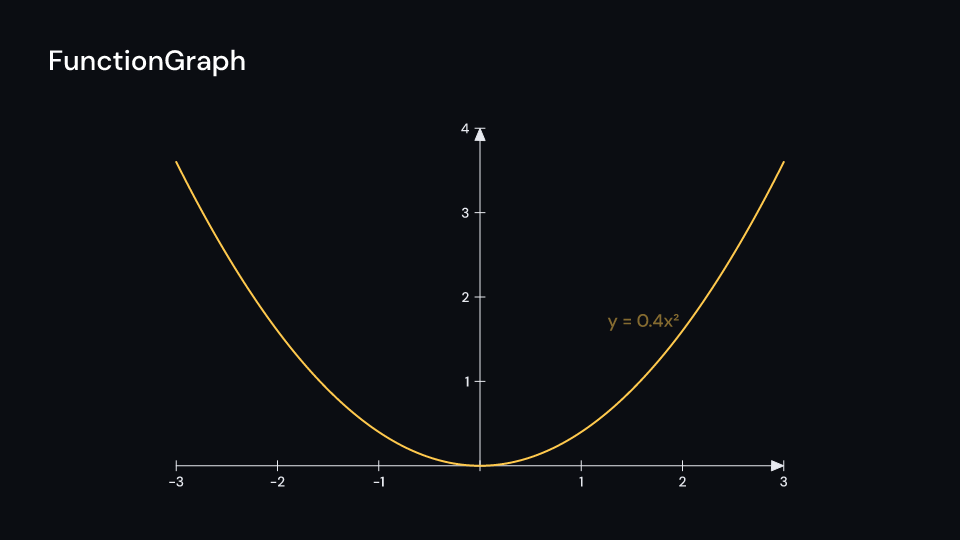
FunctionGraph 3 s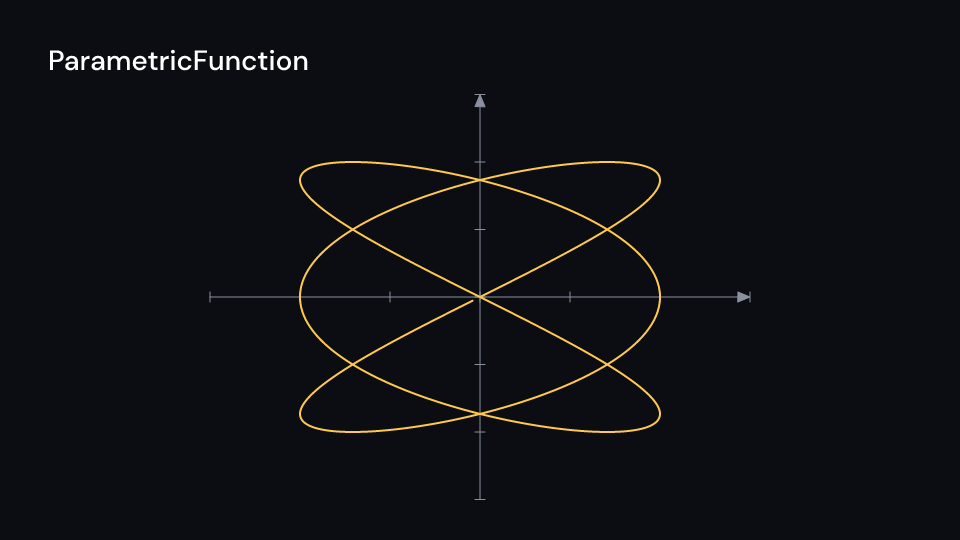
ParametricFunction 3.5 sComplexValueTracker is a (re, im) that follows a timeline! of (f32, f32), read with
ui.sample like a ValueTracker.
Gallery scene: ValueTracker.
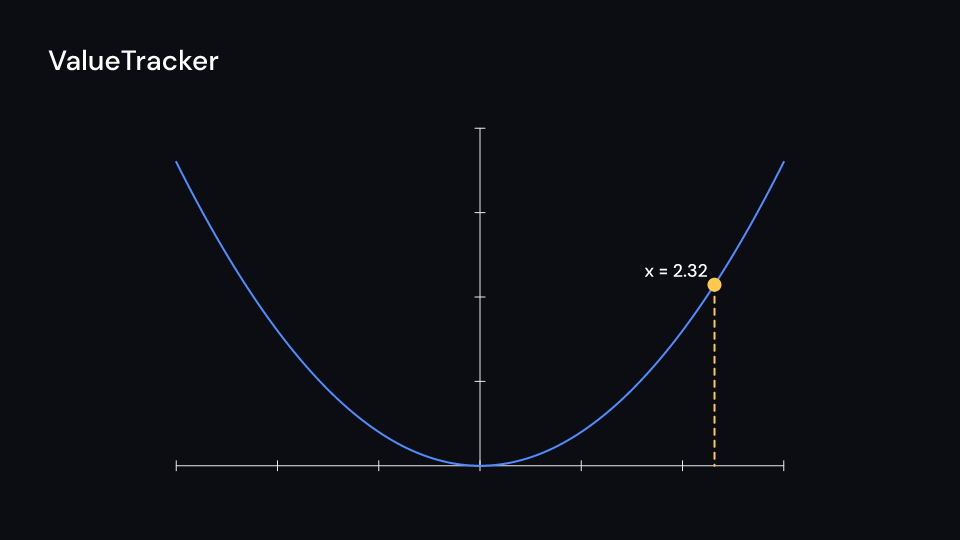
ValueTracker 4 suse fframes_kit::prelude::*;
fn planes<'a>(ui: &mut Ui<'a, '_, '_>) -> Svgr<'a> { let plane = ComplexPlane::default(); let z = (2.0, 1.0 + f64::from(ui.seconds())); let (x, y) = plane.n2p(ui, z); let label = plane.label(ui, z, 1); let plane = ui.show(plane); let dot = ui.show(Dot { cx: x, cy: y, ..ui.defaults() }); let label = ui.show(label); let growth = Axes { x_range: Range::new(0.0, 10.0, 1.0), y_range: Range::new(0.0, 3.0, 1.0), y_scaling: Scaling::LogBase(10.0), y_numbers: vec![10.0, 100.0, 1000.0], ..ui.defaults() }; let curve = growth.plot(ui, |x| 2f64.powf(x)); let growth = ui.show(growth); let curve = ui.show(curve); svgr!(<g>{plane}{dot}{label}{growth}{curve}</g>)}
let polar = PolarPlane::default();let p = polar.pr2pt_in(Space::FULL_HD, (2.0, 1.0));let (r, theta) = polar.pt2pr_in(Space::FULL_HD, p);assert!((r - 2.0).abs() < 1e-9 && (theta - 1.0).abs() < 1e-9);assert_eq!(fframes_kit::explain::format_complex((0.0, -1.0), 0), "-i");Draw a plane, arrange shapes, or put a separate coordinate system in part of the frame:
use fframes_kit::prelude::*;
fn coordinate_examples<'a>(ui: &mut Ui<'a, '_, '_>) -> Vec<Svgr<'a>> {    let group = VGroup::new(vec![Circle { radius: 70.0, ..ui.defaults() }.shape()])        .move_to(960.0, 540.0);    vec![        ui.show(NumberLine { ..ui.defaults() }),        ui.show(NumberPlane { faded_line_ratio: 2, ..ui.defaults() }),        ui.show(Canvas {            space: Space::frame(96.0, 220.0, 820.0, 780.0, 6.0),            children: children(|ui| ui.show(Axes::default())),        }),        ui.show(group),        ui.show(Leader { from: (500.0, 500.0), to: (700.0, 400.0), text: "point".into(), ..ui.defaults() }),        ui.show(SampleSpace {            columns: vec![SampleColumn::new(1.0, "weather", vec![SampleRow::new(0.5, "rain"), SampleRow::new(0.5, "dry")])],            ..ui.defaults()        }),    ]}
Axes can also construct a function graph, filled area, Riemann rectangles and a parametric curve in the same coordinate system:
use fframes_kit::prelude::*;
fn plot<'a>(ui: &mut Ui<'a, '_, '_>) -> Svgr<'a> {    let axes = Axes::default();    let graph = FunctionGraph { ..axes.plot(ui, |x| x * x) };    let area = Area { ..axes.area(ui, |x| x * x, (0.0, 1.0)) };    let rectangles = RiemannRectangles { ..axes.riemann_rectangles(ui, |x| x * x, (0.0, 1.0), 0.2) };    let curve = ParametricFunction { ..axes.plot_parametric(ui, |t| (t.cos(), t.sin()), (0.0, std::f64::consts::TAU)) };    let axes = ui.show(axes);    let (area, rectangles, graph, curve) = (ui.show(area), ui.show(rectangles), ui.show(graph), ui.show(curve));    svgr!(<g>{axes}{area}{rectangles}{graph}{curve}</g>)}
The PiRadians azimuths need a font with π, TauRadians one with τ (DM Sans has no
τ, and inspect reports the fallback).
Implicit curves and vector fields
Section titled “Implicit curves and vector fields”The functions are plain fns (closures that capture nothing), so what they trace is cached
by the function’s address and the props, once per render and not per frame.
| Component | Props | What it does |
|---|---|---|
ImplicitFunction |
f: fn(x, y) -> f64, x_range, y_range, resolution (128 cells across), axes, space, paint, enter, exit, emphasis |
the curve where f(x, y) = 0, by marching squares; ImplicitFunction::new(ui, f) over the frame, axes.plot_implicit_curve(ui, f) over the axes’ ranges |
VectorField |
f: fn(x, y) -> (f64, f64), x_range, y_range (the grid, as Ranges), colors, min_magnitude (0), max_magnitude (2), color |
not drawn itself: the field, its grid and the colour of a vector by its length (color_for, color_at) |
ArrowVectorField |
field, length: fn(f64) -> f64 (sigmoid_length, Manim’s), stroke_width, tip_length, tip_width, opacity, enter, exit, emphasis |
an arrow from every grid point along the vector, coloured by its length; zero vectors draw nothing |
StreamLines |
field, dt (0.05), virtual_time (3), max_anchors_per_line (100), padding (3), n_repeats, noise_factor (half the grid step), seed, stroke_width, opacity, flow: Option<Flow { time_width, speed }>, enter, exit |
a line from every grid point, moved by seeded noise, along the field until it leaves the grid by padding; each line takes the colour of the field at its middle. flow is Manim’s start_animation: a piece time_width of the line long runs along it speed times a second, every line from its own start |
Gallery scenes: ImplicitFunction, ArrowVectorField, StreamLines.
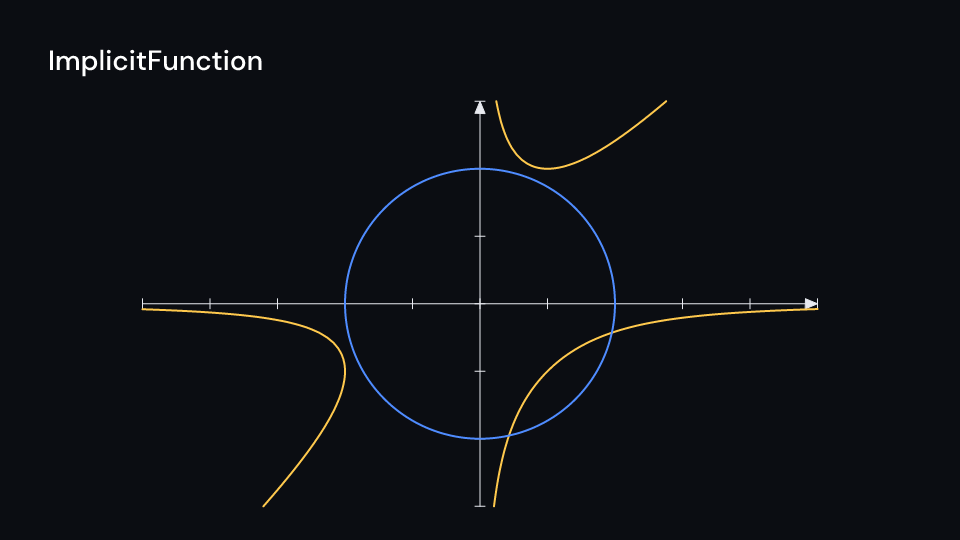
ImplicitFunction 2 s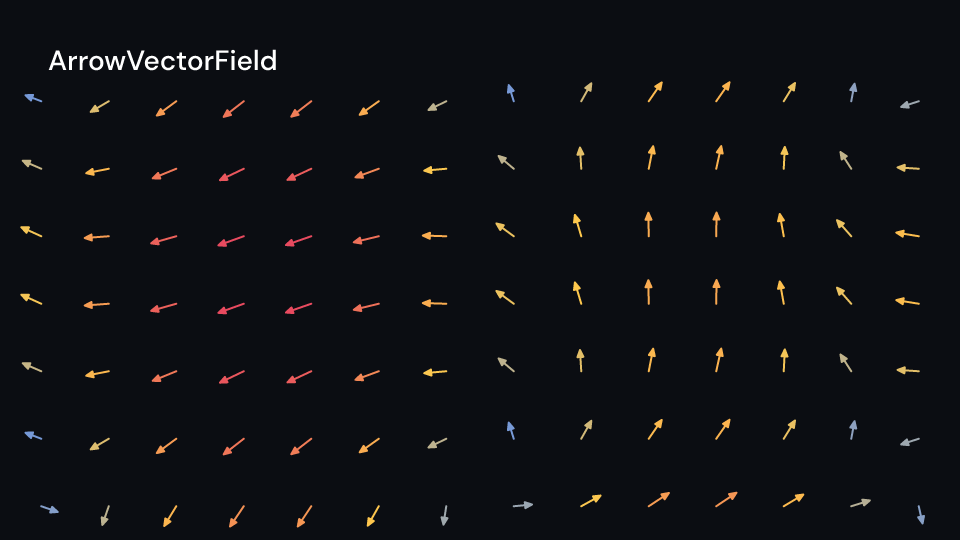
ArrowVectorField 2 s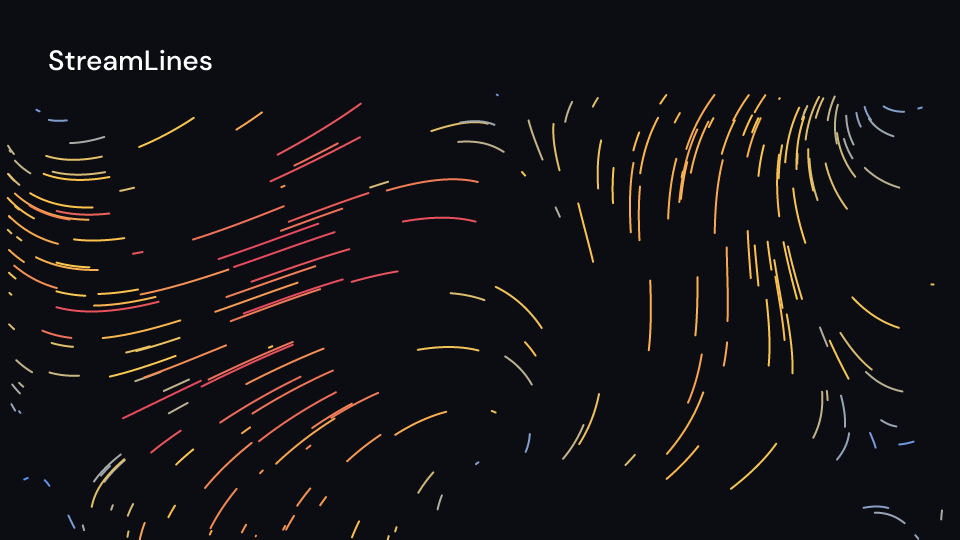
StreamLines 4 suse fframes_kit::prelude::*;
fn fields<'a>(ui: &mut Ui<'a, '_, '_>) -> Svgr<'a> { let axes = Axes::default(); let curve = ui.show(ImplicitFunction { ..axes.plot_implicit_curve(ui, |x, y| x * y * y - x * x * y - 2.0) }); let axes = ui.show(axes); let arrows = ui.show(ArrowVectorField { field: VectorField { f: |x, y| (-y, x), ..ui.defaults() }, ..ui.defaults() }); let lines = ui.show(StreamLines { field: VectorField { f: |x, y| ((x / 2.0).sin() - (y / 2.0).cos(), (x / 2.0).sin()), ..ui.defaults() }, flow: Some(Flow::default()), ..ui.defaults() }); svgr!(<g>{lines}{arrows}{axes}{curve}</g>)}Graphs
Section titled “Graphs”Manim’s Graph is explain::Graph; the prelude’s Graph is the computer science kit’s
searchable graph, so write the module path.
Gallery scenes: GraphLayouts, Graph.
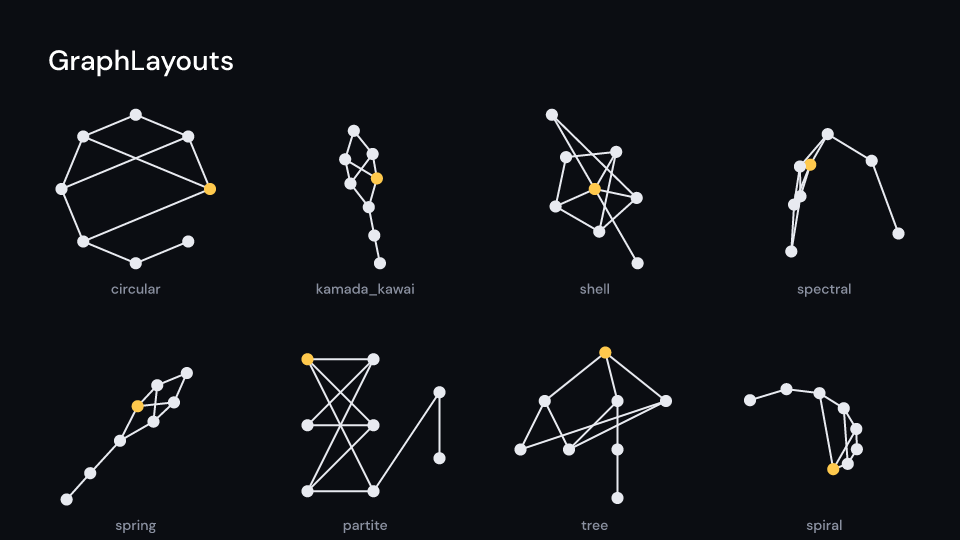
GraphLayouts 2 s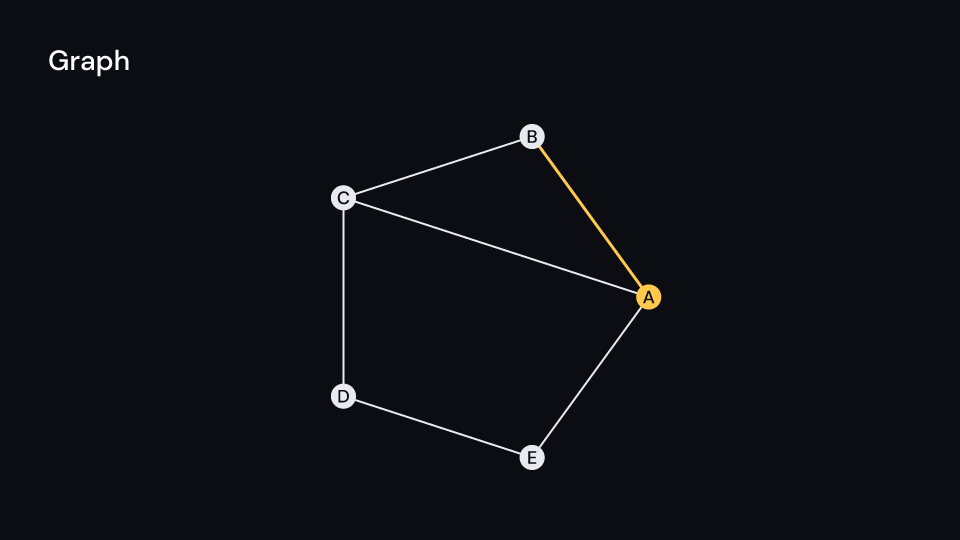
Graph 2.5 s| Component | Props | What it does |
|---|---|---|
explain::Graph |
vertices (names), edges: Vec<(usize, usize)>, layout: GraphLayout (spring), layout_scale (2 units), center, labels, radius (0.1 units), vertex_fill, vertex_stroke, label_style, label_fill, edge_color, edge_width, edge_bend (pixels), tip_length, vertex_styles: Vec<VertexStyle>, edge_styles: Vec<EdgeStyle>, enter, exit, labels_enter, labels_exit |
vertices placed by the layout, joined by straight or bent edges; with labels each vertex holds its name. Graph::new(ui, &names, &edges), vertex_point(space, v) gives a vertex’s pixel |
DiGraph |
graph: Graph |
the same with a tip on every edge; two edges between the same vertices bend apart |
VertexStyle |
vertex, fill, stroke, radius, label |
one vertex’s look and text |
EdgeStyle |
edge: (from, to), color, width, bend, label |
one edge’s look, and a label beside its middle |
Gallery scene: DiGraph.
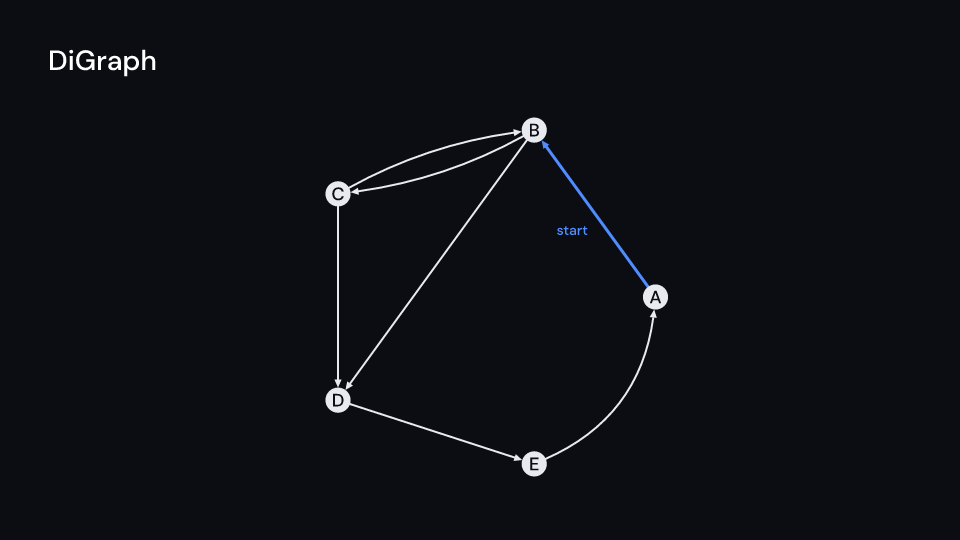
DiGraph 2 sGraphLayout (in the prelude) has networkx’s layouts: Circular, KamadaKawai, Planar,
Random { seed }, Shell { shells }, Spectral, Spiral, Spring { seed, iterations }
(the default), Partite { parts }, Tree { root } and Function(fn(count, edges, scale))
for your own positions. layout::graph_layout(&layout, count, &edges, scale) returns the
positions alone, centered and scaled to scale and pushed 0.4 * scale / √count apart. The
same arguments give the same positions everywhere, and a graph computes its layout once.
Planar computes no embedding: it is Spring with seed 0, so crossings can stay.
Spectral is Spring above 400 vertices.
use fframes_kit::{explain, prelude::*};
fn graphs<'a>(ui: &mut Ui<'a, '_, '_>) -> Svgr<'a> {    let tree = ui.show(explain::Graph {        layout: GraphLayout::Tree { root: 0 },        labels: true,        enter: Some(Create::default().into()),        ..explain::Graph::new(ui, &["a", "b", "c", "d"], &[(0, 1), (0, 2), (2, 3)])    });    let flow = ui.show(DiGraph {        graph: explain::Graph {            layout: GraphLayout::Circular,            center: (4.0, 0.0),            edge_styles: vec![EdgeStyle {                edge: (0, 1),                label: Some("start".into()),                ..EdgeStyle::default()            }],            ..explain::Graph::new(ui, &["x", "y", "z"], &[(0, 1), (1, 2), (2, 1)])        },    });    svgr!(<g>{tree}{flow}</g>)}
Typed matrices and tables
Section titled “Typed matrices and tables”Each wraps the explain layer’s Matrix or Table, which gives the place, gaps, labels,
lines and animations; the wrapper fills the entries.
Gallery scenes: Matrix, Table, MathTable, TypedTables, DecimalMatrix, IntegerMatrix,
MobjectMatrix, DecimalTable, IntegerTable, MobjectTable.
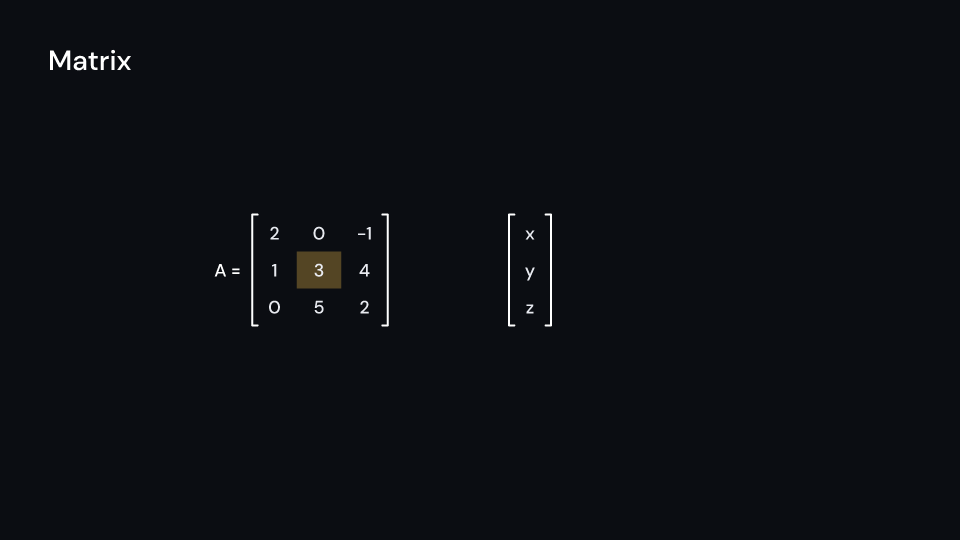
Matrix 2.5 s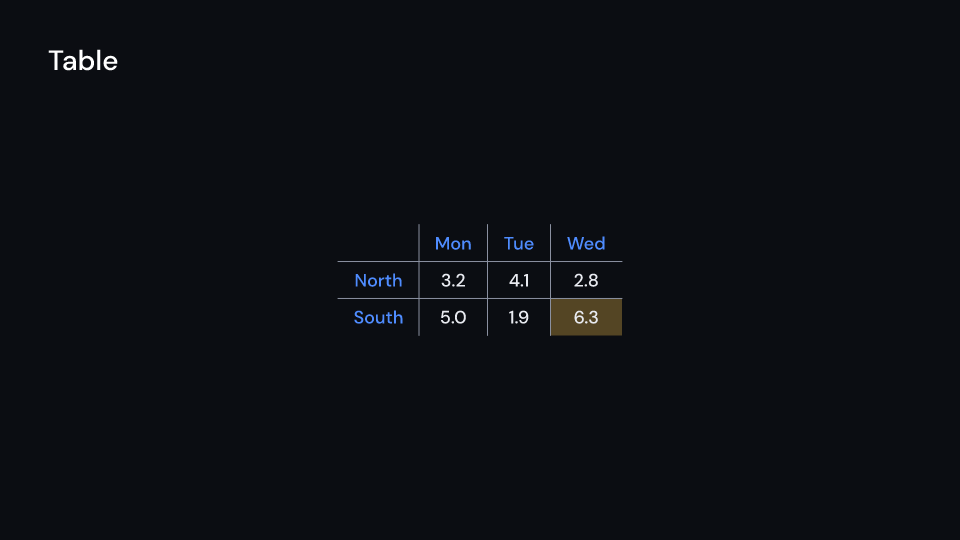
Table 2.5 s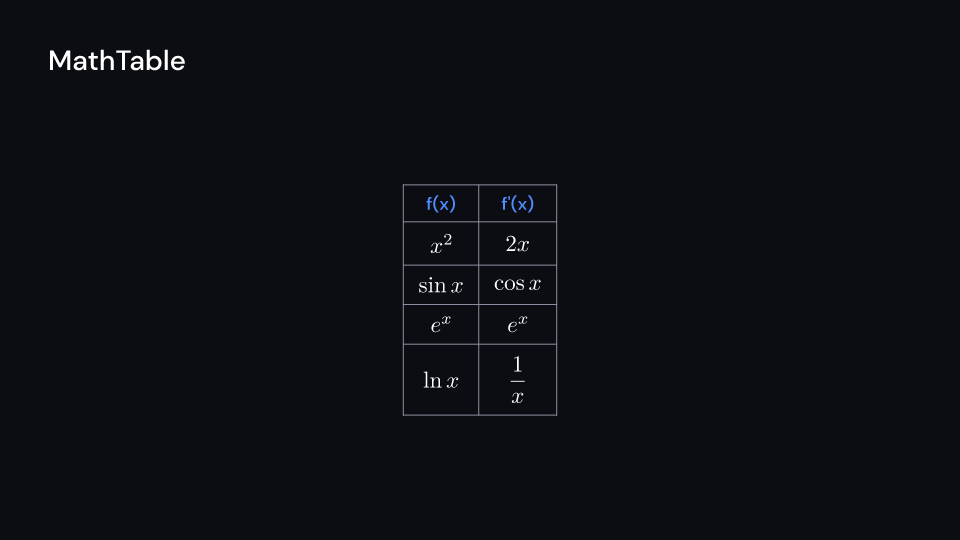
MathTable 2 s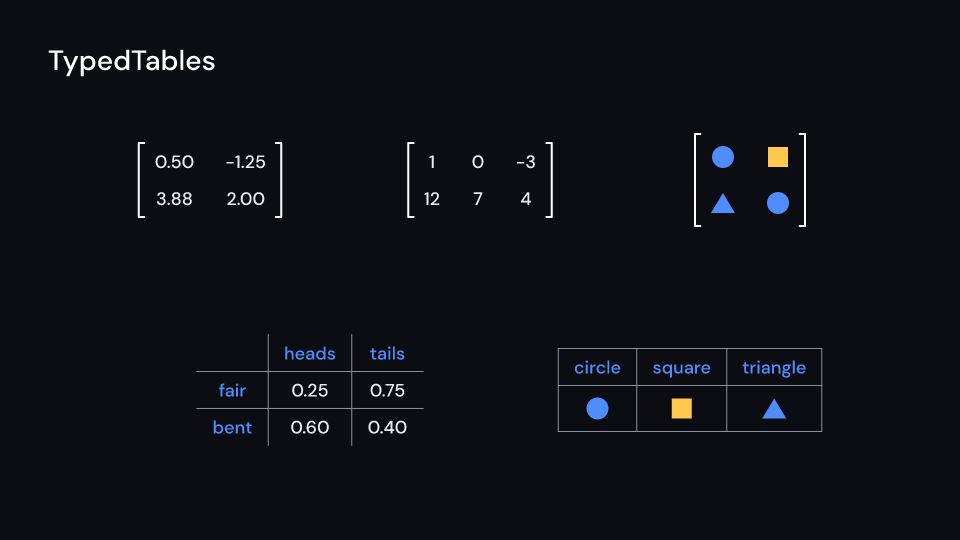
TypedTables 2 s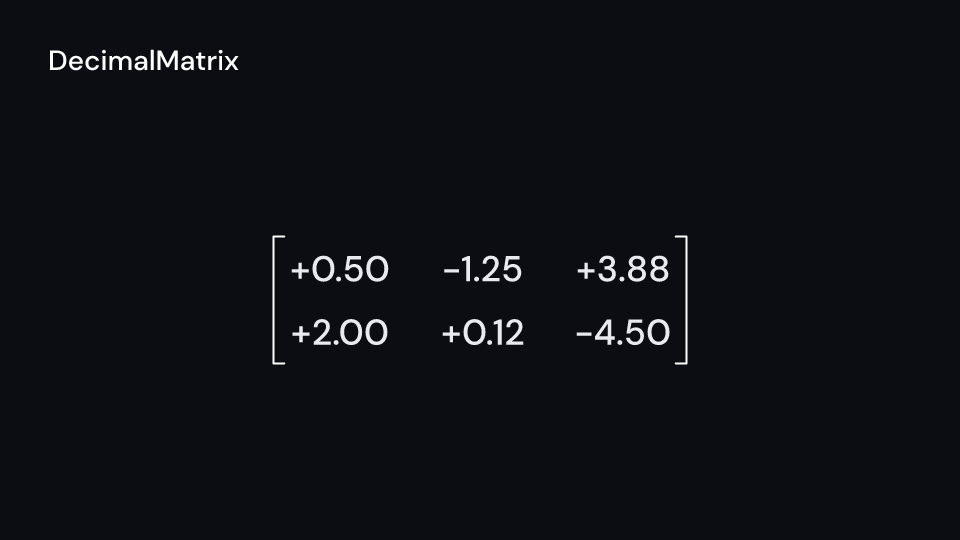
DecimalMatrix 2 s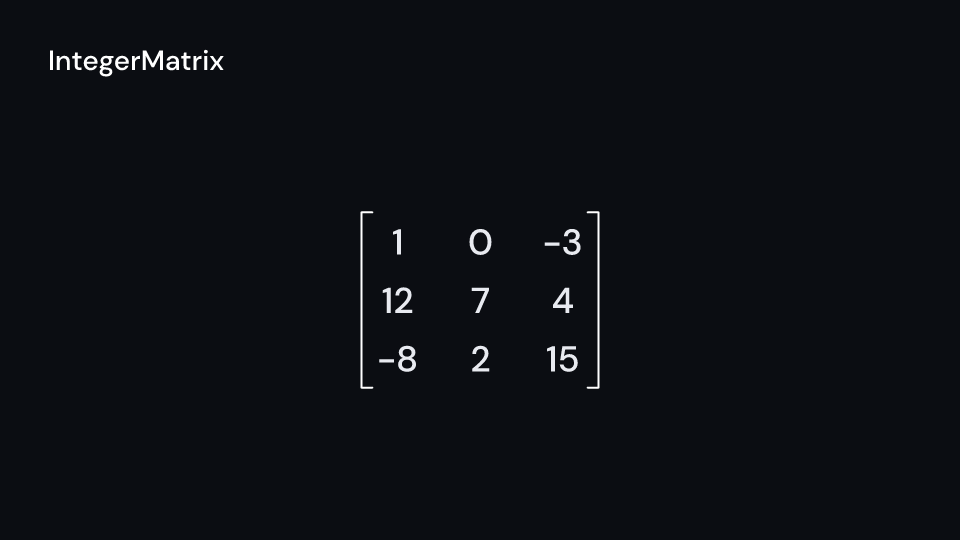
IntegerMatrix 2 s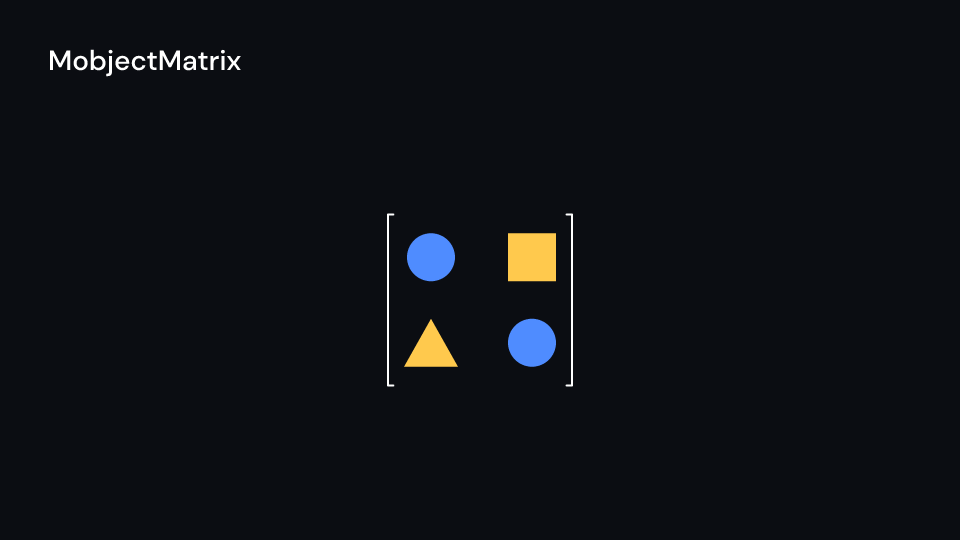
MobjectMatrix 2 s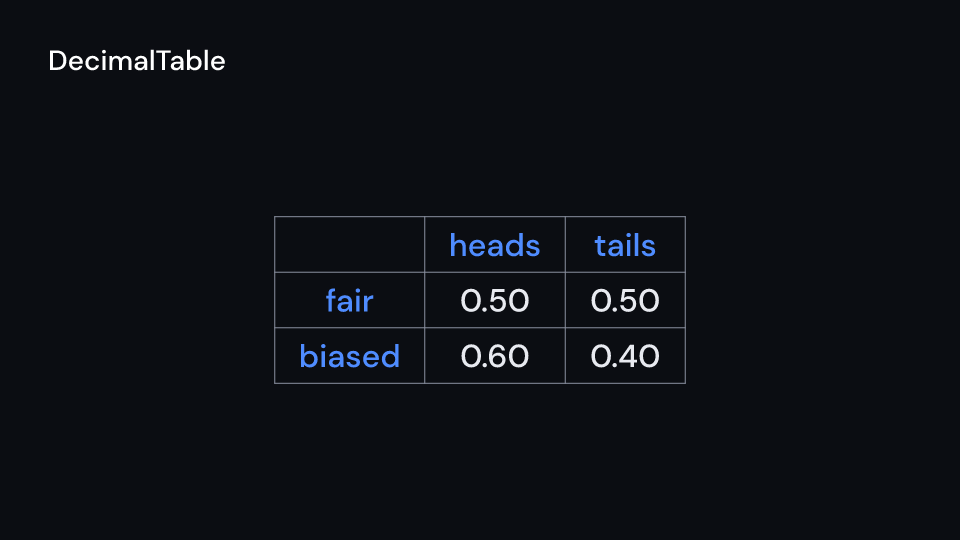
DecimalTable 2 s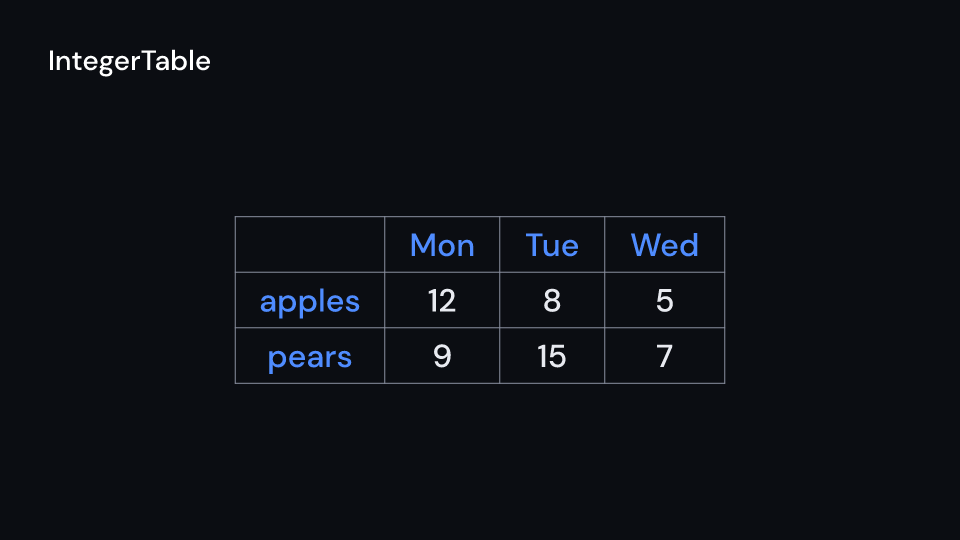
IntegerTable 2 s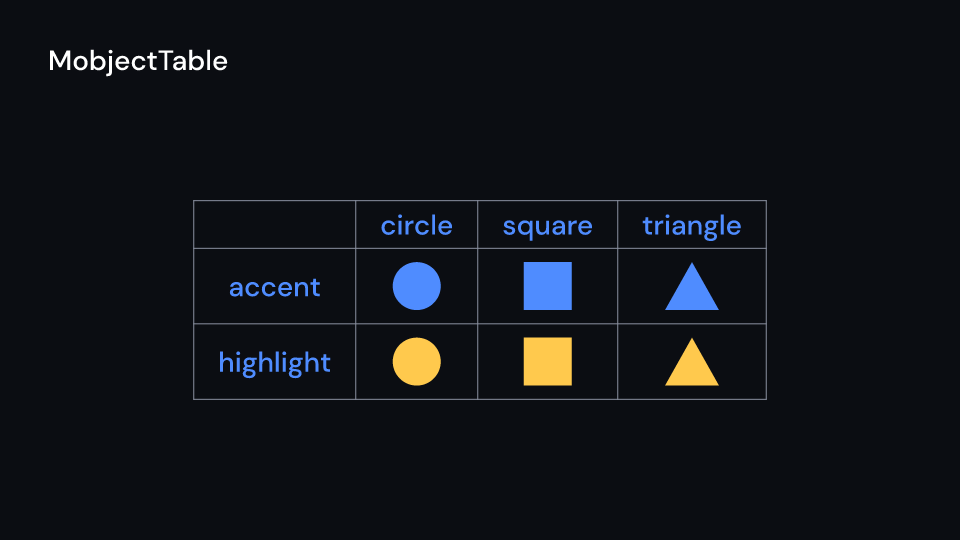
MobjectTable 2 s| Component | Props | What it does |
|---|---|---|
DecimalMatrix, DecimalTable |
values: Vec<Vec<f64>>, num_decimal_places (1), include_sign, matrix or table |
numbers written like DecimalNumber (1,234.5); to_matrix() / to_table() give the text version, for cell and bounds |
IntegerMatrix, IntegerTable |
values: Vec<Vec<i64>>, matrix or table |
whole numbers |
MobjectMatrix, MobjectTable |
entries: Vec<Vec<Mobject>>, matrix or table |
drawn entries, each in the middle of its cell, a column as wide as its widest entry; a table’s labels stay text. cell(..) gives a cell’s area |
Mobject |
svgr, width, height |
something drawn around the origin and the box it takes; Mobject::from_shapes(&shapes) centers shapes and measures them |
MathTable (feature latex) |
formulas: Vec<Vec<&Formula>>, size, color, table |
typeset formulas in a table; typeset them once with a TexEngine, like MathTex |
use fframes_kit::prelude::*;
fn tables<'a>(ui: &mut Ui<'a, '_, '_>) -> Svgr<'a> {    let odds = ui.show(DecimalTable {        values: vec![vec![0.25, 0.75], vec![0.6, 0.4]],        num_decimal_places: 2,        table: Table {            col_labels: vec!["heads".into(), "tails".into()],            row_labels: vec!["fair".into(), "bent".into()],            ..ui.defaults()        },        ..ui.defaults()    });    let dot = Mobject::from_shapes(&[Shape {        path: kurbo::Shape::to_path(&kurbo::Circle::new((0.0, 0.0), 20.0), 0.1),        fill: Some(ui.theme.colors.accent),        stroke: None,        stroke_width: 0.0,        dash: None,        opacity: 1.0,    }]);    let shapes = ui.show(MobjectMatrix {        entries: vec![vec![dot.clone(), dot]],        matrix: Matrix { x: 1400.0, ..ui.defaults() },    });    svgr!(<g>{odds}{shapes}</g>)}
fn decimal_matrix<'a>(ui: &mut Ui<'a, '_, '_>) -> Svgr<'a> {    ui.show(DecimalMatrix {        values: vec![vec![0.5, -1.25]], num_decimal_places: 2,        include_sign: true, matrix: ui.defaults(),    })}
fn integer_matrix<'a>(ui: &mut Ui<'a, '_, '_>) -> Svgr<'a> {    ui.show(IntegerMatrix { values: vec![vec![1, 2], vec![3, 4]], matrix: ui.defaults() })}
fn integer_table<'a>(ui: &mut Ui<'a, '_, '_>) -> Svgr<'a> {    ui.show(IntegerTable { values: vec![vec![12, 8]], table: ui.defaults() })}
fn mobject_table<'a>(ui: &mut Ui<'a, '_, '_>, dot: Mobject<'a>) -> Svgr<'a> {    ui.show(MobjectTable { entries: vec![vec![dot]], table: ui.defaults() })}
fn formula_table<'a>(ui: &mut Ui<'a, '_, '_>, formula: &'a Formula) -> Svgr<'a> {    ui.show(MathTable { formulas: vec![vec![formula]], ..ui.defaults() })}
Cameras
Section titled “Cameras”MovingCamera is Manim’s MovingCameraScene: center and width (units of ui.space)
say which part of the canvas fills the picture, and both are Anims, so the frame pans and
zooms. full_frame_width(space) is the frame of the whole canvas (14.2 units on 1080p);
auto_zoom(space, &boxes, margin) returns the center and width that show some pixel boxes,
like self.camera.auto_zoom. ZoomedInset is Manim’s ZoomedScene: the children, plus a
copy of what is inside frame magnified into display, popping out of the frame over
run_time (0 shows it at once). Both are <g transform>s; the inset renders its children
twice.
Gallery scenes: MovingCamera, ZoomedInset.
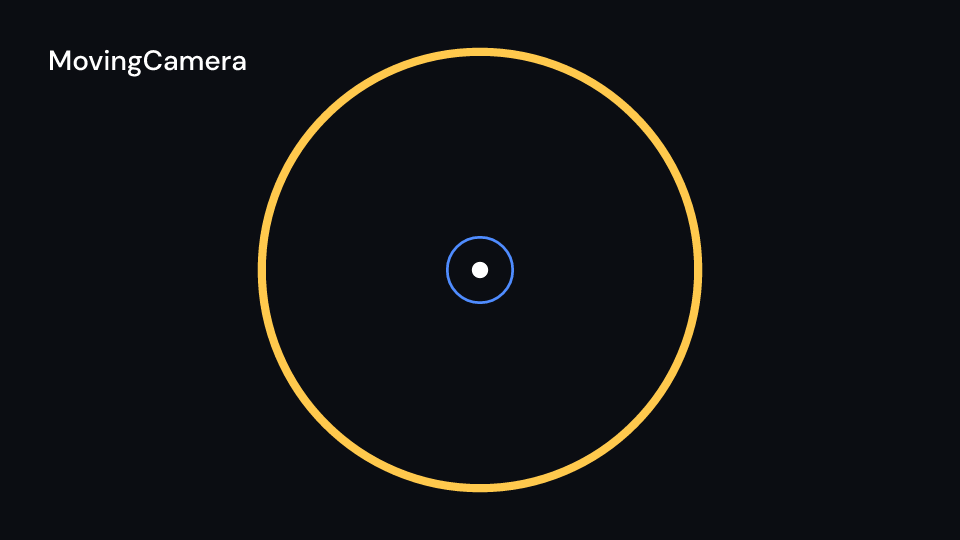
MovingCamera 2 s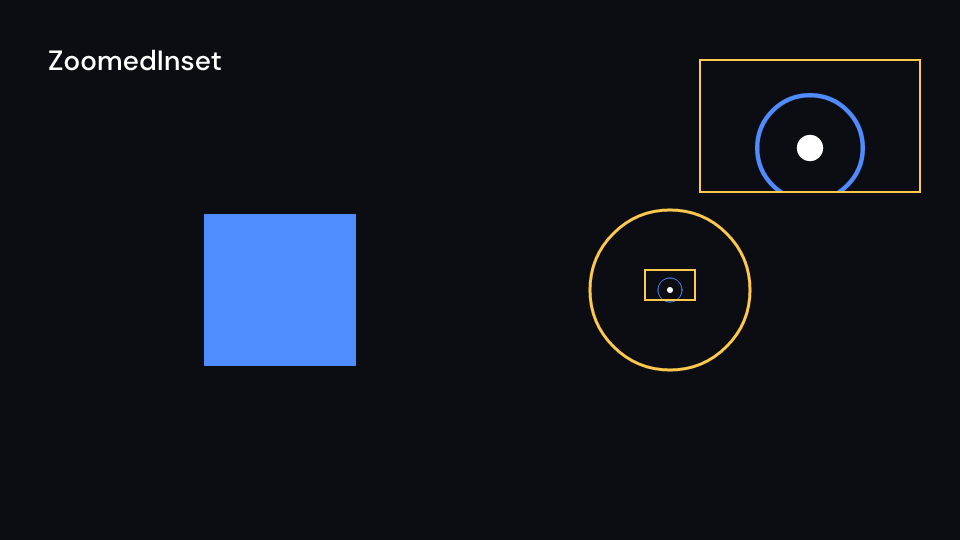
ZoomedInset 2 suse fframes_kit::prelude::*;use fframes_kit::{explain::{auto_zoom, full_frame_width}, kurbo::Rect};
fn zoom_on_a_box<'a>(ui: &mut Ui<'a, '_, '_>) -> Svgr<'a> { let full = full_frame_width(ui.space); let (center, width) = auto_zoom(ui.space, &[Rect::new(1200.0, 400.0, 1500.0, 700.0)], 0.5) .unwrap_or(((0.0, 0.0), full)); let p = RateFunc::Smooth.apply(motion::progress(ui.seconds(), 0.0, 1.0), 1.0); ui.show(MovingCamera { center: (center.0 * p, center.1 * p).into(), width: motion::lerp(full, width, p).into(), children: children(|ui| ui.show(Circle { cx: 1350.0, cy: 550.0, radius: 150.0, ..ui.defaults() })), })}
fn inset<'a>(ui: &mut Ui<'a, '_, '_>) -> Svgr<'a> { ui.show(ZoomedInset { frame: Rect::new(1200.0, 400.0, 1500.0, 700.0), display: Rect::new(100.0, 100.0, 700.0, 700.0), children: children(|ui| ui.show(Circle { cx: 1350.0, cy: 550.0, radius: 100.0, ..ui.defaults() })), ..ui.defaults() })}3D (feature 3d)
Section titled “3D (feature 3d)”three::ThreeDView is Manim’s ThreeDScene, with Surface, ThreeDAxes, the solids,
the polyhedra and ConvexHull3D; see three-d.md.
Components are plain structs. Set the fields you need and fill the rest with ..ui.defaults(): the defaults below come from the current theme (theme. values are fields of Theme).
NumberLine
Section titled “NumberLine”A horizontal number line (Manim NumberLine): range spread over length units centered on center, with ticks at every step and the numbers written below them. NumberLine::unit_interval is Manim’s UnitInterval.
| Field | Type | Default | Description |
|---|---|---|---|
range |
Range |
Range::new(-8.0, 8.0, 1.0) |
In axis units, see Scaling. |
scaling |
Scaling |
Scaling::Linear |
How values are spread along the line: Linear or LogBase; range is then in axis units (exponents). |
length |
f64 |
12.0 |
Length in units of ui.space. |
center |
(f64, f64) |
(0.0, 0.0) |
The middle of the line, in units of ui.space. |
color |
Color |
theme.colors.text |
Colour of the line, its tip and its ticks. |
stroke_width |
f32 |
theme.stroke.thin |
Width of the line and the ticks in pixels. |
tips |
bool |
false |
Arrow tip at the right end. |
tip_length |
f32 |
24.0 |
Length of the arrow tip in pixels. |
tip_width |
f32 |
20.0 |
Width of the arrow tip in pixels. |
include_ticks |
bool |
true |
Draws a tick at every step of range. |
tick_size |
f32 |
10.0 |
Half the length of a tick, in pixels. |
numbers |
Vec<f64> |
Vec::new() |
Values written below their ticks (Manim numbers_to_include). |
decimals |
usize |
0 |
Digits after the decimal point of the written numbers. |
number_style |
TextStyle |
theme.typography.caption |
The font of the numbers: family, size in pixels and weight. |
number_fill |
Color |
theme.colors.text |
Colour of the numbers. |
enter |
Option<EnterAnim> |
None |
How the line and its ticks appear; None shows them from the start. |
exit |
Option<ExitAnim> |
None |
How the line and its ticks leave at the end of their container; None stays. |
emphasis |
Option<Emphasis> |
None |
An emphasis animation (Indicate, Wiggle, ..) played on the line while it is shown. |
numbers_enter |
Option<FadeIn> |
None |
How the numbers appear and go; the line itself uses enter and exit. |
numbers_exit |
Option<FadeOut> |
None |
Fade the numbers out before the end of the container; None for none. |
Methods:
fn unit_interval(t: &Theme) -> Self: Manim’sUnitInterval: 0 to 1 in tenths, 10 units long, 0, 0.5 and 1 written.fn n2p_in(&self, space: Space, x: f64) -> Point: The pixel of the numberxinspace(Manimnumber_to_point,n2p).fn n2p(&self, ui: &Ui, x: f64) -> (f32, f32): The pixel of the numberxinui.space.fn p2n(&self, ui: &Ui, px: f32) -> f64: The number at the pixel columnpx(Manimpoint_to_number,p2n).fn p2n_in(&self, space: Space, px: f64) -> f64: The number at the pixel columnpxinspace.
Two number lines that cross where x = 0 and y = 0 (Manim Axes), or at the ends of the ranges that do not contain 0. Build the graphs and lines that go on them with Axes::plot, Axes::vertical_line, Axes::riemann_rectangles and Axes::area; they keep the axes’ mapping.
| Field | Type | Default | Description |
|---|---|---|---|
x_range |
Range |
Range::new(-6.0, 6.0, 1.0) |
In axis units, see Scaling. |
y_range |
Range |
Range::new(-3.0, 3.0, 1.0) |
Range of the y-axis, Range::new(min, max, step), in axis units; see Scaling. |
x_scaling |
Scaling |
Scaling::Linear |
How x values are spread along the x-axis: Linear or LogBase; x_range is then in axis units (exponents). |
y_scaling |
Scaling |
Scaling::Linear |
How y values are spread along the y-axis: Linear or LogBase; y_range is then in axis units (exponents). |
x_length |
f64 |
12.0 |
Length of the x-axis in units of ui.space. |
y_length |
f64 |
6.0 |
Length of the y-axis in units of ui.space. |
center |
(f64, f64) |
(0.0, 0.0) |
The middle of the axes’ box, in units of ui.space. |
color |
Color |
theme.colors.text |
Colour of the axis lines, their tips and their ticks. |
stroke_width |
f32 |
theme.stroke.thin |
Width of the axis lines and the ticks in pixels. |
tips |
bool |
true |
Arrow tips at the positive ends. |
tip_length |
f32 |
24.0 |
Length of an arrow tip in pixels. |
tip_width |
f32 |
20.0 |
Width of an arrow tip in pixels. |
include_ticks |
bool |
true |
Draws a tick at every step of each range. |
tick_size |
f32 |
10.0 |
Half the length of a tick, in pixels. |
x_numbers |
Vec<f64> |
Vec::new() |
Values written below the x-axis (Manim numbers_to_include). A number where the y-axis crosses is left out, as in Manim. |
y_numbers |
Vec<f64> |
Vec::new() |
Values written left of the y-axis. |
decimals |
usize |
0 |
Digits after the decimal point of the written numbers. |
number_style |
TextStyle |
theme.typography.caption |
The font of the numbers: family, size in pixels and weight. |
number_fill |
Color |
theme.colors.text |
Colour of the numbers. |
x_label |
Option<Cow<str>> |
None |
Written up and right of the end of the x-axis (Manim get_axis_labels). |
y_label |
Option<Cow<str>> |
None |
Text written up and right of the end of the y-axis; None for none. |
label_style |
TextStyle |
theme.typography.body |
The font of the axis labels: family, size in pixels and weight. |
label_fill |
Color |
theme.colors.title |
Colour of the axis labels. |
enter |
Option<EnterAnim> |
None |
How the axis lines and ticks appear; None shows them from the start. |
exit |
Option<ExitAnim> |
None |
How the axis lines and ticks leave at the end of their container; None stays. |
emphasis |
Option<Emphasis> |
None |
An emphasis animation (Indicate, Wiggle, ..) played on the lines while they are shown. |
labels_enter |
Option<FadeIn> |
None |
How the numbers and labels appear and go; the lines use enter and exit. |
labels_exit |
Option<FadeOut> |
None |
Fade the numbers and labels out before the end of the container; None for none. |
Methods:
fn map_in(&self, space: Space) -> AxesMap: The mapping inspace.fn map(&self, ui: &Ui) -> AxesMap: The mapping inui.space.fn c2p(&self, ui: &Ui, x: f64, y: f64) -> (f32, f32): The pixel of the data point(x, y)(Manimc2p).fn p2c(&self, ui: &Ui, x: f32, y: f32) -> (f64, f64): The data point at a pixel (Manimp2c).fn plot(&self, ui: &Ui, f: Func) -> FunctionGraph: The graph offover the whole x range (Manimaxes.plot(f)); changex_range, the paint orenterwith struct update syntax.fn plot_parametric(&self, ui: &Ui, f: Curve, t_range: (f64, f64)) -> ParametricFunction: The curvet -> f(t)in the axes’ data units (Manimplot_parametric_curve).fn vertical_line(&self, ui: &Ui, x: f64, y: f64) -> DashedLine: A dashed line from the data point(x, y)straight down (or up) to the x-axis, in the highlight colour (Manimget_vertical_line(c2p(x, y))).fn graph_label(&self, ui: &Ui, graph: &FunctionGraph, text: impl Into<Cow<str>>, x: f64, direction: Anchor) -> Label: A label next to the point ofgraphabovex, in the graph’s colour (Manimget_graph_label(graph, label, x_val, direction)).fn riemann_rectangles(&self, ui: &Ui, f: Func, x_range: (f64, f64), dx: f64) -> RiemannRectangles: Rectangles of widthdxunderffromx_range.0tox_range.1(Manimget_riemann_rectangles).fn area(&self, ui: &Ui, f: Func, x_range: (f64, f64)) -> Area: The region betweenfand the x-axis fromx_range.0tox_range.1; setboundedfor the region between two graphs (Manimget_area).fn plot_implicit_curve(&self, ui: &Ui, f: Implicit) -> ImplicitFunction: The curve wheref(x, y) = 0over the axes’ ranges (Manimplot_implicit_curve).
NumberPlane
Section titled “NumberPlane”Axes over a grid of lines at every tick (Manim NumberPlane), filling Manim’s whole frame by default. faded_line_ratio 2 adds a fainter line between two grid lines, 3 two of them.
| Field | Type | Default | Description |
|---|---|---|---|
axes |
Axes |
— | The axes drawn over the grid; they set the ranges, size, numbers and labels, and the grid lines follow their ticks. |
line_color |
Color |
theme.colors.accent |
Colour of the grid lines. |
line_width |
f32 |
theme.stroke.thin |
Width of the grid lines in pixels. |
line_opacity |
f32 |
0.45 |
0 transparent to 1 opaque, for the grid lines at the ticks. |
faded_line_ratio |
usize |
1 |
Grid lines per tick step: 1 draws none between ticks, 2 adds one fainter line between two ticks, 3 adds two. |
faded_opacity |
f32 |
0.18 |
0 transparent to 1 opaque, for the fainter lines between ticks. |
enter |
Option<EnterAnim> |
None |
How the grid appears and goes; the axes use their own enter and exit. |
exit |
Option<ExitAnim> |
None |
How the grid leaves at the end of its container; None stays. |
ComplexPlane
Section titled “ComplexPlane”A NumberPlane of complex numbers (Manim ComplexPlane): the real part along x, the imaginary part along y, whose numbers are written i, 2i, -i. Complex numbers are (re, im) pairs; ComplexValueTracker animates one.
| Field | Type | Default | Description |
|---|---|---|---|
plane |
NumberPlane |
NumberPlane::themed(theme) |
The plane it draws; its axes give the ranges, size and center, with the real part along x and the imaginary part along y. |
Methods:
fn n2p_in(&self, space: Space, z: (f64, f64)) -> Point: The pixel ofzinspace.fn n2p(&self, ui: &Ui, z: (f64, f64)) -> (f32, f32): The pixel of the complex numberz(Manimnumber_to_point,n2p).fn p2n_in(&self, space: Space, p: Point) -> (f64, f64): The complex number at a pixel inspace.fn p2n(&self, ui: &Ui, x: f32, y: f32) -> (f64, f64): The complex number at a pixel (Manimpoint_to_number,p2n).fn label(&self, ui: &Ui, z: (f64, f64), decimals: usize) -> Label:zwritten asa+biup and right of its point, withdecimalsdecimals.
PolarPlane
Section titled “PolarPlane”A polar grid (Manim PolarPlane): circles every radius_step up to radius_max and azimuth_step spokes, size units across, with the radii written along the first spoke and the azimuths around the outside. Points are (r, θ), θ in radians.
| Field | Type | Default | Description |
|---|---|---|---|
center |
(f64, f64) |
(0.0, 0.0) |
The middle, in units of ui.space. |
size |
f64 |
7.0 |
The diameter of the outer circle, in units of ui.space. |
radius_max |
f64 |
4.0 |
The radius of the outer circle in units of radius; the grid is size units across, so this sets the scale of (r, θ) points. |
radius_step |
f64 |
1.0 |
Radius between two circles, in units of radius; also the step of the written radii. |
azimuth_step |
usize |
12 |
Number of spokes. |
azimuth_units |
AzimuthUnits |
AzimuthUnits::PiRadians |
How the azimuths around the outside are written: in π or τ radians, degrees, gradians, or not at all. |
azimuth_offset |
f64 |
0.0 |
The angle of θ = 0 from the positive x-axis, in radians. |
azimuth_direction |
AzimuthDirection |
AzimuthDirection::Ccw |
Which way θ grows from azimuth_offset: counterclockwise or clockwise. |
line_color |
Color |
theme.colors.accent |
Colour of the circles and spokes. |
line_width |
f32 |
theme.stroke.thin |
Width of the circles, spokes and axis lines in pixels. |
line_opacity |
f32 |
0.45 |
0 transparent to 1 opaque, for the circles and spokes; the outer circle and first spoke are always opaque. |
axis_color |
Color |
theme.colors.text |
The circle at radius_max and the spoke at θ = 0. |
radius_numbers |
bool |
true |
Writes the radii along the first spoke. |
decimals |
usize |
0 |
Digits after the decimal point of the written radii, and of degrees and gradians. |
number_style |
TextStyle |
theme.typography.caption |
The font of the radii and azimuths: family, size in pixels and weight. |
number_fill |
Color |
theme.colors.text |
Colour of the radii and azimuths. |
enter |
Option<EnterAnim> |
None |
How the circles and spokes appear; None shows them from the start. |
exit |
Option<ExitAnim> |
None |
How the circles and spokes leave at the end of their container; None stays. |
labels_enter |
Option<FadeIn> |
None |
How the numbers appear and go; the grid uses enter and exit. |
labels_exit |
Option<FadeOut> |
None |
Fade the numbers out before the end of the container; None for none. |
Methods:
fn pr2pt_in(&self, space: Space, (r, theta): (f64, f64)) -> Point: The pixel of the polar point(r, θ)inspace.fn pr2pt(&self, ui: &Ui, rt: (f64, f64)) -> (f32, f32): The pixel of the polar point(r, θ)(Manimpolar_to_point,pr2pt).fn pt2pr_in(&self, space: Space, p: Point) -> (f64, f64): The polar point(r, θ)at a pixel inspace, θ in0..τ.fn pt2pr(&self, ui: &Ui, x: f32, y: f32) -> (f64, f64): The polar point at a pixel (Manimpoint_to_polar,pt2pr).fn azimuth_label(&self, k: usize) -> Option<String>: The azimuth of spokekwritten inazimuth_units,Nonewithout numbers.
SampleSpace
Section titled “SampleSpace”A rectangle of probabilities (Manim SampleSpace): columns split it left to right by their p, and each column’s rows split it top to bottom, so the area of a cell is the probability of both. Probabilities that do not add up to 1 are scaled so they fill the rectangle. A row is coloured by its index in colors, a column without rows by its own.
| Field | Type | Default | Description |
|---|---|---|---|
columns |
Vec<SampleColumn> |
Vec::new() |
The strips from left to right, each as wide as its probability and divided into rows from the top. |
center |
(f64, f64) |
(0.0, 0.0) |
The middle, in units of ui.space. |
width |
f64 |
6.0 |
In units of ui.space. |
height |
f64 |
4.0 |
Height of the rectangle in units of ui.space. |
colors |
Vec<Color> |
vec![theme.colors.accent, theme.colors.highlight, theme.colors.muted] |
Fill colours of the rows by their index (a column without rows uses its own index); repeats when there are fewer than rows, and an empty list uses stroke. |
fill_opacity |
f32 |
0.75 |
0 transparent to 1 opaque, for the cell fills. |
stroke |
Color |
theme.colors.text |
Colour of the cell outlines and the braces. |
stroke_width |
f32 |
theme.stroke.thin |
Width of the cell outlines in pixels. |
label_style |
TextStyle |
theme.typography.body |
The font of the row and column labels: family, size in pixels and weight. |
label_fill |
Color |
theme.colors.title |
Colour of the row and column labels. |
brace_depth |
f32 |
18.0 |
How far the brace under a column bulges, in pixels. |
enter |
Option<EnterAnim> |
None |
How the cells appear; None shows them from the start. |
exit |
Option<ExitAnim> |
None |
How the cells leave at the end of their container; None stays. |
labels_enter |
Option<FadeIn> |
None |
How the labels and braces appear and go; the cells use enter and exit. |
labels_exit |
Option<FadeOut> |
None |
Fade the labels and braces out before the end of the container; None for none. |
Methods:
fn bounds_in(&self, space: Space) -> Rect: The whole rectangle in pixels ofspace.fn cells_in(&self, space: Space) -> Vec<(Rect, Vec<Rect>)>: The pixel rectangle of every column and of every cell in it,(column, cells).
Canvas
Section titled “Canvas”Content drawn in another coordinate system: its children see space as ui.space (Manim’s frame, moved and scaled), for a graph in one half of the screen or a figure in a card.
| Field | Type | Default | Description |
|---|---|---|---|
space |
Space |
Space::FULL_HD |
The coordinate system the children see as ui.space: units, origin and canvas box. |
children |
Children |
no_children() |
What it draws in that space (a closure taking the Ui). |
VGroup
Section titled “VGroup”Shapes moved and animated together (Manim VGroup). Build one from the shape() of shape components, line them up with VGroup::arrange or VGroup::arrange_in_grid and draw it with one enter, exit and emphasis.
| Field | Type | Default | Description |
|---|---|---|---|
parts |
Vec<Shape> |
— | The shapes drawn together, in pixels of the canvas. |
enter |
Option<EnterAnim> |
— | How the parts appear together; None shows them from the start. |
exit |
Option<ExitAnim> |
— | How the parts leave together at the end of their container; None stays. |
emphasis |
Option<Emphasis> |
— | An emphasis animation (Indicate, Wiggle, ..) played on the parts while they are shown. |
It has no theme defaults: build it with VGroup::new(..).
Methods:
fn new(parts: Vec<Shape>) -> Selffn bounds(&self) -> Option<Rect>: The box around every part,Nonefor an empty group.fn shift(self, dx: f64, dy: f64) -> Self: Moves every part by(dx, dy)pixels (Manimshift).fn move_to(self, x: f64, y: f64) -> Self: Moves the group so the center of its box is at(x, y)(Manimmove_to).fn arrange(self, direction: Anchor, buff: f64) -> Self: Lines the parts up one after another indirection,buffpixels apart, around the group’s current center (Manimarrange(direction, buff)).fn arrange_in_grid(self, columns: usize, buff: (f64, f64)) -> Self: Puts the parts in rows ofcolumnscells (Manimarrange_in_grid), around the group’s current center.buffis(between columns, between rows).
Leader
Section titled “Leader”A line from from to to with text at its end, on the side the line points to, and a dot on from when dot is above 0. The line draws with enter (Create from from), the text fades with label_enter.
| Field | Type | Default | Description |
|---|---|---|---|
from |
(f32, f32) |
(0.0, 0.0) |
Where the line starts, (x, y) in pixels of the canvas; the dot sits here. |
to |
(f32, f32) |
(100.0, -60.0) |
Where the line ends and the text sits, (x, y) in pixels of the canvas. |
text |
Cow<str> |
Cow::Borrowed("") |
The text at the end of the line. |
style |
TextStyle |
theme.typography.caption |
The font: family, size in pixels and weight. |
fill |
Color |
theme.colors.title |
Colour of the text. |
color |
Color |
theme.colors.muted |
Colour of the line and the dot. |
stroke_width |
f32 |
theme.stroke.thin |
Outline width in pixels. |
dot |
f32 |
6.0 |
Radius of the dot on from, 0 for none. |
buff |
f32 |
theme.spacing.xs |
Pixels between to and the text’s box. |
enter |
Option<EnterAnim> |
None |
How the line and dot appear; None shows them from the start. |
exit |
Option<ExitAnim> |
None |
How the line and dot leave at the end of the container; None stays. |
label_enter |
Option<FadeIn> |
None |
How the text fades in; None shows it from the start. |
label_exit |
Option<FadeOut> |
None |
How the text fades out before the end; None for none. |
Methods:
fn label(&self) -> Label: The label at the end, placed on the side the line points to.
FunctionGraph
Section titled “FunctionGraph”The graph of f from x_range.0 to x_range.1 on axes (Manim axes.plot(f)), usually built with Axes::plot. Its samples are cached; a function that is not finite somewhere leaves a gap there.
| Field | Type | Default | Description |
|---|---|---|---|
f |
Func |
|x| x |
The function y = f(x) in data units; a plain fn, so its samples can be cached. Where it is not finite the graph has a gap. |
x_range |
(f64, f64) |
(-1.0, 1.0) |
The first and last x plotted, in data units. |
axes |
AxesMap |
AxesMap::default() |
The mapping of the axes the graph sits on (axes.map(ui), or built by Axes::plot). |
samples |
usize |
256 |
Straight pieces of the sampled curve before smoothing. |
fill |
Option<Color> |
Paint::outline(theme).fill |
None leaves the inside empty. |
stroke |
Option<Color> |
Paint::outline(theme).stroke |
None draws no outline. |
stroke_width |
f32 |
Paint::outline(theme).stroke_width |
Outline width in pixels. |
dash |
Option<(f32, f32)> |
None |
Dash and gap lengths of the outline. |
opacity |
f32 |
1.0 |
0 transparent to 1 opaque. |
enter |
Option<EnterAnim> |
None |
How it appears; None shows it from the start. |
exit |
Option<ExitAnim> |
None |
How it leaves at the end of its container; None stays. |
emphasis |
Option<Emphasis> |
None |
An emphasis animation (Indicate, Wiggle, ..) played while it is shown. |
Methods:
fn shape(&self) -> Shape: The path and paint as aShape.fn point(&self, x: f64) -> (f32, f32): The pixel on the graph abovex(Maniminput_to_graph_point,i2gp).
ParametricFunction
Section titled “ParametricFunction”The curve t -> f(t) for t from t_range.0 to t_range.1 (Manim ParametricFunction), in data units of axes when set, otherwise in units of space. Build one with ParametricFunction::new to take ui.space, or with Axes::plot_parametric. Its samples are cached.
| Field | Type | Default | Description |
|---|---|---|---|
f |
Curve |
|t| (theme.cos(), theme.sin()) |
The curve t -> (x, y); a plain fn. Its points are in data units of axes when set, otherwise in units of space. |
t_range |
(f64, f64) |
(0.0, std::f64::consts::TAU) |
The first and last t plotted. |
axes |
Option<AxesMap> |
None |
Axes whose data units the curve is in; None takes units of space. |
space |
Space |
Space::FULL_HD |
The coordinate system in units of which the curve is drawn when axes is None. |
samples |
usize |
256 |
Number of straight pieces the sampled curve has before smoothing. |
fill |
Option<Color> |
Paint::outline(theme).fill |
None leaves the inside empty. |
stroke |
Option<Color> |
Paint::outline(theme).stroke |
None draws no outline. |
stroke_width |
f32 |
Paint::outline(theme).stroke_width |
Outline width in pixels. |
dash |
Option<(f32, f32)> |
None |
Dash and gap lengths of the outline. |
opacity |
f32 |
1.0 |
0 transparent to 1 opaque. |
enter |
Option<EnterAnim> |
None |
How it appears; None shows it from the start. |
exit |
Option<ExitAnim> |
None |
How it leaves at the end of its container; None stays. |
emphasis |
Option<Emphasis> |
None |
An emphasis animation (Indicate, Wiggle, ..) played while it is shown. |
Methods:
fn shape(&self) -> Shape: The path and paint as aShape.fn new(ui: &Ui, f: Curve, t_range: (f64, f64)) -> Self: The curve offovert_rangeinui.space, with the theme’s paint.fn point(&self, t: f64) -> (f32, f32): The pixel of the curve att.
ImplicitFunction
Section titled “ImplicitFunction”The curve where f(x, y) = 0 (Manim ImplicitFunction, axes.plot_implicit_curve), traced by marching squares on a grid resolution cells wide over x_range by y_range. Its points are in data units of axes when set, otherwise in units of space; build one with ImplicitFunction::new to take ui.space, or with Axes::plot_implicit_curve. The curve is traced once and cached.
| Field | Type | Default | Description |
|---|---|---|---|
f |
Implicit |
|x |
The function of (x, y) whose zeros make the curve; a plain fn. |
x_range |
(f64, f64) |
(-7.1, 7.1) |
The left and right edge of the box searched, in data units of axes when set, otherwise in units of space. |
y_range |
(f64, f64) |
(-4.0, 4.0) |
The bottom and top edge of the box searched, in data units of axes when set, otherwise in units of space. |
resolution |
usize |
128 |
Grid cells across x_range; a finer grid follows tighter turns. |
axes |
Option<AxesMap> |
None |
Axes whose data units the curve is in; None takes units of space. |
space |
Space |
Space::FULL_HD |
The coordinate system in units of which the curve is drawn when axes is None. |
fill |
Option<Color> |
Paint::outline(theme).fill |
None leaves the inside empty. |
stroke |
Option<Color> |
Paint::outline(theme).stroke |
None draws no outline. |
stroke_width |
f32 |
Paint::outline(theme).stroke_width |
Outline width in pixels. |
dash |
Option<(f32, f32)> |
None |
Dash and gap lengths of the outline. |
opacity |
f32 |
1.0 |
0 transparent to 1 opaque. |
enter |
Option<EnterAnim> |
None |
How it appears; None shows it from the start. |
exit |
Option<ExitAnim> |
None |
How it leaves at the end of its container; None stays. |
emphasis |
Option<Emphasis> |
None |
An emphasis animation (Indicate, Wiggle, ..) played while it is shown. |
Methods:
fn shape(&self) -> Shape: The path and paint as aShape.fn new(ui: &Ui, f: Implicit) -> Self: The curve offover Manim’s frame, inui.space, with the theme’s paint.
ArrowVectorField
Section titled “ArrowVectorField”An arrow at every grid point of a VectorField (Manim ArrowVectorField), starting at the point, pointing along the vector, length(magnitude) units long and coloured by the magnitude. Zero vectors draw nothing.
| Field | Type | Default | Description |
|---|---|---|---|
field |
VectorField |
VectorField::themed(theme) |
The vector field: the function, the box of grid points the arrows start from, and the colour by length. |
length |
fn(f64) -> f64 |
sigmoid_length |
The arrow’s length in units for a vector of this magnitude. |
stroke_width |
f32 |
theme.stroke.regular |
Width of the arrow shafts in pixels. |
tip_length |
f32 |
14.0 |
Length of the arrow tips in pixels; shortened to half of a short arrow. |
tip_width |
f32 |
12.0 |
Width of the arrow tips in pixels, scaled down with a shortened tip. |
opacity |
f32 |
1.0 |
0 transparent to 1 opaque. |
enter |
Option<EnterAnim> |
None |
How the arrows appear; None shows them from the start. |
exit |
Option<ExitAnim> |
None |
How the arrows leave at the end of their container; None stays. |
emphasis |
Option<Emphasis> |
None |
An emphasis animation (Indicate, Wiggle, ..) played on the arrows while they are shown. |
Methods:
fn shapes(&self, space: Space) -> Vec<Shape>: The arrows as shapes, in pixels ofspace.
StreamLines
Section titled “StreamLines”Lines that follow a VectorField (Manim StreamLines): from every grid point, moved by a seeded noise_factor, a point moves along the field in steps of dt for virtual_time, until it leaves the grid by more than padding units. Each line takes the colour of the field’s magnitude at its middle.
| Field | Type | Default | Description |
|---|---|---|---|
field |
VectorField |
VectorField::themed(theme) |
The vector field the lines follow, with the box of grid points they start from and the colour by length. |
dt |
f64 |
0.05 |
Seconds of virtual time per step of a line. |
virtual_time |
f64 |
3.0 |
Seconds of virtual time each line is followed for; with dt it sets how long the lines get. |
max_anchors_per_line |
usize |
100 |
Most points kept per line; longer runs keep every n-th point. |
padding |
f64 |
3.0 |
Units of ui.space outside the field’s box a line may wander before it ends. |
n_repeats |
usize |
1 |
How many lines start from every grid point. |
noise_factor |
Option<f64> |
None |
How far, in units, a start moves from its grid point; None is half the grid step. |
seed |
u64 |
0 |
Seed of the start offsets and of where each line begins its flow; the same seed gives the same picture. |
stroke_width |
f32 |
theme.stroke.regular |
Width of the lines in pixels. |
opacity |
f32 |
1.0 |
0 transparent to 1 opaque. |
flow |
Option<Flow> |
None |
A piece of every line that runs along it, over and over; None draws the whole lines. |
enter |
Option<EnterAnim> |
None |
How the lines appear when there is no flow (Create, ..); None shows them from the start. |
exit |
Option<ExitAnim> |
None |
How the lines leave at the end of their container; None stays. |
Methods:
fn lines(&self) -> Arc<[(f64, f64)]>: The traced lines in units ofui.space, separated by a(NaN, NaN)point.
Vertices joined by edges (Manim Graph), placed by layout within layout_scale units of center (the layout is computed once and cached). Vertices are dots radius units wide; with labels they carry their names and grow to hold them. Edges are straight, or bent by edge_bend pixels. vertex_styles and edge_styles change single vertices and edges. DiGraph draws the same with tips on the edges.
| Field | Type | Default | Description |
|---|---|---|---|
vertices |
Vec<Cow<str>> |
Vec::new() |
The vertex names; edges refer to a vertex by its index here, and labels writes the names inside the dots. |
edges |
Vec<(usize, usize)> |
Vec::new() |
Pairs of vertex indices (from, to); an edge to the same vertex or to a missing one is skipped. |
layout |
GraphLayout |
GraphLayout::default() |
How the vertices are placed: circular, spring, tree, shell and so on. |
layout_scale |
f64 |
2.0 |
How far from center the layout reaches, in units of ui.space. |
center |
(f64, f64) |
(0.0, 0.0) |
The middle of the layout, in units of ui.space. |
labels |
bool |
false |
Writes each vertex’s name inside its dot, which grows to hold it. |
radius |
f64 |
0.1 |
Radius of a vertex dot in units of ui.space. |
vertex_fill |
Color |
theme.colors.text |
Colour of the vertex dots. |
vertex_stroke |
Option<Color> |
None |
Outline colour of the vertex dots; None draws no outline. |
label_style |
TextStyle |
theme.typography.body |
The font of the vertex names: family, size in pixels and weight. |
label_fill |
Color |
theme.colors.background |
Colour of the vertex names. |
edge_color |
Color |
theme.colors.text |
Colour of the edges and their tips. |
edge_width |
f32 |
theme.stroke.regular |
Width of the edges in pixels. |
edge_bend |
f64 |
0.0 |
Pixels the middle of an edge bows to its left; 0 is straight. |
tip_length |
f64 |
16.0 |
Length of the arrow tip of a DiGraph edge in pixels. |
vertex_styles |
Vec<VertexStyle> |
Vec::new() |
Looks that replace the graph’s for single vertices. |
edge_styles |
Vec<EdgeStyle> |
Vec::new() |
Looks that replace the graph’s for single edges, and their labels. |
enter |
Option<EnterAnim> |
None |
How the vertices and edges appear (Create, GrowFromCenter, ..); None shows them from the start. |
exit |
Option<ExitAnim> |
None |
How the vertices and edges leave at the end of their container; None stays. |
labels_enter |
Option<FadeIn> |
None |
Fade the vertex names and edge labels in at the start; None for none. |
labels_exit |
Option<FadeOut> |
None |
Fade the vertex names and edge labels out before the end; None for none. |
Methods:
fn new(ui: &Ui, vertices: &[&str], edges: &[(usize, usize)]) -> Self: A graph of these vertices and edges with the theme’s look and the spring layout.fn layout_positions(&self) -> Arc<[(f64, f64)]>: The layout’s positions in units around the origin, computed once per layout, vertex count, edges and scale.fn vertex_point(&self, space: Space, v: usize) -> Option<Point>: Where vertexvis, in pixels ofspace(Manimgraphv.get_center()).
DiGraph
Section titled “DiGraph”A Graph whose edges point from their first vertex to their second (Manim DiGraph): each edge ends in a tip at the edge of its target, and the two edges of a pair that point both ways bend apart.
| Field | Type | Default | Description |
|---|---|---|---|
graph |
Graph |
Graph::themed(theme) |
The graph it draws; its edges point from their first vertex to their second. |
Methods:
fn new(ui: &Ui, vertices: &[&str], edges: &[(usize, usize)]) -> Self: A directed graph of these vertices and edges with the theme’s look.
Matrix
Section titled “Matrix”Entries in rows and columns between square brackets (Manim Matrix), centered on (x, y). The brackets draw with enter (Create), the entries fade with entries_enter.
| Field | Type | Default | Description |
|---|---|---|---|
entries |
Vec<Vec<Cow<str>>> |
Vec::new() |
Row by row; a shorter row is padded with empty entries. |
x |
f32 |
960.0 |
Horizontal middle of the matrix in pixels of the canvas. |
y |
f32 |
540.0 |
Vertical middle of the matrix in pixels of the canvas. |
buff |
(f32, f32) |
(theme.spacing.xl, theme.spacing.lg + theme.spacing.md) |
Pixels between the columns and between the rows (Manim h_buff, v_buff). |
bracket_buff |
f32 |
theme.spacing.lg |
Pixels between the entries and the brackets (Manim bracket_h_buff). |
style |
TextStyle |
theme.typography.body |
The font of the entries: family, size in pixels and weight. |
fill |
Color |
theme.colors.text |
Colour of the entries. |
color |
Color |
theme.colors.title |
The brackets’ colour. |
stroke_width |
f32 |
theme.stroke.regular |
Width of the brackets in pixels. |
enter |
Option<EnterAnim> |
None |
How the brackets appear (Create, ..); None shows them from the start. |
exit |
Option<ExitAnim> |
None |
How the brackets leave at the end of their container; None stays. |
entries_enter |
Option<FadeIn> |
Some(FadeIn::themed(theme)) |
Fade the entries in at the start; None shows them from the start. |
entries_exit |
Option<FadeOut> |
None |
Fade the entries out before the end; None for none. |
Methods:
fn cell(&self, ui: &Ui, row: usize, column: usize) -> Option<Rect>: The area of entry(row, column), half the gaps around it (Manimget_entries), to put a highlight behind it.Noneoutside the matrix.fn bounds(&self, ui: &Ui) -> Option<Rect>: The box around the brackets, to place what comes next to the matrix.Nonefor a matrix without entries.
Text in rows and columns with lines between them (Manim Table), centered on (x, y). col_labels go above the columns and row_labels left of the rows, in label_style. The lines draw with enter (Create), the text fades with entries_enter.
| Field | Type | Default | Description |
|---|---|---|---|
rows |
Vec<Vec<Cow<str>>> |
Vec::new() |
The body, row by row; a shorter row is padded with empty cells. |
col_labels |
Vec<Cow<str>> |
Vec::new() |
Labels above the columns, empty for none. |
row_labels |
Vec<Cow<str>> |
Vec::new() |
Labels left of the rows, empty for none. |
x |
f32 |
960.0 |
Horizontal middle of the table in pixels of the canvas. |
y |
f32 |
540.0 |
Vertical middle of the table in pixels of the canvas. |
buff |
(f32, f32) |
(theme.spacing.xl, theme.spacing.lg + theme.spacing.md) |
Pixels between the columns and between the rows (Manim h_buff, v_buff); the lines run through the middle of them. |
style |
TextStyle |
theme.typography.body |
The font of the body cells: family, size in pixels and weight. |
fill |
Color |
theme.colors.text |
Colour of the body cells’ text. |
label_style |
TextStyle |
TextStyle { weight: 600, ..theme.typography.body } |
The font of the row and column labels: family, size in pixels and weight. |
label_fill |
Color |
theme.colors.accent |
Colour of the row and column labels. |
line_color |
Color |
theme.colors.muted |
Colour of the lines between the cells. |
stroke_width |
f32 |
theme.stroke.thin |
Width of the lines in pixels. |
outer_lines |
bool |
false |
Draws the frame around the table too (Manim include_outer_lines). |
enter |
Option<EnterAnim> |
None |
How the lines appear (Create, ..); None shows them from the start. |
exit |
Option<ExitAnim> |
None |
How the lines leave at the end of their container; None stays. |
entries_enter |
Option<FadeIn> |
Some(FadeIn::themed(theme)) |
Fade the text in at the start; None shows it from the start. |
entries_exit |
Option<FadeOut> |
None |
Fade the text out before the end; None for none. |
Methods:
fn cell(&self, ui: &Ui, row: usize, column: usize) -> Option<Rect>: The area of body cell(row, column)between its lines (Manimget_cell), to put a highlight behind it.Noneoutside the table.
MathTable
Section titled “MathTable”A Table of typeset formulas (Manim MathTable), typeset beforehand with a latex::TexEngine like any MathTex. size is the height in pixels of 10 pt text, as in FormulaView; table gives the labels, place, lines and animations.
| Field | Type | Default | Description |
|---|---|---|---|
formulas |
Vec<Vec<&Formula>> |
Vec::new() |
The typeset formulas row by row, each centered in its cell. |
size |
f32 |
40.0 |
Height in pixels of 10 pt text, as in FormulaView. |
color |
Color |
theme.colors.title |
Colour of the formulas. |
table |
Table |
Table::themed(theme) |
The table that gives the labels, place, lines and animations. |
Methods:
fn to_mobject_table(&self, ui: &mut Ui) -> MobjectTable: TheMobjectTableit draws: every formula centered on the origin.
DecimalMatrix
Section titled “DecimalMatrix”A Matrix of numbers written with num_decimal_places places (Manim DecimalMatrix, one place by default). matrix gives the place and look; its entries are replaced.
| Field | Type | Default | Description |
|---|---|---|---|
values |
Vec<Vec<f64>> |
Vec::new() |
The numbers row by row; they replace the entries of matrix. |
num_decimal_places |
usize |
1 |
Digits after the decimal point of each number. |
include_sign |
bool |
false |
Writes a + before positive numbers. |
matrix |
Matrix |
Matrix::themed(theme) |
The matrix that gives the place, gaps, font, brackets and animations; its entries are replaced by values. |
Methods:
fn to_matrix(&self) -> Matrix: TheMatrixit draws, with the numbers written.
IntegerMatrix
Section titled “IntegerMatrix”A Matrix of whole numbers (Manim IntegerMatrix). matrix gives the place and look; its entries are replaced.
| Field | Type | Default | Description |
|---|---|---|---|
values |
Vec<Vec<i64>> |
Vec::new() |
The whole numbers row by row; they replace the entries of matrix. |
matrix |
Matrix |
Matrix::themed(theme) |
The matrix that gives the place, gaps, font, brackets and animations; its entries are replaced by values. |
Methods:
fn to_matrix(&self) -> Matrix: TheMatrixit draws, with the numbers written.
MobjectMatrix
Section titled “MobjectMatrix”A Matrix whose entries are drawn Mobjects (Manim MobjectMatrix), each in the middle of its cell; a column is as wide as its widest entry. matrix gives the place, gaps, brackets and animations; its entries are not used.
| Field | Type | Default | Description |
|---|---|---|---|
entries |
Vec<Vec<Mobject>> |
Vec::new() |
The drawn entries row by row, each in the middle of its cell; a shorter row is padded with empty ones. |
matrix |
Matrix |
Matrix::themed(theme) |
The matrix that gives the place, gaps, brackets and animations; its entries are not used. |
Methods:
fn cell(&self, row: usize, column: usize) -> Option<Rect>: The area of entry(row, column), half the gaps around it.Noneoutside the matrix.
DecimalTable
Section titled “DecimalTable”A Table of numbers written with num_decimal_places places (Manim DecimalTable, one place by default). table gives the labels, place and look; its rows are replaced.
| Field | Type | Default | Description |
|---|---|---|---|
values |
Vec<Vec<f64>> |
Vec::new() |
The numbers row by row; they replace the rows of table. |
num_decimal_places |
usize |
1 |
Digits after the decimal point of each number. |
include_sign |
bool |
false |
Writes a + before positive numbers. |
table |
Table |
Table::themed(theme) |
The table that gives the labels, place, font, lines and animations; its rows are replaced by values. |
Methods:
fn to_table(&self) -> Table: TheTableit draws, with the numbers written.
IntegerTable
Section titled “IntegerTable”A Table of whole numbers (Manim IntegerTable). table gives the labels, place and look; its rows are replaced.
| Field | Type | Default | Description |
|---|---|---|---|
values |
Vec<Vec<i64>> |
Vec::new() |
The whole numbers row by row; they replace the rows of table. |
table |
Table |
Table::themed(theme) |
The table that gives the labels, place, font, lines and animations; its rows are replaced by values. |
Methods:
fn to_table(&self) -> Table: TheTableit draws, with the numbers written.
MobjectTable
Section titled “MobjectTable”A Table whose body cells are drawn Mobjects (Manim MobjectTable), each in the middle of its cell; the labels stay text. table gives the labels, place, lines and animations; its rows are not used.
| Field | Type | Default | Description |
|---|---|---|---|
entries |
Vec<Vec<Mobject>> |
Vec::new() |
The drawn body cells row by row, each in the middle of its cell. |
table |
Table |
Table::themed(theme) |
The table that gives the labels, place, lines and animations; its rows are not used. |
Methods:
fn cell(&self, ui: &Ui, row: usize, column: usize) -> Option<Rect>: The area of body cell(row, column)between its lines.Noneoutside the table.
MovingCamera
Section titled “MovingCamera”The canvas seen through a camera frame (Manim’s MovingCameraScene): center and width in units of ui.space say which part of the canvas fills the picture, width of full_frame_width showing it all. Both follow an Anim, so the camera can pan and zoom; auto_zoom gives the frame around some boxes. The children draw in canvas pixels as always.
| Field | Type | Default | Description |
|---|---|---|---|
center |
Anim<(f32, f32)> |
— | The point of the canvas at the middle of the picture, in units of ui.space; an Anim pans the camera. |
width |
Anim<f32> |
— | Width of the canvas shown, in units of ui.space; smaller zooms in, full_frame_width shows it all. An Anim zooms the camera. |
children |
Children |
— | What the camera looks at (a closure taking the Ui), drawn in canvas pixels. |
Methods:
fn view(space: Space, center: (f32, f32), width: f32) -> Affine: The map from canvas pixels to the picture for a frame atcenterwidthunits wide.
ZoomedInset
Section titled “ZoomedInset”Manim’s ZoomedScene: the children, and a second, magnified copy of what is inside frame drawn in display (both pixel boxes), with the frame outlined and the display bordered. The display pops out of the frame over run_time after delay (Manim’s get_zoomed_display_pop_out_animation); a run_time of 0 shows it at once. The children render twice.
| Field | Type | Default | Description |
|---|---|---|---|
key |
Option<&str> |
None |
Names it when two of the same kind share a frame. |
frame |
Rect |
Rect::new(929.625, 509.625, 990.375, 570.375) |
The part of the canvas that is magnified. |
display |
Rect |
Rect::new(1447.5, 67.5, 1852.5, 472.5) |
Where the magnified copy is drawn. |
frame_color |
Color |
theme.colors.highlight |
Colour of the outline of frame. |
border_color |
Color |
theme.colors.highlight |
Colour of the border of display. |
stroke_width |
f32 |
theme.stroke.regular |
Width of the frame outline and the display border in pixels. |
background |
Color |
theme.colors.background |
Fills the display under the copy. |
delay |
f32 |
0.0 |
Seconds after the container’s start before the display begins to pop out of the frame. |
run_time |
f32 |
0.0 |
Seconds the display takes to pop out of the frame; 0 shows it at once at delay. |
rate_func |
RateFunc |
RateFunc::Smooth |
Easing of the pop-out over its run time. |
children |
Children |
Box::new(|_| Svgr::empty()) |
What is drawn and magnified (a closure taking the Ui); it renders twice. |
Methods:
fn display_at(&self, p: f32) -> Rect: Where the display is at progresspof the pop-out.fn zoom(&self, p: f32) -> Affine: The map from canvas pixels to the display at progressp:frameonto the display.