
Tangent is the tangent of a function at a tracked x, a line of fixed length centered
on the point. Secant goes through x and x + dx, with the dashed dx and dy legs
of Manim’s get_secant_slope_group. Animate dx to 0 and it ends on the tangent. Both take
the axes’ mapping, axes.map(ui). Gallery scenes: Tangent, Secant, TangentSecant.
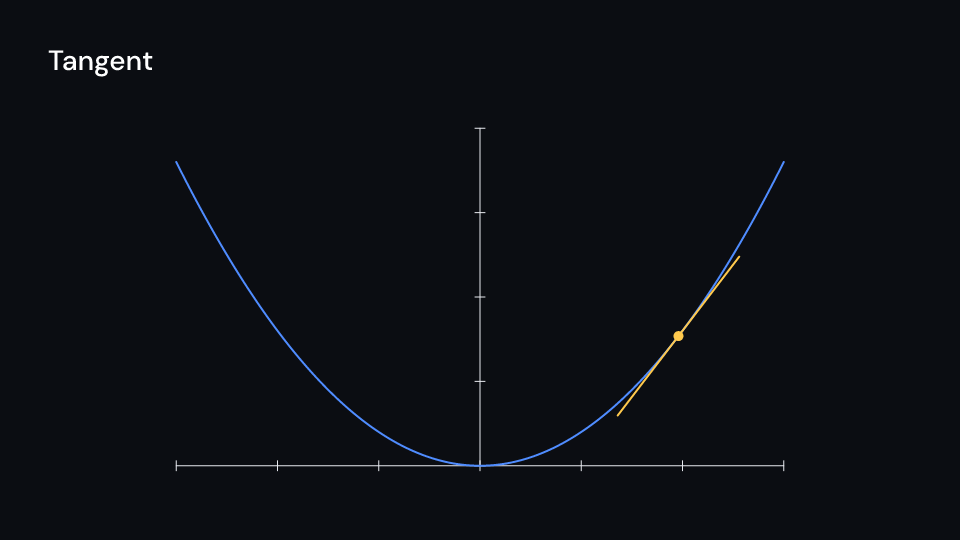
Tangent 4.5 s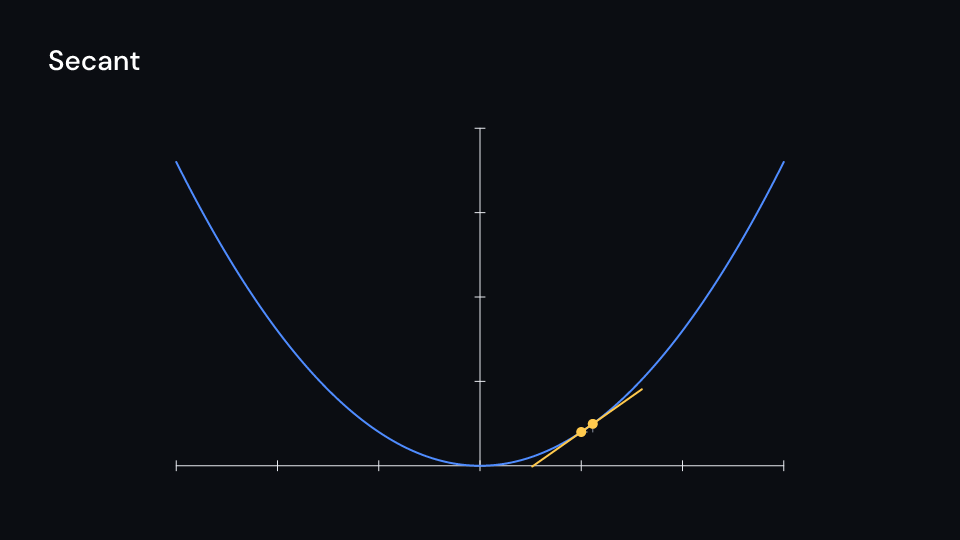
Secant 4.5 s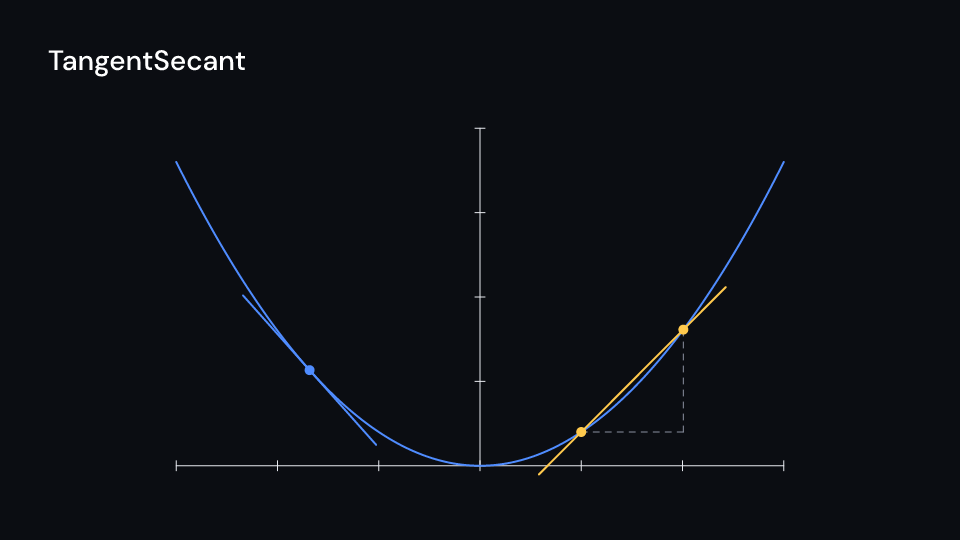
TangentSecant 4.5 suse fframes::animation::KeyFramesAnimation;use fframes_kit::prelude::*;
fn parabola(x: f64) -> f64 { 0.4 * x * x}
fn figure<'a>(ui: &mut Ui<'a, '_, '_>, dx: &'a KeyFramesAnimation<f32>) -> Svgr<'a> { let axes = Axes { x_range: Range::new(-3.0, 3.0, 1.0), y_range: Range::new(0.0, 4.0, 1.0), ..ui.defaults() }; let map = axes.map(ui); let secant = ui.show(Secant { f: parabola, axes: map, x: 1.0.into(), dx: dx.into(), ..ui.defaults() }); let tangent = ui.show(Tangent { f: parabola, axes: map, x: (-1.5).into(), ..ui.defaults() }); let graph = ui.show(axes.plot(ui, parabola)); let axes = ui.show(axes); svgr!(<g>{axes}{graph}{secant}{tangent}</g>)}To show either overlay alone, draw its graph and axes separately:
use fframes_kit::prelude::*;
fn parabola(x: f64) -> f64 { 0.4 * x * x }
fn tangent<'a>(ui: &mut Ui<'a, '_, '_>) -> Svgr<'a> {    let axes = Axes { x_range: Range::new(-3.0, 3.0, 1.0), y_range: Range::new(0.0, 4.0, 1.0), ..ui.defaults() };    let line = ui.show(Tangent { f: parabola, axes: axes.map(ui), x: 1.0.into(), ..ui.defaults() });    let graph = ui.show(axes.plot(ui, parabola));    let axes = ui.show(axes);    svgr!(<g>{axes}{graph}{line}</g>)}
fn secant<'a>(ui: &mut Ui<'a, '_, '_>) -> Svgr<'a> { let axes = Axes { x_range: Range::new(-3.0, 3.0, 1.0), y_range: Range::new(0.0, 4.0, 1.0), ..ui.defaults() }; let line = ui.show(Secant { f: parabola, axes: axes.map(ui), x: 1.0.into(), dx: 1.5.into(), ..ui.defaults() }); let graph = ui.show(axes.plot(ui, parabola)); let axes = ui.show(axes); svgr!(<g>{axes}{graph}{line}</g>)}Components are plain structs. Set the fields you need and fill the rest with ..ui.defaults(): the defaults below come from the current theme (theme. values are fields of Theme).
Tangent
Section titled “Tangent”The tangent of f at x, length pixels long and centered on the point, with a dot on the point when dot is above 0 (Manim’s TangentLine). x is a ValueTracker, so the line can slide along the graph.
| Field | Type | Default | Description |
|---|---|---|---|
f |
Func |
|x| x |
The function, taking x in the axes’ coordinates and returning y. |
axes |
AxesMap |
AxesMap::default() |
The axes (an AxesMap) the function sits on; turns graph coordinates into canvas points. |
x |
ValueTracker |
0.0.into() |
The x, in the axes’ coordinates, of the point of tangency; a tracker so it can slide along the graph. |
length |
f32 |
400.0 |
Length of the line in pixels. |
color |
Color |
theme.colors.highlight |
Colour of the line and its dot. |
stroke_width |
f32 |
theme.stroke.regular |
Line width in pixels. |
dot |
f32 |
10.0 |
Radius in pixels of the dot on the point; 0 for no dot. |
enter |
Option<EnterAnim> |
None |
How it appears; None shows it from the start. |
exit |
Option<ExitAnim> |
None |
How it leaves at the end of its container; None stays. |
Feature math · Source
Secant
Section titled “Secant”The secant of f through x and x + dx, extended extend pixels past both points, with dots on them and, when legs is set, the dashed dx and dy legs (Manim’s get_secant_slope_group). As dx goes to 0 it turns into the tangent.
| Field | Type | Default | Description |
|---|---|---|---|
f |
Func |
|x| x |
The function, taking x in the axes’ coordinates and returning y. |
axes |
AxesMap |
AxesMap::default() |
The axes (an AxesMap) the function sits on; turns graph coordinates into canvas points. |
x |
ValueTracker |
0.0.into() |
The x, in the axes’ coordinates, of the first point; a tracker so it can slide along the graph. |
dx |
ValueTracker |
1.0.into() |
The distance from x to the second point, in the axes’ x units; as it goes to 0 the secant becomes the tangent. |
extend |
f32 |
120.0 |
Pixels the line runs past each of the two points. |
legs |
bool |
true |
Draws the dashed dx and dy legs of the slope triangle when true. |
color |
Color |
theme.colors.highlight |
Colour of the secant line and its dots. |
legs_color |
Color |
theme.colors.muted |
Colour of the dashed legs. |
stroke_width |
f32 |
theme.stroke.regular |
Line width in pixels; the legs draw at half of it. |
dot |
f32 |
10.0 |
Radius in pixels of the dots on the two points; 0 for no dots. |
enter |
Option<EnterAnim> |
None |
How it appears; None shows it from the start. |
exit |
Option<ExitAnim> |
None |
How it leaves at the end of its container; None stays. |
Feature math · Source