
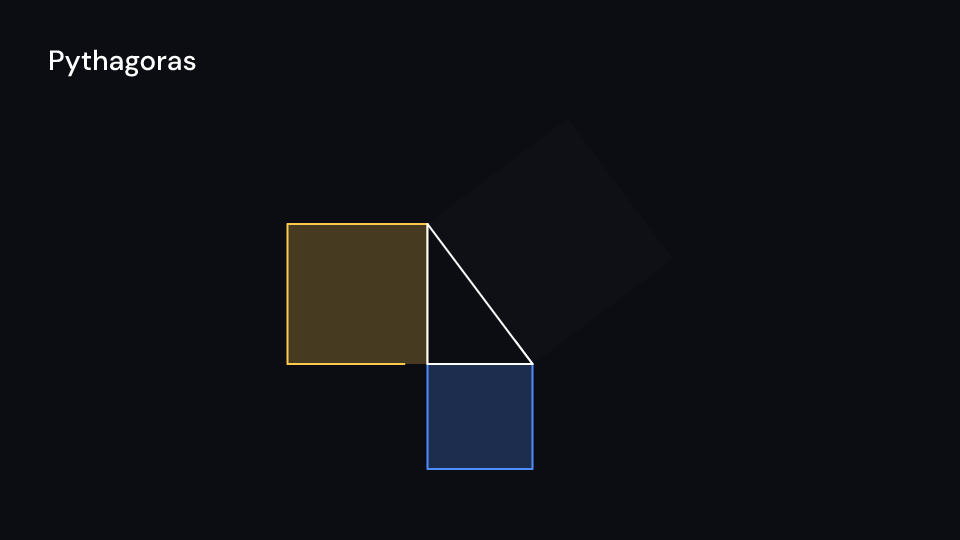
A right triangle with legs a and b and a square on each side, each drawn with its own
squares_enter and labeled with its area (a² = 9, b² = 16, c² = 25). corner is the
right angle. Gallery scene: Pythagoras, drawn at 70 pixels per unit.
Pythagoras 4 suse fframes_kit::prelude::*;
fn figure<'a>(ui: &mut Ui<'a, '_, '_>) -> Svgr<'a> { let create = |delay| Some(EnterAnim::from(Create { delay, ..Create::default() })); let mut small = ui.with_space(Space { origin: (960.0, 560.0), unit: 70.0 }); small.show(Pythagoras { corner: (-1.5, -2.4), squares_enter: [create(0.6), create(1.2), create(1.8)], ..ui.defaults() })}
assert_eq!(Pythagoras::default().areas(), [9.0, 16.0, 25.0]);Components are plain structs. Set the fields you need and fill the rest with ..ui.defaults(): the defaults below come from the current theme (theme. values are fields of Theme).
Pythagoras
Section titled “Pythagoras”| Field | Type | Default | Description |
|---|---|---|---|
a |
f64 |
3.0 |
Length of the leg along the x-axis, in units of ui.space. |
b |
f64 |
4.0 |
Length of the leg going up, in units of ui.space. |
corner |
(f64, f64) |
(0.0, 0.0) |
The right angle’s position, in units of ui.space (y up). |
labels |
bool |
true |
Shows each square’s area at its centre when true. |
triangle_color |
Color |
theme.colors.title |
Colour of the triangle. |
colors |
[Color; 3] |
[theme.colors.accent, theme.colors.highlight, theme.colors.caption] |
The squares on a, b and the hypotenuse. |
stroke_width |
f32 |
theme.stroke.regular |
Outline width in pixels of the triangle and squares. |
enter |
Option<EnterAnim> |
None |
How the triangle appears; None shows it from the start. |
squares_enter |
[Option<EnterAnim>; 3] |
[None, None, None] |
How each of the squares on a, b and the hypotenuse appears; None shows it from the start. |
labels_enter |
Option<FadeIn> |
None |
Fade in of the area labels; None for none. |
Methods:
fn areas(&self) -> [f64; 3]: The squares’ areas:a²,b²andc².
Feature math · Source