
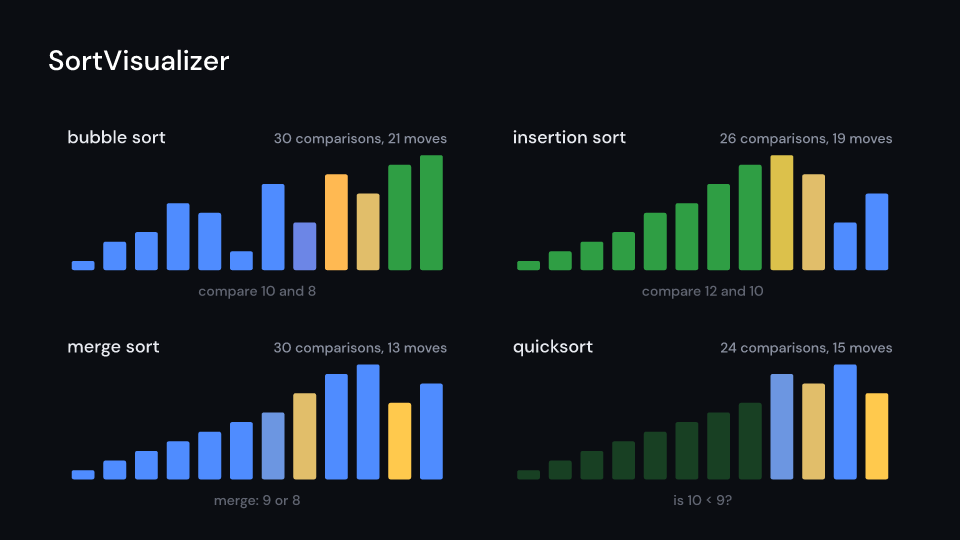
SortVisualizer draws a sort’s trace as bars, width by height pixels, each as tall as its
value. The compared bars light up, moved bars slide to their place and bars in their final
place turn green. name is written above with the comparisons and moves so far, values
writes each value under its bar and notes the step under the figure. Gallery scene:
SortVisualizer (the four sorts racing on the same twelve values, one step every 0.07 s), and
RadialSort, an ArrayTrace::quick of 120 values drawn as wedges round a circle.
SortVisualizer 8.5 s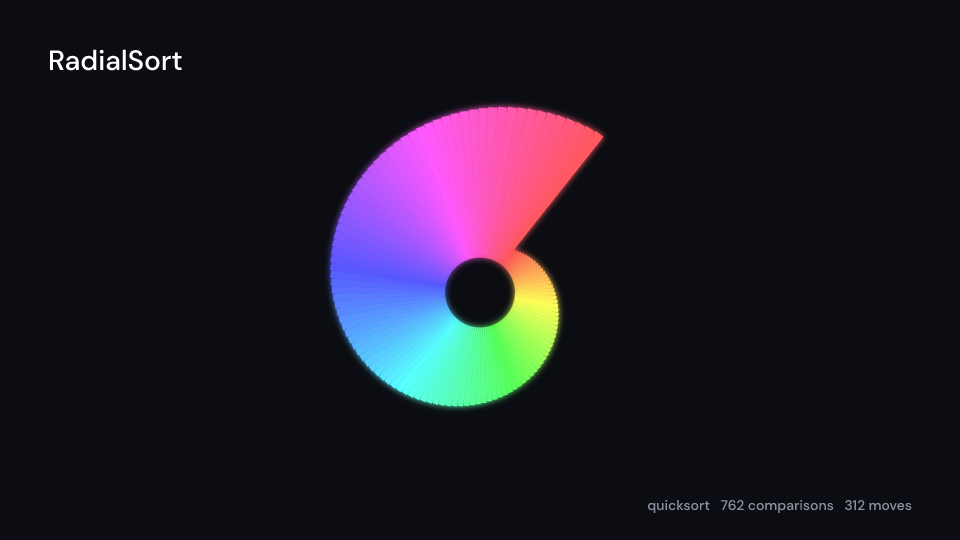
RadialSort 6 suse fframes_kit::prelude::*;
fn race<'a>(ui: &mut Ui<'a, '_, '_>, quick: &'a ArrayTrace) -> Svgr<'a> { // quick = ArrayTrace::quick(&values), built once ui.show(SortVisualizer { trace: Some(quick), name: "quicksort".into(), step_time: 0.2, width: 800.0, height: 300.0, ..ui.defaults() })}Components are plain structs. Set the fields you need and fill the rest with ..ui.defaults(): the defaults below come from the current theme (theme. values are fields of Theme).
SortVisualizer
Section titled “SortVisualizer”| Field | Type | Default | Description |
|---|---|---|---|
trace |
Option<&ArrayTrace> |
None |
The recorded steps to play (an ArrayTrace of a sort); None draws nothing. |
name |
Cow<str> |
Cow::Borrowed("") |
Name of the algorithm written above the bars; empty for none. |
delay |
f32 |
0.0 |
Seconds after the container’s start before the first step. |
step_time |
f32 |
0.25 |
Seconds each step of the trace takes. |
center |
(f64, f64) |
(0.0, 0.0) |
The middle of the figure, in units of ui.space. |
width |
f32 |
900.0 |
Width of the bars area in pixels. |
height |
f32 |
420.0 |
Height in pixels of the tallest bar. |
values |
bool |
true |
Whether each value is written under its bar. |
counts |
bool |
true |
Whether the comparisons and moves so far are counted next to the name. |
notes |
bool |
true |
Whether the step’s note is written under the bars. |
colors |
CellColors |
— | Colours of the bars in each state (compared, moved, sorted). |
muted |
Color |
theme.colors.muted |
Colour of the counts, the values and the notes. |
name_style |
TextStyle |
theme.typography.body |
The font of the algorithm name. |
small_style |
TextStyle |
theme.typography.caption |
The font of the values, counts and notes. |
enter |
Option<FadeIn> |
None |
Fade in at the start; None for none. |
exit |
Option<FadeOut> |
None |
Fade out before the end; None for none. |
Feature cs · Source