
NumberPoint is a dot on a number line at a tracked value, with a label above it that can
write the value. Interval marks a range of the line with a filled dot at a closed end and
a ring at an open one. Gallery scenes: NumberPoint, Interval, NumberLinePoint.
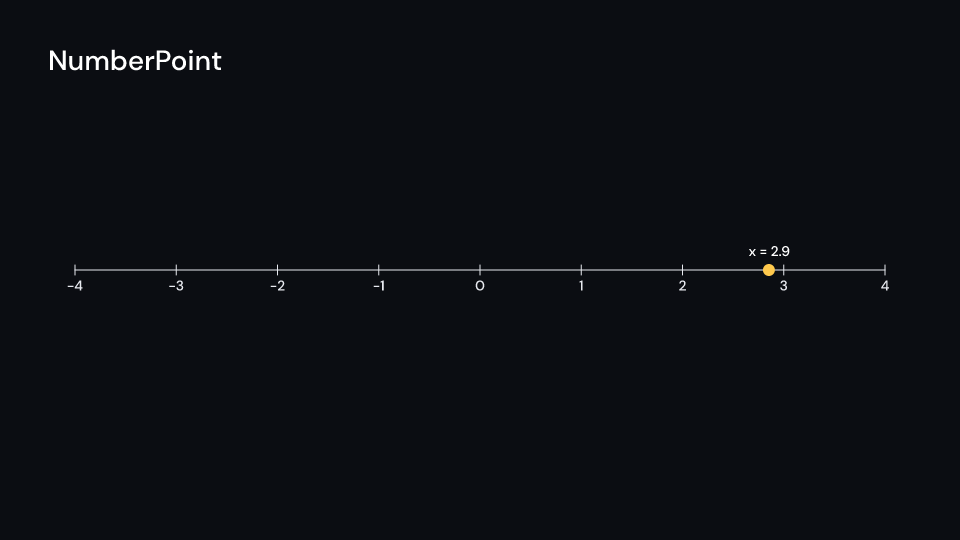
NumberPoint 4 s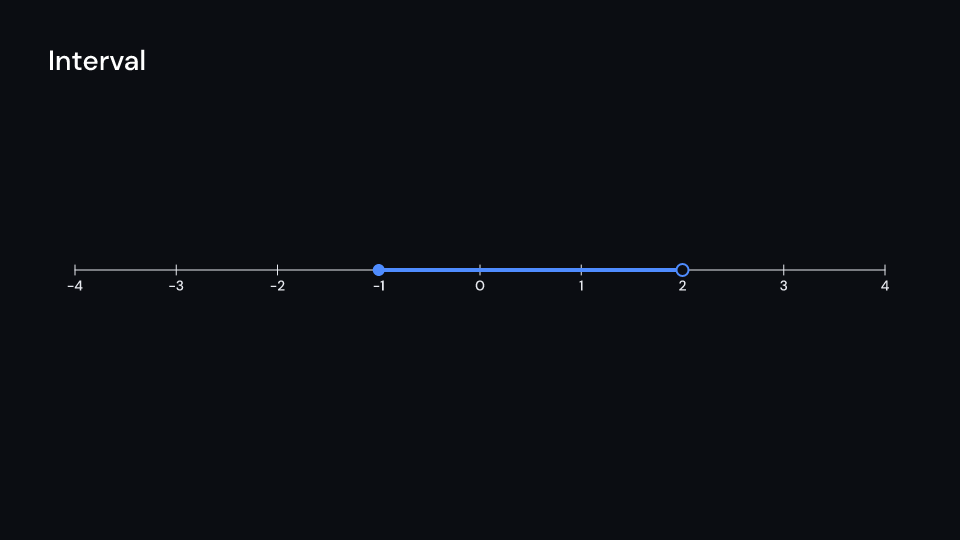
Interval 4 s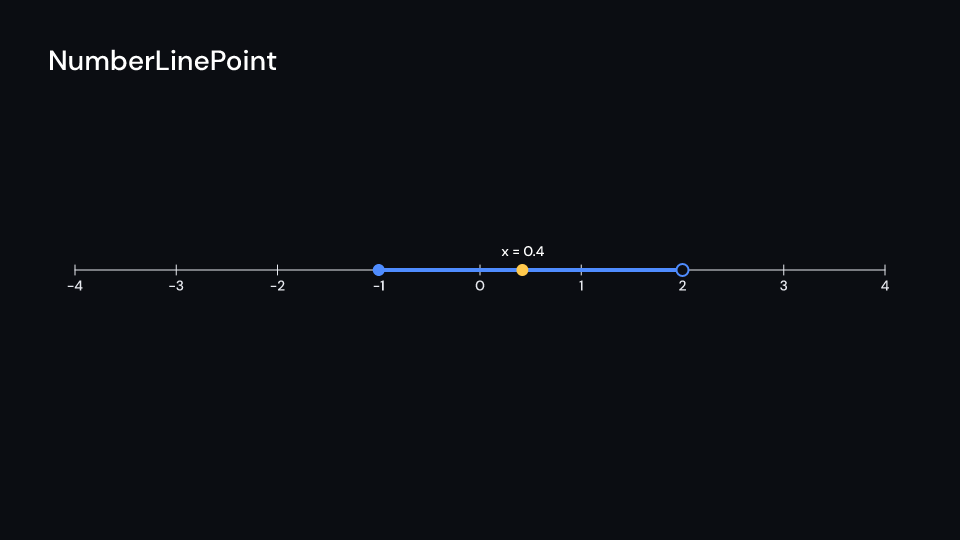
NumberLinePoint 4 suse fframes::animation::KeyFramesAnimation;use fframes_kit::prelude::*;
fn figure<'a>(ui: &mut Ui<'a, '_, '_>, x: &'a KeyFramesAnimation<f32>) -> Svgr<'a> { let line = NumberLine { range: Range::new(-4.0, 4.0, 1.0), length: 12.0, numbers: (-4..=4).map(f64::from).collect(), ..ui.defaults() }; let point = ui.show(NumberPoint { line: line.clone(), value: x.into(), label: "x = ".into(), decimals: Some(1), ..ui.defaults() }); // [-1, 2) let interval = ui.show(Interval { line: line.clone(), from: -1.0, to: 2.0, closed: (true, false), ..ui.defaults() }); let line = ui.show(line); svgr!(<g>{line}{interval}{point}</g>)}The point and interval can also be shown separately on the same kind of number line:
use fframes_kit::prelude::*;
fn point<'a>(ui: &mut Ui<'a, '_, '_>) -> Svgr<'a> {    let line = NumberLine { range: Range::new(-4.0, 4.0, 1.0), ..ui.defaults() };    let point = ui.show(NumberPoint {        line: line.clone(), value: 1.5.into(), label: "x = ".into(),        decimals: Some(1), ..ui.defaults()    });    let line = ui.show(line);    svgr!(<g>{line}{point}</g>)}
fn interval<'a>(ui: &mut Ui<'a, '_, '_>) -> Svgr<'a> { let line = NumberLine { range: Range::new(-4.0, 4.0, 1.0), ..ui.defaults() }; let interval = ui.show(Interval { line: line.clone(), from: -1.0, to: 2.0, closed: (true, false), ..ui.defaults() }); let line = ui.show(line); svgr!(<g>{line}{interval}</g>)}Components are plain structs. Set the fields you need and fill the rest with ..ui.defaults(): the defaults below come from the current theme (theme. values are fields of Theme).
NumberPoint
Section titled “NumberPoint”A dot on a number line at value, with label above it (Manim’s Dot(line.n2p(x)) with a ValueTracker). With decimals the value is written after the label: label: "x = " and decimals: Some(1) write x = 2.5. The line is drawn separately.
| Field | Type | Default | Description |
|---|---|---|---|
line |
NumberLine |
NumberLine::themed(theme) |
The number line the dot sits on; it only maps numbers to points and is not drawn by this component. |
value |
ValueTracker |
0.0.into() |
The number on line the dot marks; a tracker, so it can slide along the line. |
label |
Cow<str> |
Cow::Borrowed("") |
Text written above the dot; empty for none. |
decimals |
Option<usize> |
None |
Digits after the decimal point of the value written after the label; None writes the label only. |
radius |
f32 |
12.0 |
Radius of the dot in pixels. |
color |
Color |
theme.colors.highlight |
Fill of the dot. |
label_style |
TextStyle |
theme.typography.caption |
The font of the label: family, size in pixels and weight. |
label_fill |
Color |
theme.colors.title |
Colour of the label. |
buff |
f32 |
theme.spacing.md |
Pixels between the dot and the label. |
enter |
Option<FadeIn> |
None |
Fade in at the start; None for none. |
exit |
Option<FadeOut> |
None |
Fade out before the end; None for none. |
Feature math · Source
Interval
Section titled “Interval”The numbers from from to to marked on a number line: a thick segment with a filled dot at a closed end and a ring at an open one ([a, b) is closed: (true, false)). The line is drawn separately.
| Field | Type | Default | Description |
|---|---|---|---|
line |
NumberLine |
NumberLine::themed(theme) |
The number line the interval sits on; it only maps numbers to points and is not drawn by this component. |
from |
f64 |
0.0 |
The first end, as a number on line. |
to |
f64 |
1.0 |
The second end, as a number on line. |
closed |
(bool, bool) |
(true, true) |
Whether the from end and the to end are included: a filled dot when true, a ring when false. |
color |
Color |
theme.colors.accent |
Colour of the segment and the end dots. |
stroke_width |
f32 |
theme.stroke.thick |
Segment width in pixels; a ring’s outline is half of it. |
radius |
f32 |
12.0 |
Radius of the end dots and rings. |
enter |
Option<EnterAnim> |
None |
How it appears; None shows it from the start. |
exit |
Option<ExitAnim> |
None |
How it leaves at the end of its container; None stays. |
Feature math · Source