
Cursors, emoji, sound effects and GIFs
The kit draws its own mouse cursors (@remotion/mac-cursors), so they need no image files.
Each cursor fades in over its fade seconds.
| Component | Props | What it does |
|---|---|---|
Cursor |
shape, style, x, y, size, scale, opacity, shadow |
a still cursor with its hotspot at (x, y). CursorShape::{Arrow, Pointer, IBeam, Grab, Grabbing, Crosshair} (CursorShape::ALL), CursorStyle::{Dark, Light} |
CursorPath |
points: Vec<CursorPoint>, shape, style, size, travel, motion, fade, click: ClickLook |
moves through timed points and arrives at each on time. It leaves a point travel seconds before the next is due. CursorPoint::new(at, x, y).click() presses the cursor and sends out a ring when it arrives. position(t) and clicks() give the path |
Click |
x, y, at, shape, style, size, fade, look: ClickLook |
one click at at seconds: the cursor presses and a ring spreads out |
Drag |
from, to, start, run_time, motion, style, size, swap, fade, children |
the open hand closes, carries its children from from to to, and opens again |
TypeAt |
typewriter: Typewriter, shape, style, size, lead, fade, click |
a text cursor clicks at the typewriter’s position lead seconds before it starts typing |
Gallery scenes: Cursor, CursorPath, Click, Drag, TypeAt.
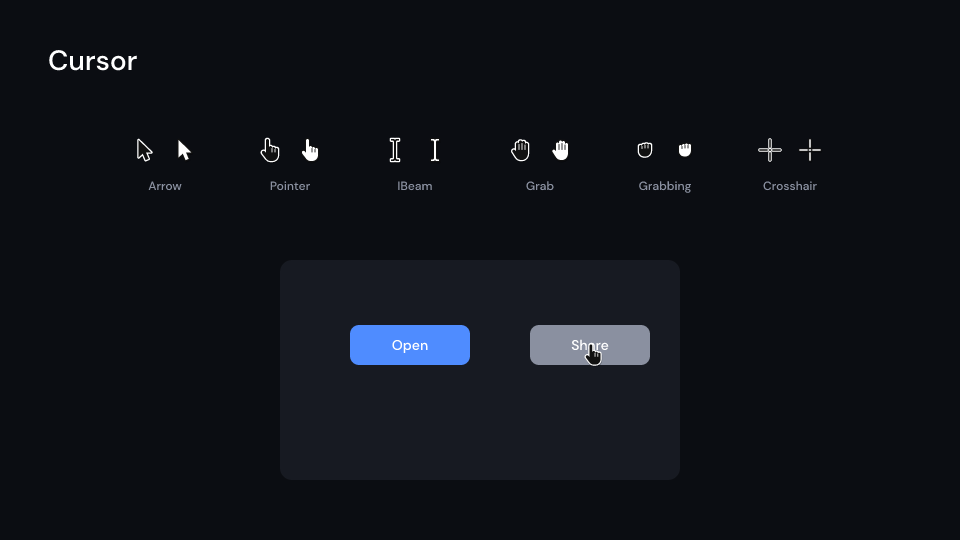
Cursor 3.5 s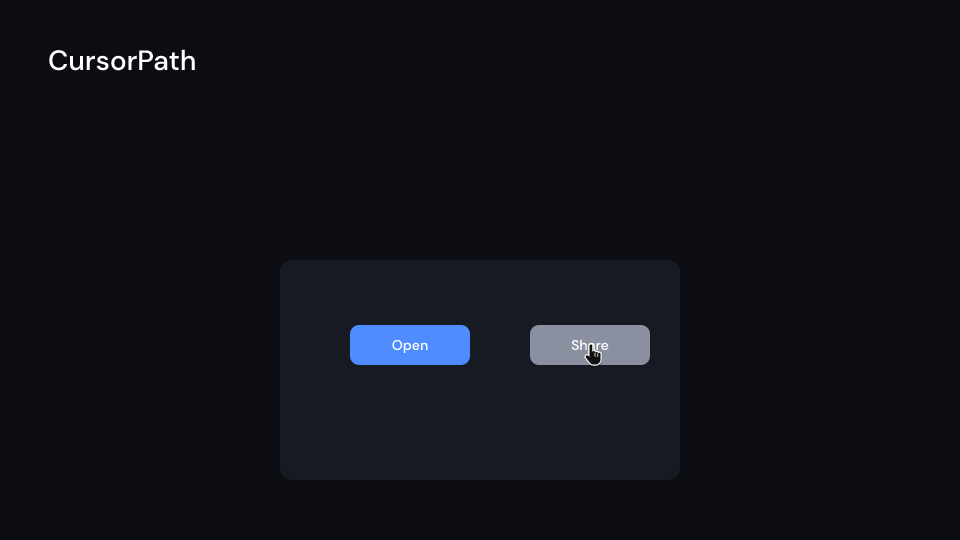
CursorPath 3.5 s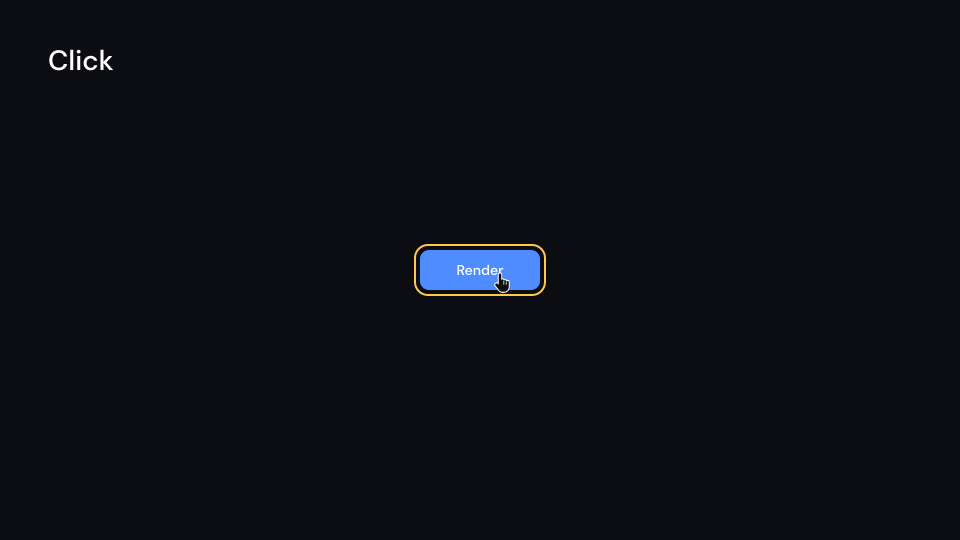
Click 2 s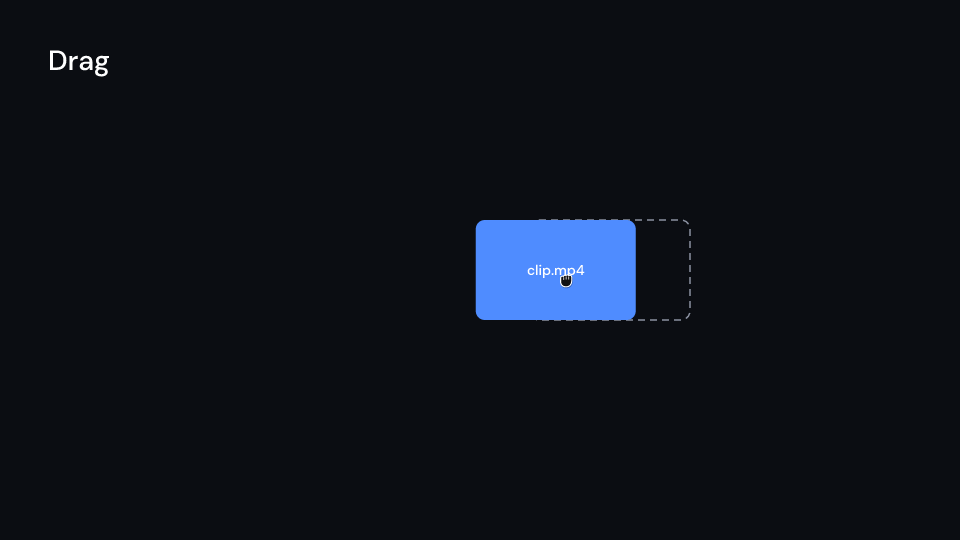
Drag 2.6 s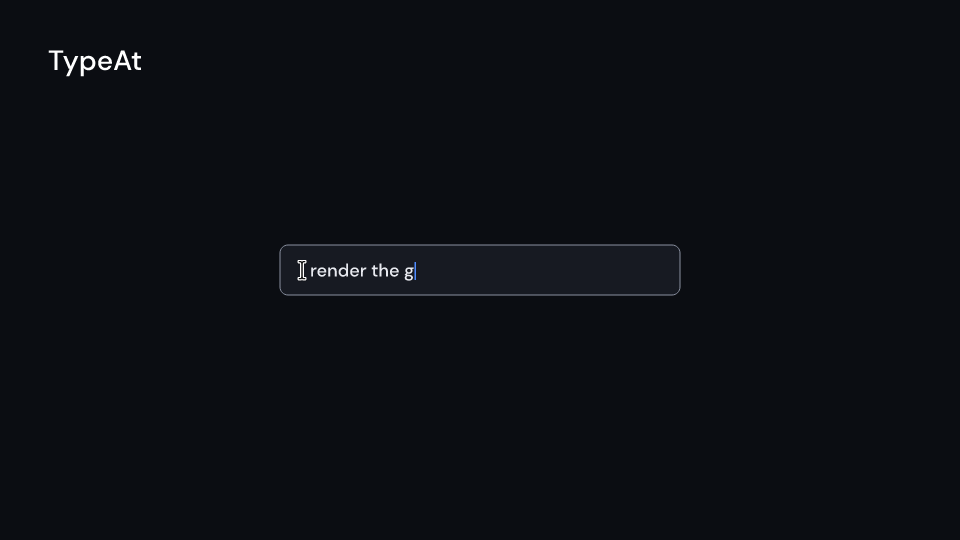
TypeAt 3 sCursorMotion::Spring { stiffness, damping } (the default) and CursorMotion::Smooth { overshoot }
both overshoot the target slightly and settle on it by the time it is due. ClickLook sets
the ring’s color, radius and stroke_width, how far the cursor presses (depth, press
seconds) and how long the ring lasts (run_time).
use fframes_kit::prelude::*;
fn demo<'a>(ui: &mut Ui<'a, '_, '_>) -> Svgr<'a> {    let path = ui.show(CursorPath {        points: vec![            CursorPoint::new(0.3, 400.0, 700.0),            CursorPoint::new(1.2, 960.0, 540.0).click(),            CursorPoint::new(2.4, 1300.0, 620.0).click(),        ],        shape: CursorShape::Pointer,        travel: 0.9,        ..ui.defaults()    });    let drag = ui.show(Drag {        from: (700.0, 300.0),        to: (1200.0, 300.0),        start: 1.0,        children: children(|_| svgr!(<rect x="640" y="250" width="120" height="100" rx="12" fill="#4f7cff" />)),        ..ui.defaults()    });    svgr!(<g>{path}{drag}</g>)}
use fframes_kit::prelude::*;
fn typing_cursor<'a>(ui: &mut Ui<'a, '_, '_>) -> Svgr<'a> { let cursor = ui.show(Cursor { x: 400.0, y: 400.0, shape: CursorShape::Pointer, ..ui.defaults() }); let defaults: TypeAt = ui.defaults(); let typing = ui.show(TypeAt { typewriter: Typewriter { text: "render the gallery".into(), x: 620.0, y: 553.0, delay: 1.0, ..defaults.typewriter }, ..defaults }); svgr!(<g>{cursor}{typing}</g>)}Animated emoji
Section titled “Animated emoji”AnimatedEmoji (feature lottie, @remotion/animated-emoji) plays one of Google’s Noto
animated emoji. These files are licensed CC BY 4.0 and the kit does not ship them. Download
the ones a video uses into its media folder, and show emoji::ATTRIBUTION in the video or
its description.
Gallery scene: AnimatedEmoji.
AnimatedEmoji 3 semoji::NAMESlists the emoji by name and Noto code.emoji::url(name, tone)gives the download URL, andemoji::file_name(name, tone)the file name the component looks for, e.g.thumbs-up-medium.json.- The props are
name,skin_tone: Option<SkinTone>,x,y,size(the longer side),start,speed,loopingandfade. A skin tone applies only to the emoji whoseskin_tonesis set (hands and gestures); the others ignore it. - When the file is missing, the component draws nothing, and
inspectwarns with the URL to download and the name to save it as.
use fframes_kit::prelude::*;
fn thumbs<'a>(ui: &mut Ui<'a, '_, '_>) -> Svgr<'a> {    ui.show(AnimatedEmoji {        name: "thumbs-up",        skin_tone: Some(SkinTone::Medium),        size: 200.0,        ..ui.defaults()    })}assert_eq!(emoji::file_name("thumbs-up", Some(SkinTone::Medium)), "thumbs-up-medium.json");
Sound effects
Section titled “Sound effects”The crate’s sfx/ folder holds a small pack of CC0 sounds (@remotion/sfx). Each is
under 1 s long, mono, and peaks at -3 dBFS:
Sfx |
File | Sound |
|---|---|---|
Whoosh |
whoosh.wav |
a stick swung through the air, for transitions |
Click |
click.wav |
a mouse click |
Ding |
ding.wav |
a bell |
Pop |
pop.wav |
a short pop, for things that appear |
SwooshDown |
swoosh-down.wav |
a falling sweep, for things that leave |
Shutter |
shutter.wav |
a camera shutter |
Switch |
switch.wav |
a toggle switch |
Gallery scenes: SoundEffects, TransitionSfx.
SoundEffects 4.2 s
TransitionSfx 3.5 ssfx/LICENSE.md names the source of each file. Copy the files you use into the video’s
media folder: include_media_dir! cannot read the pack folder itself, because of its
LICENSE.md. Sfx::File("mine.wav") plays a file of your own, and a file of your own with
a pack name replaces the kit’s.
A video’s audio is set in fn audio, so the helpers return AudioTracks to add to it. Each
hit plays at sfx::DEFAULT_GAIN_DB (-6 dB). Its rate changes by up to
sfx::RATE_VARIATION (4 %), so repeats do not sound alike. The change depends only on the
hit’s index, so every render sounds the same.
sfx::at(&[1.0, 2.5], Sfx::Pop)gives one hit at each time.sfx::on_transitions(&series_lengths, fps, Sfx::Whoosh)gives one hit where each transition of a series starts, i.e. where its two sequences start to overlap.sfx::transition_timesgives those times.sfx::on_beats(&beat, 0.0..8.0, Sfx::Click)gives one hit on each whole beat of the range.sfx::on_clicks(&path)gives one click sound per click of aCursorPath.
use fframes::AudioMap;use fframes_kit::prelude::*;
const FADE: Timing = Timing::Linear { duration: 0.5, easing: RateFunc::Smooth };
fn audio() -> AudioMap<'static> {    let series = [        SeriesLength::Sequence(2.0),        SeriesLength::Transition(FADE),        SeriesLength::Sequence(2.0),    ];    let mut tracks = sfx::on_transitions(&series, 30, Sfx::Whoosh);    tracks.extend(sfx::on_beats(&Beat::from_bpm(120.0, 0.0), 0.0..4.0, Sfx::Click));    tracks.extend(sfx::at(&[3.2], Sfx::Ding));    AudioMap::from(tracks)}
Check the levels with audio analyze. Hits that overlap add up.
Gif (feature gif, @remotion/gif) plays an animated GIF. Decode the file once with
Gif::decode(bytes) in the video’s constructor and keep the GifData. The component’s
props are gif, x, y, width, height, fit: GifFit::{Fill, Contain, Cover}, start,
speed, looping and fade.
Gallery scene: Gif.
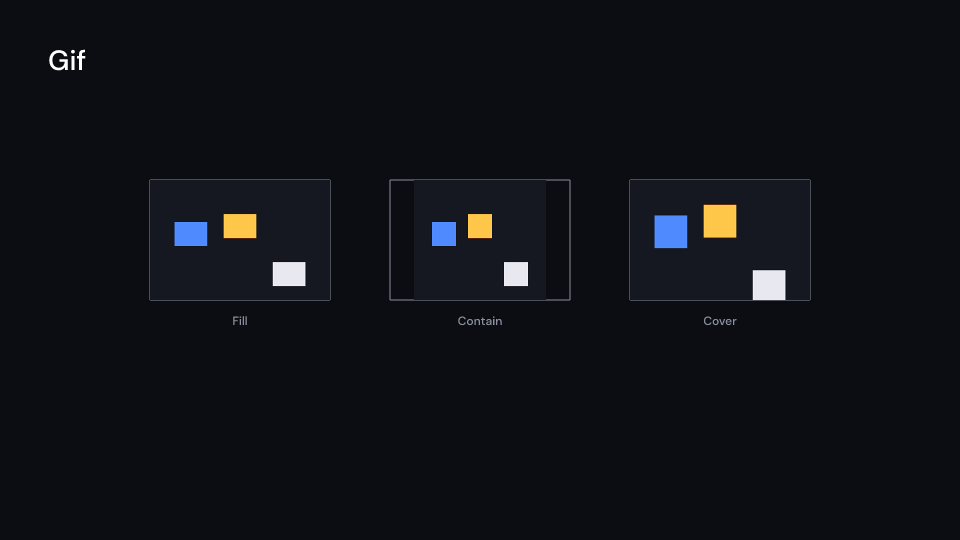
Gif 2.5 s- Each frame shows for its own delay. A delay under 20 ms counts as 100 ms, as in browsers.
- With
loopingthe GIF starts again; without it, the last frame stays. include_media_dir!does not take.giffiles, so read the bytes withinclude_bytes!or from a file.- The web editor draws a
placeholderrectangle of the same size instead of the GIF.
use std::sync::LazyLock;
use fframes_kit::prelude::*;
static SPINNER: LazyLock<Option<GifData>> =    LazyLock::new(|| Gif::decode(include_bytes!(concat!(env!("CARGO_MANIFEST_DIR"), "/../gallery/media/gif/bounce.gif"))).ok());
fn spinner<'a>(ui: &mut Ui<'a, '_, '_>) -> Svgr<'a> { let Some(gif) = SPINNER.as_ref() else { return Svgr::empty(); }; ui.show(Gif { gif, x: 760.0, y: 340.0, width: 400.0, height: 400.0, fit: GifFit::Contain, ..ui.defaults() })}Components are plain structs. Set the fields you need and fill the rest with ..ui.defaults(): the defaults below come from the current theme (theme. values are fields of Theme).
Cursor
Section titled “Cursor”A mouse cursor with its hotspot at (x, y) (the tip of the arrow, the middle of the I-beam). size is the height in pixels of the 24 unit design, scale grows or shrinks it about the hotspot (a press), shadow adds a soft shadow below it. The kit draws its own shapes; they are not the artwork of any operating system.
| Field | Type | Default | Description |
|---|---|---|---|
shape |
CursorShape |
CursorShape::Arrow |
Which cursor is drawn: arrow, pointer, I-beam, grab, grabbing or crosshair. |
style |
CursorStyle |
CursorStyle::Dark |
Colours of the cursor: Dark (black with a white outline) or Light (white with a black outline). |
x |
f32 |
960.0 |
Horizontal position of the hotspot in pixels of the canvas. |
y |
f32 |
540.0 |
Vertical position of the hotspot in pixels of the canvas, down. |
size |
f32 |
40.0 |
Height in pixels of the 24 unit design. |
scale |
f32 |
1.0 |
Grows or shrinks the cursor about its hotspot; 1 is normal, below 1 is a press, 0 or less draws nothing. |
opacity |
f32 |
1.0 |
0 transparent to 1 opaque. |
shadow |
bool |
true |
Adds a soft shadow below the cursor. |
Methods:
fn draw(&self) -> Svgr: The cursor without aUi; nothing when it is invisible.
CursorPath
Section titled “CursorPath”A cursor that moves through timed points, in the order of their times. It leaves a point travel seconds before the next one is due (or at once when they are closer) and arrives on time, with motion. A point with click presses the cursor and sends out a ring when it arrives; sfx::on_clicks gives the sounds. The cursor fades in over fade seconds from the first point’s time.
| Field | Type | Default | Description |
|---|---|---|---|
points |
Vec<CursorPoint> |
Vec::new() |
The timed points the cursor passes through, in the order of their times; empty draws nothing. |
shape |
CursorShape |
CursorShape::Arrow |
Which cursor is drawn: arrow, pointer, I-beam, grab, grabbing or crosshair. |
style |
CursorStyle |
CursorStyle::Dark |
Colours of the cursor: Dark (black with a white outline) or Light (white with a black outline). |
size |
f32 |
40.0 |
Height in pixels of the 24 unit design. |
travel |
f32 |
0.6 |
Seconds a move takes, ending when the next point is due (shorter when the points are closer in time). |
motion |
CursorMotion |
CursorMotion::default() |
How the cursor travels to the next point: a smooth ease or a spring, both arriving on time. |
fade |
f32 |
theme.motion.duration.fast |
Seconds the cursor takes to fade in from the first point’s time. |
click |
ClickLook |
ClickLook::themed(theme) |
How a click looks: the press depth and duration and the ring that goes out. |
Methods:
fn position(&self, t: f32) -> (f32, f32): Where the hotspot is attseconds: the first point before it, the last after.fn clicks(&self) -> impl Iterator<Item = f32>: The times of the clicks, in seconds.
A cursor at (x, y) that clicks at at seconds: it presses, then a ring goes out. It fades in over fade seconds from the start of its container.
| Field | Type | Default | Description |
|---|---|---|---|
x |
f32 |
960.0 |
Horizontal position of the cursor in pixels of the canvas. |
y |
f32 |
540.0 |
Vertical position of the cursor in pixels of the canvas, down. |
at |
f32 |
0.5 |
Second of the click, local to the parent container. |
shape |
CursorShape |
CursorShape::Pointer |
Which cursor is drawn: arrow, pointer, I-beam, grab, grabbing or crosshair. |
style |
CursorStyle |
CursorStyle::Dark |
Colours of the cursor: Dark (black with a white outline) or Light (white with a black outline). |
size |
f32 |
40.0 |
Height in pixels of the 24 unit design. |
fade |
f32 |
theme.motion.duration.fast |
Seconds the cursor takes to fade in from the start of its container. |
look |
ClickLook |
ClickLook::themed(theme) |
How the click looks: the press depth and duration and the ring that goes out. |
The grabbing hand picks up its children at from at start seconds and carries them to to in run_time seconds. The open hand closes over swap seconds before the move and opens again after it; the children move with the cursor. The cursor fades in over fade seconds from the start of the container.
| Field | Type | Default | Description |
|---|---|---|---|
from |
(f32, f32) |
(760.0, 540.0) |
Where the cursor picks the children up, in pixels of the canvas; the children keep their own place there. |
to |
(f32, f32) |
(1160.0, 540.0) |
Where the cursor drops the children, in pixels of the canvas. |
start |
f32 |
0.6 |
Second the carry starts, local to the parent container; the hand closes just before. |
run_time |
f32 |
0.9 |
Seconds the carry takes. |
motion |
CursorMotion |
CursorMotion::default() |
How the cursor travels from from to to: a smooth ease or a spring, arriving on time. |
style |
CursorStyle |
CursorStyle::Dark |
Colours of the cursor: Dark (black with a white outline) or Light (white with a black outline). |
size |
f32 |
40.0 |
Height in pixels of the 24 unit design. |
swap |
f32 |
0.12 |
Seconds the hand takes to close before the move and to open after it. |
fade |
f32 |
theme.motion.duration.fast |
Seconds the cursor takes to fade in from the start of its container. |
children |
Children |
Box::new(|_| Svgr::empty()) |
What is carried, drawn at its own place and moved by the cursor’s offset (a closure taking the Ui). |
Methods:
fn position(&self, t: f32) -> (f32, f32): Where the cursor, and the offset of the children from where they were, is att.fn grip(&self, t: f32) -> f32: How closed the hand is att, from 0 (open) to 1.
TypeAt
Section titled “TypeAt”A text cursor that clicks into a field and the Typewriter that then types there. The cursor sits just left of the text’s start, fades in over fade seconds from the start of the container and clicks lead seconds before the typing starts (the typewriter’s delay), so the delay should be at least fade + lead.
| Field | Type | Default | Description |
|---|---|---|---|
typewriter |
Typewriter |
Typewriter { delay: 0.9, ..Typewriter::themed(theme) } |
The text that is typed after the click; its x, y and delay place the cursor and time the click. |
shape |
CursorShape |
CursorShape::IBeam |
Which cursor is drawn; the I-beam by default. |
style |
CursorStyle |
CursorStyle::Dark |
Colours of the cursor: Dark (black with a white outline) or Light (white with a black outline). |
size |
f32 |
40.0 |
Height in pixels of the 24 unit design; also sets how far left of the text the cursor sits. |
lead |
f32 |
0.4 |
Seconds the click comes before the typing starts. |
fade |
f32 |
theme.motion.duration.fast |
Seconds the cursor takes to fade in from the start of its container. |
click |
ClickLook |
ClickLook::themed(theme) |
How the click looks: the press depth and duration and the ring that goes out. |
Methods:
fn cursor_at(&self) -> (f32, f32): Where the cursor’s hotspot is: left of the start of the text, at its middle.fn click_at(&self) -> f32: The second of the click.
AnimatedEmoji
Section titled “AnimatedEmoji”A Noto animated emoji (Remotion’s <AnimatedEmoji>), played from start seconds of its container from the file file_name gives in the media folder. (x, y) is the top left of a size pixel square. It fades in over fade seconds and plays at speed, again and again with looping, otherwise its last frame stays. A missing file draws nothing, and inspect warns with the address to download it from. The tone applies to the emoji that have skin tones.
| Field | Type | Default | Description |
|---|---|---|---|
name |
&str |
"grinning" |
Name of the emoji from NAMES, which also names its .json file in the media folder. |
skin_tone |
Option<SkinTone> |
None |
Skin tone of a hand emoji; None for the default, and ignored for emoji without skin tones. |
x |
f32 |
880.0 |
Left edge in pixels of the canvas. |
y |
f32 |
460.0 |
Top edge in pixels of the canvas. |
size |
f32 |
160.0 |
Side of the square the emoji fills, in pixels. |
start |
f32 |
0.0 |
Second it starts playing, local to the parent container. |
speed |
f32 |
1.0 |
Playback speed; 1 is normal, 2 twice as fast. |
looping |
bool |
true |
Plays again and again; false keeps the last frame. |
fade |
f32 |
theme.motion.duration.fast |
Seconds it takes to fade in from start. |
Methods:
fn file(&self) -> String: The file this emoji plays.
An animated GIF in the box (x, y, width, height), playing from start seconds of its container at speed. Each frame shows for its own delay (a delay under 20 ms is 100 ms, as in browsers); with looping it starts again, otherwise the last frame stays. It fades in over fade seconds. Decode the file once with Gif::decode and keep the GifData in the video. The editor (wasm32) draws a placeholder rectangle of the same size.
| Field | Type | Default | Description |
|---|---|---|---|
gif |
&GifData |
&NO_GIF |
The decoded GIF from Gif::decode; the default one draws nothing. |
x |
f32 |
0.0 |
Left edge of the box in pixels of the canvas. |
y |
f32 |
0.0 |
Top edge of the box in pixels of the canvas. |
width |
f32 |
320.0 |
Width of the box in pixels. |
height |
f32 |
320.0 |
Height of the box in pixels. |
fit |
GifFit |
GifFit::Fill |
How the GIF fills the box: stretched, contained or covering. |
start |
f32 |
0.0 |
Second it starts playing, local to the parent container. |
speed |
f32 |
1.0 |
Playback speed; 1 is normal, 2 twice as fast. |
looping |
bool |
true |
Plays again and again; false keeps the last frame. |
fade |
f32 |
theme.motion.duration.fast |
Seconds it takes to fade in from start. |
placeholder |
Color |
theme.colors.surface |
Colour of the rectangle the editor draws in place of the GIF. |
Methods:
fn decode(bytes: &[u8]) -> Result<GifData, GifError>: Decodes every frame of a GIF file, composited onto the frames before it, and turns each into an image once. Call it in the video’s constructor, not per frame.fn frame_at(&self, t: f32) -> usize: The frame shown attseconds of the container.