
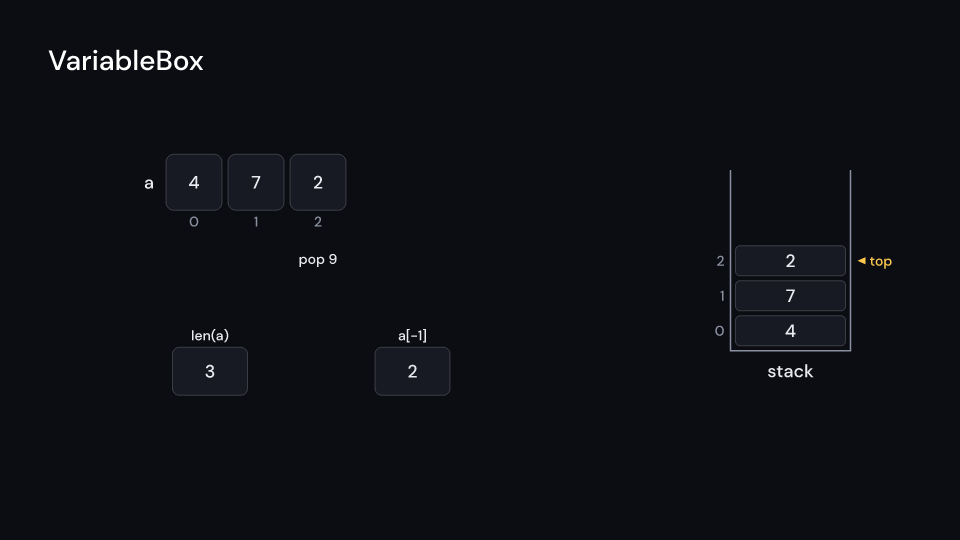
VariableBox is manim-dsa’s MVariable with a label: name above a box with the variable’s
value, width by height pixels, widening to fit a longer value. values holds the value of
each step, the first at the start, and it changes every step_time seconds from delay, like
the steps of the other figures, so it can follow a trace step for step. On a change the old
value rises out of the box and the new one rises in, the box flashes colors.compare and
resizes. value_at(seconds) gives the value shown at a time of the video. Gallery scene:
VariableBox (the length and last value of an array as it grows and shrinks).
VariableBox 7 suse fframes_kit::prelude::*;
let sum = VariableBox { name: "sum", values: vec!["0".into(), "3".into(), "8".into()], delay: 1.0, step_time: 0.5, ..VariableBox::default()};assert_eq!((sum.value_at(0.0), sum.value_at(1.6)), (Some("0"), Some("3")));
fn variable<'a>(ui: &mut Ui<'a, '_, '_>, values: Vec<String>) -> Svgr<'a> { ui.show(VariableBox { name: "len(a)", values, step_time: 0.8, ..ui.defaults() })}Components are plain structs. Set the fields you need and fill the rest with ..ui.defaults(): the defaults below come from the current theme (theme. values are fields of Theme).
VariableBox
Section titled “VariableBox”| Field | Type | Default | Description |
|---|---|---|---|
name |
&str |
"" |
Name written above the box. |
values |
Vec<String> |
Vec::new() |
The value at each step, as text; the first shows at the start. Empty draws nothing. |
delay |
f32 |
0.0 |
Seconds after the container’s start before the value first changes. |
step_time |
f32 |
0.8 |
Seconds each value is shown before the next. |
center |
(f64, f64) |
(0.0, 0.0) |
The middle of the box, in units of ui.space. |
width |
f32 |
120.0 |
Smallest width of the box in pixels; it widens to fit a longer value. |
height |
f32 |
80.0 |
Height of the box in pixels. |
colors |
CellColors |
CellColors::themed(theme) |
Colours of the box; it flashes colors.compare when the value changes. |
name_color |
Color |
theme.colors.text |
Colour of the name above the box. |
value_style |
TextStyle |
value_style |
The font of the value in the box. |
name_style |
TextStyle |
theme.typography.caption |
The font of the name. |
enter |
Option<FadeIn> |
None |
Fade in at the start; None for none. |
exit |
Option<FadeOut> |
None |
Fade out before the end; None for none. |
Methods:
fn value_at(&self, seconds: f32) -> Option<&str>: The valuesecondsinto the video: the first value beforedelay, the last after the last step.Nonewithout values.
Feature cs · Source