
Backdrops, footers and themes
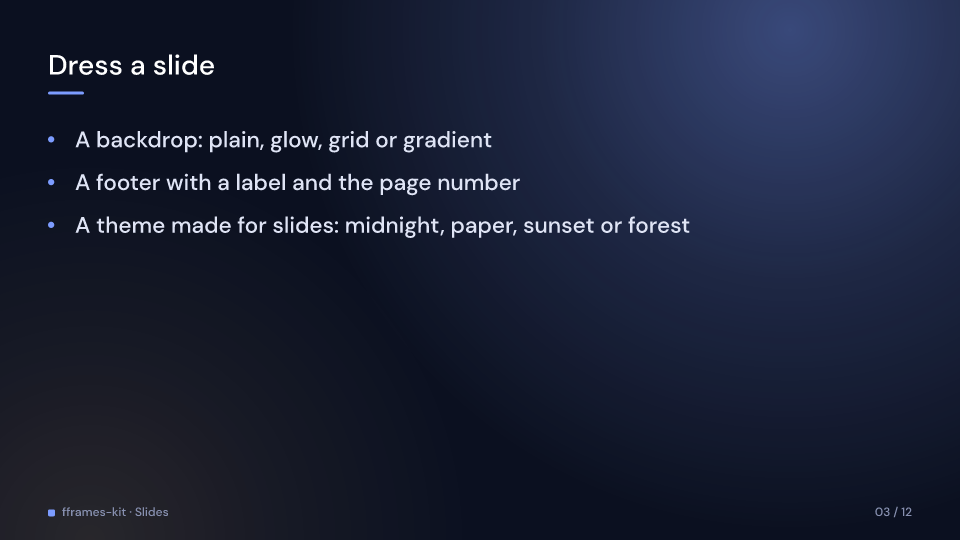
A slide’s backdrop is drawn behind its layout, in the theme’s colours. Every backdrop is
still, so two slides with the same one cross a transition without a seam.
Backdrop |
Draws |
|---|---|
Plain |
the theme’s background colour (the default) |
Glow |
an accent glow from the top right and a fainter highlight glow from the bottom left |
Grid |
a fine grid of dots in the muted colour under an accent glow from the top left |
Gradient |
a diagonal gradient from the background to the surface colour, with an accent band down the left edge |
A SlideFooter { text, page } draws text in the bottom left after a small accent square,
and page: Some((3, 12)) as 03 / 12 in the bottom right, both in the muted colour under
the content area. It does not build in. Deck::backdrop(backdrop) sets the backdrop of
every slide; Deck::footer(text) gives every slide but title pages a footer numbered by
its place in the deck.
slides::themes has four Themes with palettes made for slides; typography, spacing and
motion are the defaults:
| Function | Look | Suits |
|---|---|---|
midnight() |
deep navy, periwinkle accent, gold highlight | talks and lectures |
paper() |
warm off-white, ink text, vermilion accent | reports and reviews |
sunset() |
plum dusk, coral accent, sunny highlight | launches and pitches |
forest() |
dark pine, mint accent, straw highlight | science and sustainability |
use fframes_kit::prelude::*;
let slide = slides::Slide {    backdrop: slides::Backdrop::Glow,    footer: Some(slides::SlideFooter { text: "Northstar · Seed round", page: Some((2, 10)) }),    ..slides::Slide::new("problem", SlideLayout::bullets("The problem", vec!["Plans go stale"]))};let deck = Deck::new(slides::themes::sunset(), vec![slide])    .backdrop(slides::Backdrop::Grid)    .footer("Northstar");let slide = deck.slides().next().unwrap();assert_eq!(slide.backdrop, slides::Backdrop::Grid);assert_eq!(slide.footer.and_then(|f| f.page), Some((1, 1)));
Gallery scene: SlidesBackdrop.
SlidesBackdrop 3.1 s