
Samples pouring into a histogram, then the normal curve that fits them. samples is a
slice, and shown (a tracker) says how many of them are binned so far: bins bars over
range as a density, no taller than the top of the y range. The curve has the mean and
standard deviation of the samples shown and draws with curve_enter. With stats it writes
n = 1500 mean 0.03 sd 1.01 at stats_at (pixels). normal_samples(seed, n, mean, sd)
gives the same samples for the same seed (the random bits match on every machine, the
logarithm and cosine may differ in the last bit); mean_sd and normal_pdf are the
numbers behind the curve. Gallery scenes: NormalFit, HistogramToNormal.
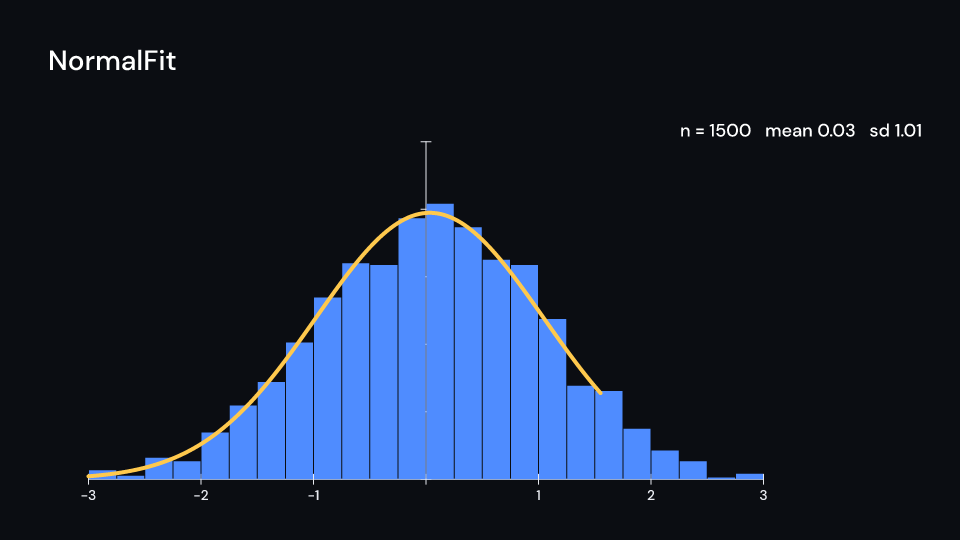
NormalFit 4.6 s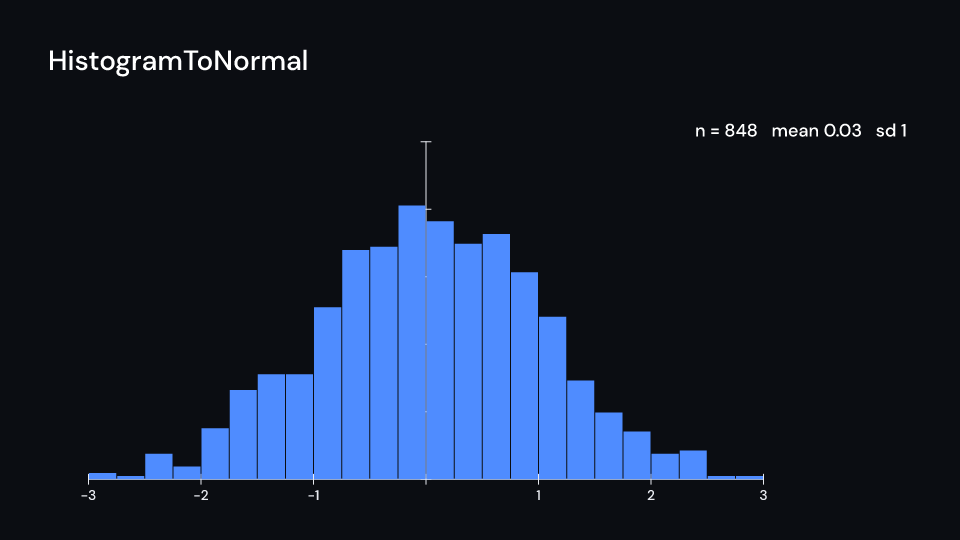
HistogramToNormal 4.6 suse fframes::animation::KeyFramesAnimation;use fframes_kit::prelude::*;use fframes_kit::kits::math::{mean_sd, normal_samples};
fn figure<'a>( ui: &mut Ui<'a, '_, '_>, samples: &'a [f64], shown: &'a KeyFramesAnimation<f32>,) -> Svgr<'a> { let axes = Axes { x_range: Range::new(-3.0, 3.0, 1.0), y_range: Range::new(0.0, 0.5, 0.1), ..ui.defaults() }; let map = axes.map(ui); let fit = ui.show(NormalFit { samples, shown: shown.into(), axes: map, range: (-3.0, 3.0), bins: 24, curve_enter: Some(Create { delay: 3.0, ..Default::default() }.into()), ..ui.defaults() }); let axes = ui.show(axes); svgr!(<g>{axes}{fit}</g>)}
let samples = normal_samples(7, 1500, 0.0, 1.0);let (mean, sd) = mean_sd(&samples);assert!(mean.abs() < 0.1 && (sd - 1.0).abs() < 0.1);Components are plain structs. Set the fields you need and fill the rest with ..ui.defaults(): the defaults below come from the current theme (theme. values are fields of Theme).
NormalFit
Section titled “NormalFit”| Field | Type | Default | Description |
|---|---|---|---|
samples |
&[f64] |
&[] |
The sample values to bin; only the first shown of them count. |
shown |
ValueTracker |
0.0.into() |
How many of the samples are shown so far; a tracker, so they can pour in over time. |
axes |
AxesMap |
AxesMap::default() |
The axes (an AxesMap) the bars and the curve sit on; the bars are no taller than the top of its y range. |
range |
(f64, f64) |
(-3.0, 3.0) |
The values (min, max) the bars cover, in the axes’ x units. |
bins |
usize |
24 |
Number of bars the range is cut into; the bar heights are a density. |
fill |
Color |
theme.colors.accent |
Fill of the bars. |
curve_color |
Color |
theme.colors.highlight |
Colour of the fitted normal curve. |
curve_width |
f32 |
theme.stroke.thick |
Width of the curve in pixels. |
curve_enter |
Option<EnterAnim> |
None |
How the curve appears; None shows it from the start. |
stats |
bool |
true |
Writes the mean and standard deviation of the samples shown at stats_at when true. |
stats_at |
(f32, f32) |
(1500.0, 300.0) |
Where the statistics are written, in pixels of the canvas. |
stats_enter |
Option<FadeIn> |
None |
Fade in of the statistics; None shows them from the start. |
Feature math · Source