
NeuralNetwork draws layers from left to right around center, spacing pixels between
neighbouring layers.
- Layers.
Layer::FeedForward { nodes, activation }is a column of neuronsnode_radiuspixels round andnode_spacingapart (Layer::feed_forward(n)has no activation). ItsActivationFunction(Relu,SigmoidorTanh) is plotted in a small box above it. - Other kinds.
Layer::Embedding { points, seed }is a box with a cloud ofpointspoints drawn from a tilted 2D normal distribution (Gaussian2D), the same for the sameseed.Layer::Vector { values }writes the numbers in brackets, with at most two decimals.Layer::MathOperation { operation }is a circle with theOperation’s symbol (Add,Subtract,Multiply,Divide).Layer::PairedQuery { positive, negative }andLayer::Triplet { anchor, positive, negative }stack images of the media folder, the positive outlined inpositive_colorand the negative innegative_color; a missing image leaves its square empty. A pooling after a layer without maps is a box namedpool. - Feature maps.
Layer::ImageInput { image, size }draws an image of the media folder as a mapsizecells square; a missing image leaves the map empty.Layer::Conv2D { maps, size, filter }drawsmapsfeature maps ofsizecells,Layer::MaxPool2D { kernel }the maps of the layer before it,kerneltimes smaller. Maps are squarescellpixels a cell, seen at an angle and standing one behind the other (at most 8 are drawn), with the lines between their cells up to 16 cells. - Connections. Each pair of neighbouring layers is joined by the drawing of its kind: every neuron to every neuron between two feed-forward layers, four lines from the window a convolution or a pooling slides over the maps before it to the cell it makes, a fan from every neuron or every corner of a map to the next layer’s neurons or side, and an arrow between two boxes.
- Forward pass.
forward_pass: Some(ForwardPass { start, duration })sends pulses through the connections one after the other. Each connection gets an equal part of the time, so the pulses reach the last layer atstart + duration. Between two layers with maps the window slides over the map instead, row by row from the top left, gliding from each position to the next: one cell along for a convolution, a whole kernel for a pooling. A layer lights up inpulse_coloras they arrive and fades back while they travel on. - Dropout.
dropout: Some(Dropout { rate, seed, start, duration })crosses out a sharerateof the neurons of every hidden feed-forward layer fromstartfordurationseconds: they dim, do not light up, and their edges and pulses fade. The neurons are picked once, the same for the sameseed; the input and output layers keep all of theirs and every layer keeps at least one. - Layer changes.
changes: vec![TimedChange { change, start, duration }]runsLayerChange::Insert { index, layer },Remove { index }andReplace { index, layer }one after the other. The other layers slide to their new places, the layer that comes or goes fades, and so do the connections that are new or gone. An index counts the layers as the changes before it left them; one out of range changes nothing. Give the changes in the order of their starts: a change that starts before the previous one has finished cuts it short. A change should not overlap a forward pass or dropout. - Layout.
layout(ui)gives every layer’sLayerGeometryin pixels (its middle, its box, its neurons, maps, points, rows and images), for a label or an arrow pointing at a layer. It is the layout oflayersas given, before any change.
Gallery scenes: NeuralNetwork, ForwardPass, ConvNet (an image through a convolution and a pooling),
LayerKinds (a triplet into an embedding, a paired query through a vector and two
operations), Dropout and LayerChanges (an insert, a replace and a remove).
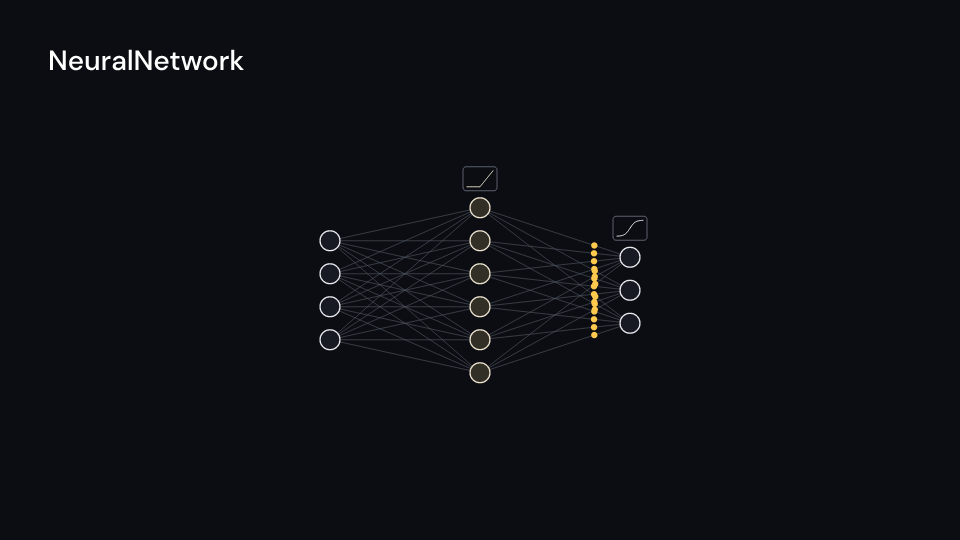
NeuralNetwork 4 s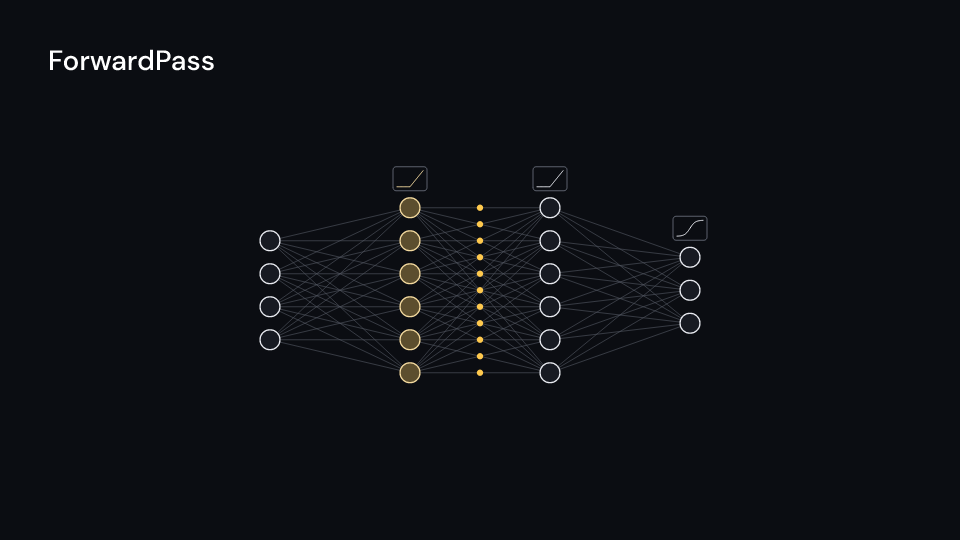
ForwardPass 4 s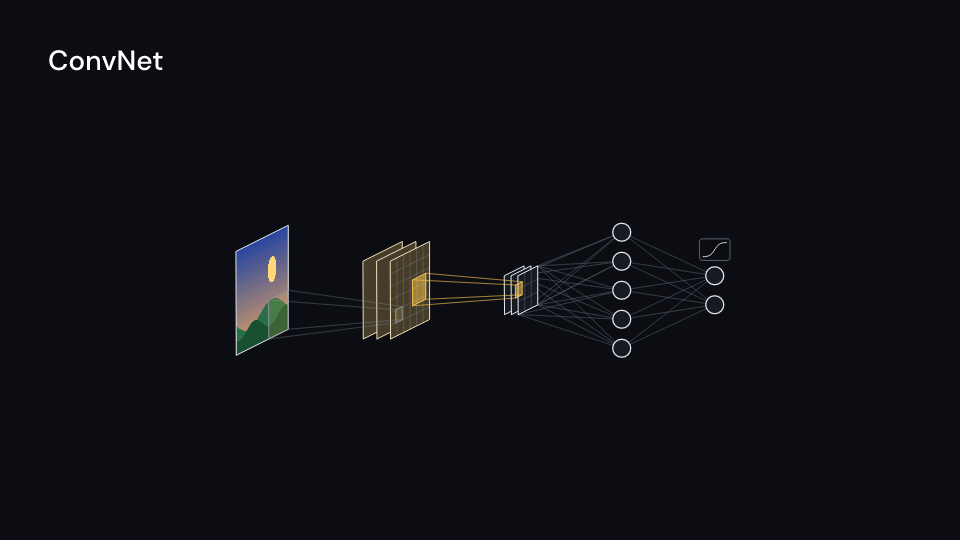
ConvNet 5 s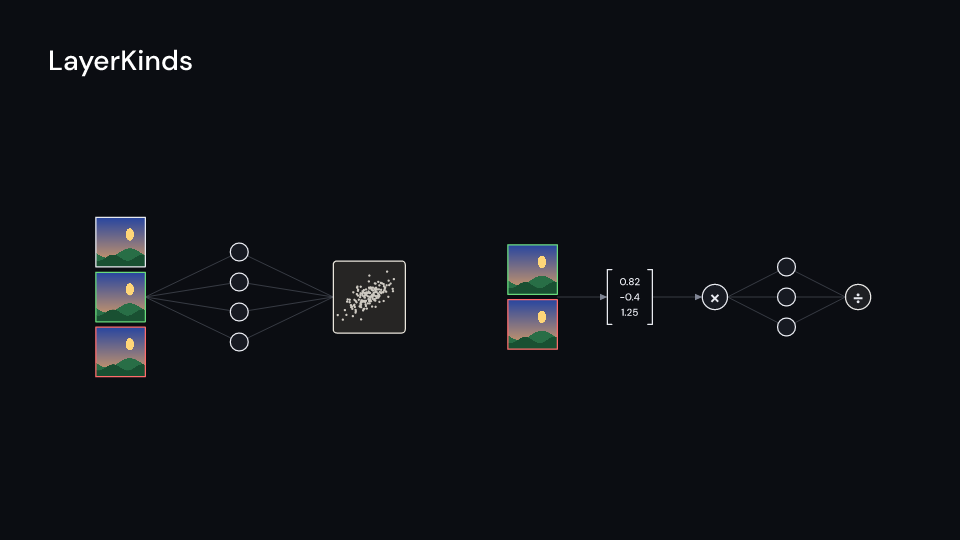
LayerKinds 4 s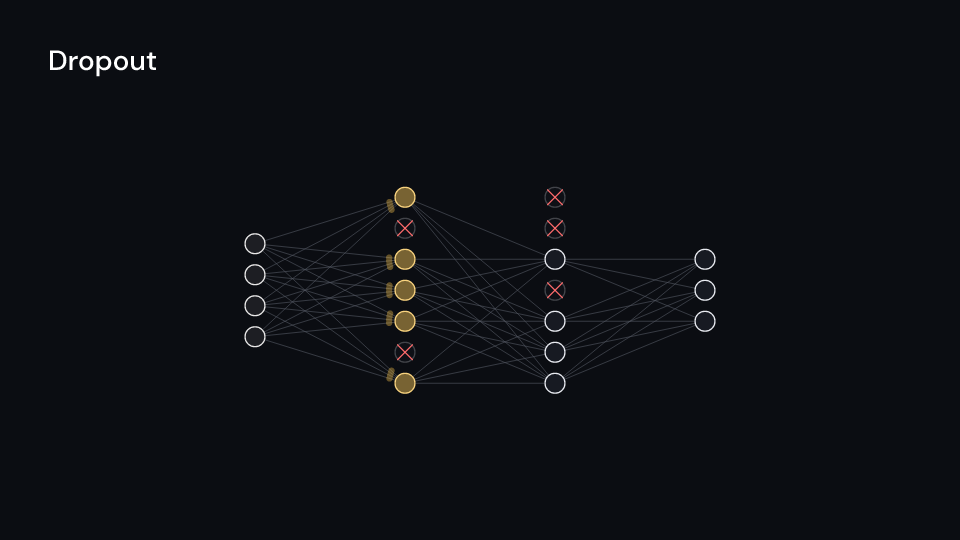
Dropout 4 s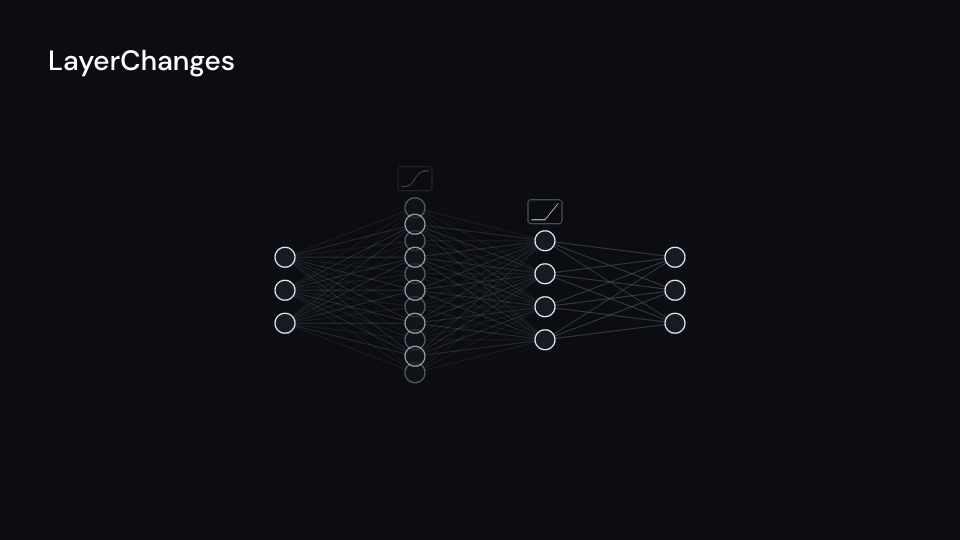
LayerChanges 5 suse fframes_kit::prelude::*;
fn network<'a>(ui: &mut Ui<'a, '_, '_>) -> Svgr<'a> { let relu = Some(ActivationFunction::Relu); ui.show(NeuralNetwork { layers: vec![ Layer::feed_forward(4), Layer::FeedForward { nodes: 6, activation: relu }, Layer::FeedForward { nodes: 3, activation: Some(ActivationFunction::Sigmoid) }, ], forward_pass: Some(ForwardPass { start: 0.5, duration: 3.0 }), ..ui.defaults() })}Components are plain structs. Set the fields you need and fill the rest with ..ui.defaults(): the defaults below come from the current theme (theme. values are fields of Theme).
NeuralNetwork
Section titled “NeuralNetwork”| Field | Type | Default | Description |
|---|---|---|---|
layers |
Vec<Layer> |
— | The layers from left to right; each neighbouring pair is joined by the connection of its kind. |
center |
(f64, f64) |
(0.0, 0.0) |
The middle of the network, in units of ui.space. |
spacing |
f32 |
160.0 |
Pixels between neighbouring layers. |
node_radius |
f32 |
16.0 |
Radius in pixels of a neuron. |
node_spacing |
f32 |
52.0 |
Pixels between neighbouring neurons of a feed-forward layer. |
cell |
f32 |
14.0 |
Size in pixels of one cell of a feature map or image. |
forward_pass |
Option<ForwardPass> |
None |
Pulses that run through the connections layer by layer and light the neurons; None for none. |
dropout |
Option<Dropout> |
None |
Crosses out some hidden neurons for a while; None for none. |
changes |
Vec<TimedChange> |
Vec::new() |
Layers inserted, removed or replaced one after the other over time; empty for none. |
node_color |
Color |
theme.colors.text |
Colour of the neuron and layer outlines and of the text. |
node_fill |
Color |
theme.colors.surface |
Fill colour inside the neurons and boxes. |
edge_color |
Color |
theme.colors.muted |
Colour of the connection lines. |
pulse_color |
Color |
theme.colors.highlight |
Colour of the forward pass pulses and the neurons they light. |
positive_color |
Color |
Color::hex("#69db7c") |
The outline of a positive example of a paired query or a triplet. |
negative_color |
Color |
Color::hex("#ff6b6b") |
The outline of a negative example. |
stroke_width |
f32 |
2.5 |
Width in pixels of the outlines and connection lines. |
enter |
Option<FadeIn> |
None |
Fade in at the start; None for none. |
exit |
Option<FadeOut> |
None |
Fade out before the end; None for none. |
Methods:
fn layout_at(&self, middle: Point) -> Vec<LayerGeometry>: Where every layer goes with the middle of the network atmiddle, in pixels: the layers as given, before any ofchanges.fn layout(&self, ui: &Ui) -> Vec<LayerGeometry>: Where every layer goes, in pixels, before any ofchanges.
Feature ml · Source