
| Component | Props | What it does |
|---|---|---|
Trail |
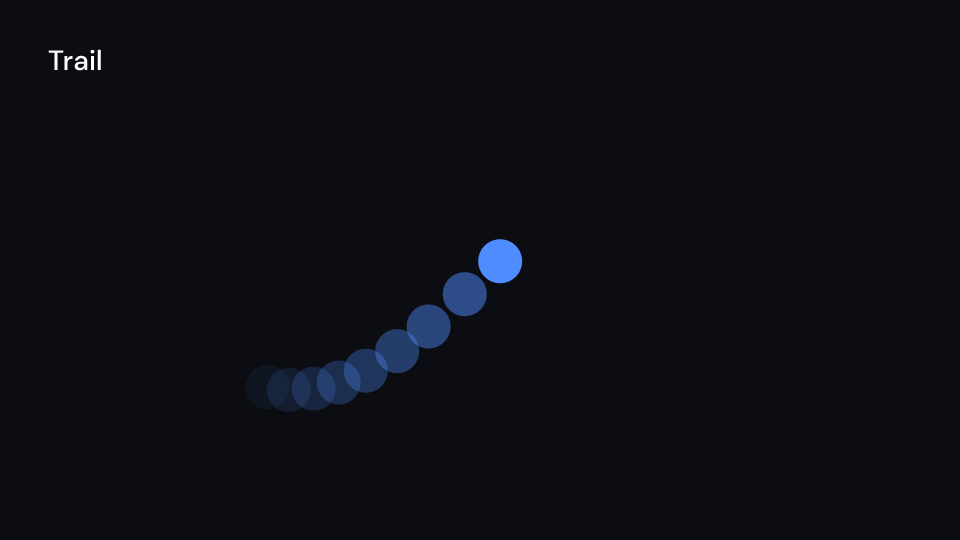
samples (6), spacing (0.05 s), opacity (0.5), children |
the children at earlier times behind themselves, each copy fainter (Remotion’s <Trail>) |
CameraMotionBlur |
shutter_angle (180°), samples (10), children |
the children averaged over the time the shutter is open before the frame (<CameraMotionBlur>) |
LightLeak |
seed, hue_shift (degrees), length (None: the container’s), opacity (0.85), size, key |
warm blobs of light flare up and fade out over length seconds, in screen blending (<LightLeak>) |
Blur |
radius: Anim<f32> (8), key, children |
the children blurred by a Gaussian; animate radius for a focus pull |
Noise |
seed, opacity (0.12), frequency (0.8), octaves (2), animated (true), size, key |
film grain from feTurbulence; animated moves the seed every frame |
ShaderNoise |
seed, opacity, scale (2 px), animated, size |
the grain as an SkSL shader on the GPU (feature skia); the CPU backend draws nothing and the editor a placeholder |
Gallery scenes: Trail, CameraMotionBlur, LightLeak, Blur, Noise, ShaderNoise.
Trail 4.5 s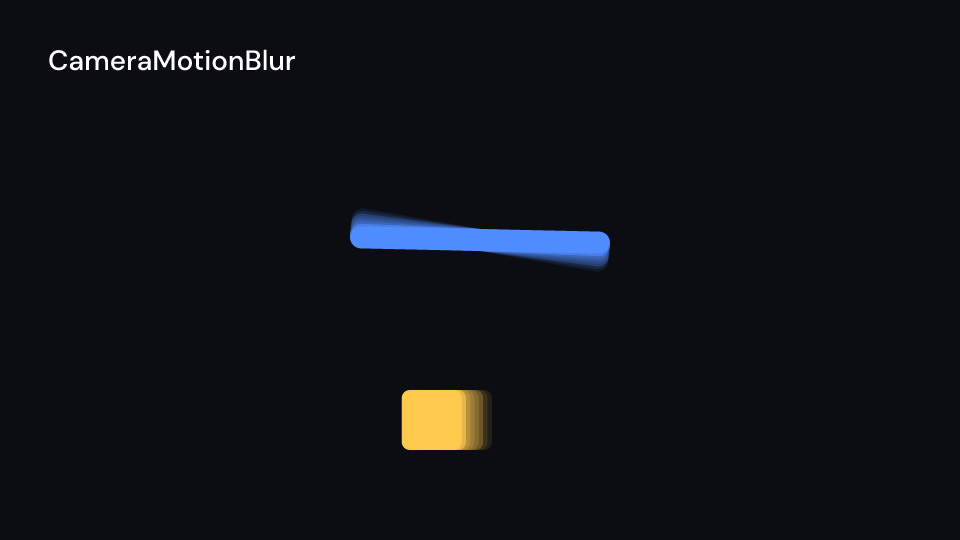
CameraMotionBlur 2.5 s
LightLeak 3 s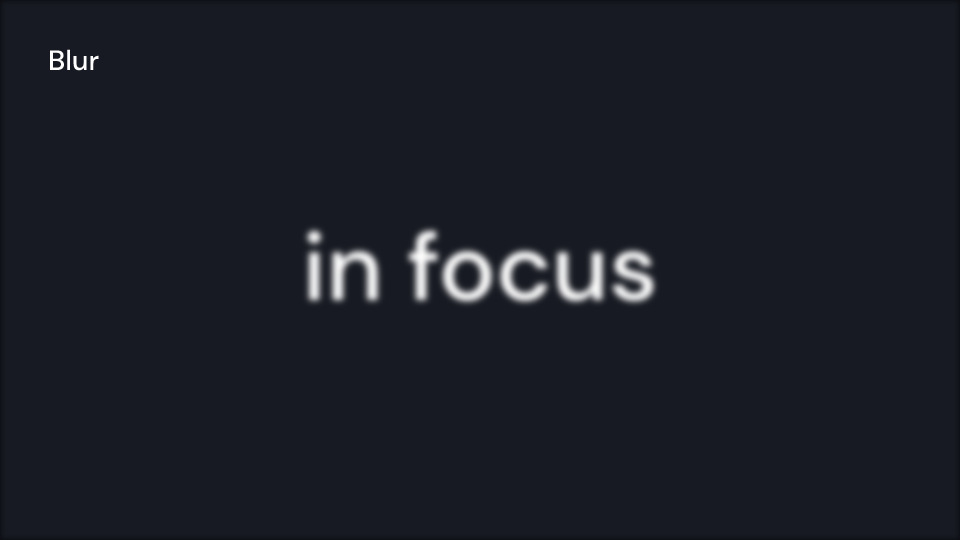
Blur 2 s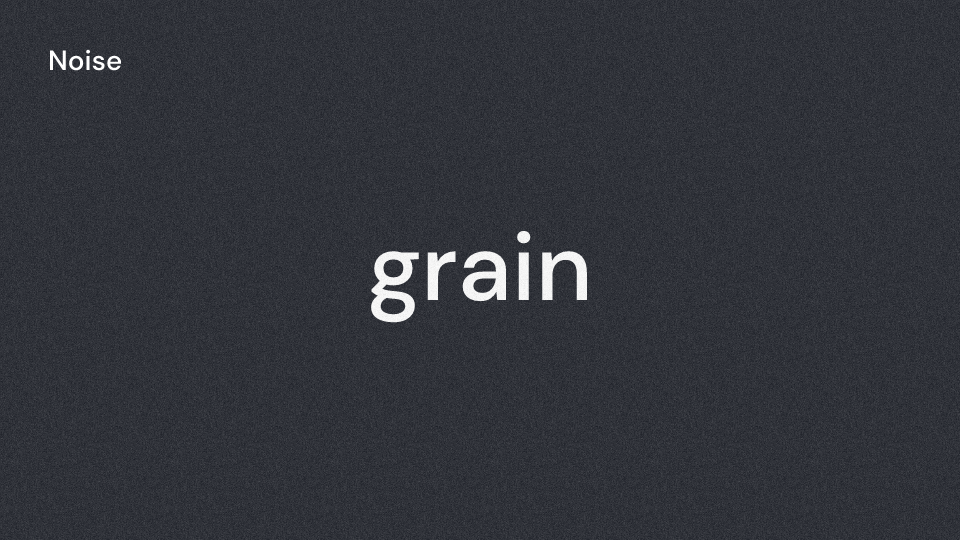
Noise 1.5 s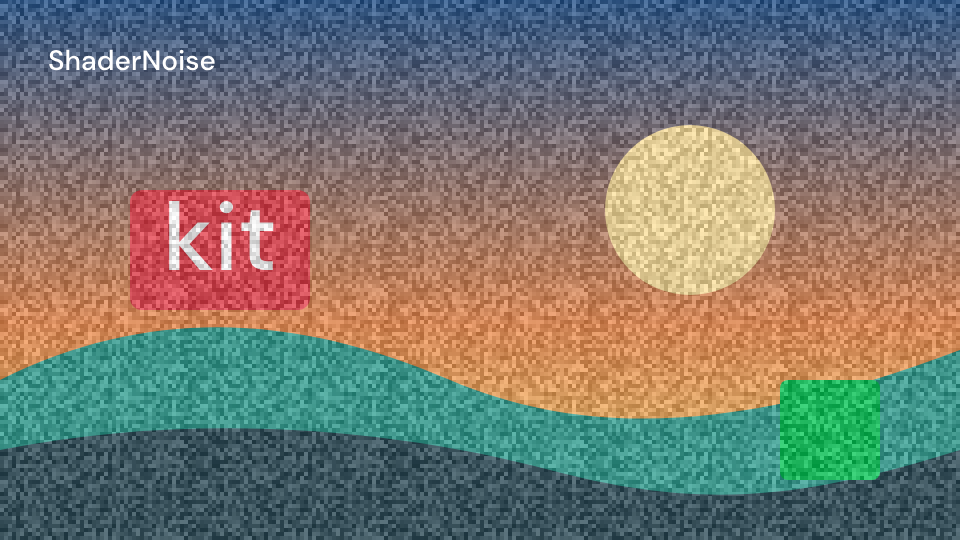
ShaderNoise 3 sThe ShaderNoise gallery clip uses Skia; the ordinary CPU renderer cannot display it.
Trail and CameraMotionBlur render their children once per copy, at most
effects::MAX_SAMPLES (16) times a frame. The bench card behind an eight-copy Trail
(BenchTrail in the gallery) renders its five seconds in about 1.8 times the time of
BenchKit on the CPU backend. The copies run at a finer frame rate than the video’s, so the
children should count in local seconds (ui.seconds(), ui.frames());
frame.global_index keeps the video frame. Before the local start there is nothing to repeat.
A clip path, gradient or filter inside the children has the same id in every copy, so all
copies draw one copy’s definition: fine while it stays the same, wrong for one that animates.
key names the SVG ids when two of the same effect share a frame. The glow and the drop
shadow are the Glow and DropShadow filter definitions above.
A ball with a trail over a light leak, and a title that comes into focus:
use fframes_kit::prelude::*;
fn ball<'a>(ui: &mut Ui<'a, '_, '_>) -> Svgr<'a> {    let x = 200.0 + 600.0 * motion::clamp01(ui.seconds() / 2.0);    svgr!(<circle cx={x} cy="540" r="40" fill={ui.theme.colors.accent} />)}
fn shot<'a>(ui: &mut Ui<'a, '_, '_>) -> Svgr<'a> {    let leak = ui.show(LightLeak { seed: 3, length: Some(3.0), ..ui.defaults() });    let grain = ui.show(Noise { opacity: 0.12, ..ui.defaults() });    let trail = ui.show(Trail { samples: 8, children: children(ball), ..ui.defaults() });    let focus = motion::clamp01(ui.seconds() - 0.5);    let title = ui.show(Blur {        radius: Anim::Fixed(16.0 * (1.0 - focus)),        key: Some("title"),        children: children(|ui| ui.show(HudLabel { text: "Launch".into(), x: 200.0, y: 300.0, ..ui.defaults() })),    });    svgr!(<g>{trail}{leak}{title}{grain}</g>)}
let blur = CameraMotionBlur { samples: 4, ..CameraMotionBlur::themed(&Theme::default()) };assert_eq!(blur.offsets(30).len(), 4);
fn shader_grain<'a>(ui: &mut Ui<'a, '_, '_>) -> Svgr<'a> {    ui.show(ShaderNoise { opacity: 0.45, scale: 6.0, ..ui.defaults() })}
Colour effects
Section titled “Colour effects”Each colour effect is a wrapper, Effect { children, ..ui.defaults() }, drawn through one SVG
filter in sRGB, so the CPU and Skia backends agree. The main amount is an Anim<f32>; to
drive it from time, compute it from ui.seconds() and pass Anim::Fixed. key names the
filter when two effects of one kind share a frame.
Gallery scenes: ColorEffects, Brightness, Contrast, Saturation, HueRotate, Grayscale, Invert, Tint, Duotone, Levels, Curves, Exposure, ColorCorrection, WhiteBalance, Vibrance, ShadowsHighlights, ColorKey, ThermalVision, Lut, ColorStack.
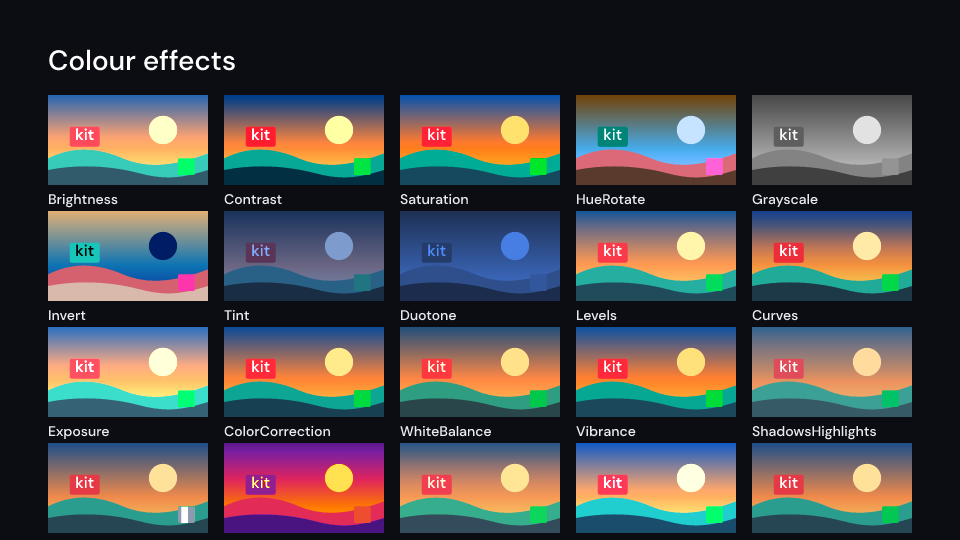
ColorEffects 2 s
Brightness 2 s
Contrast 2 s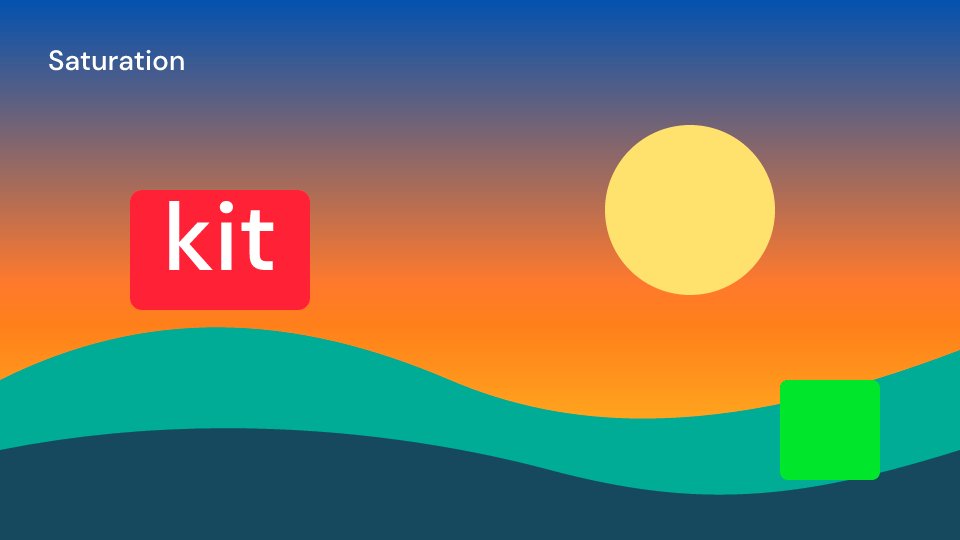
Saturation 2 s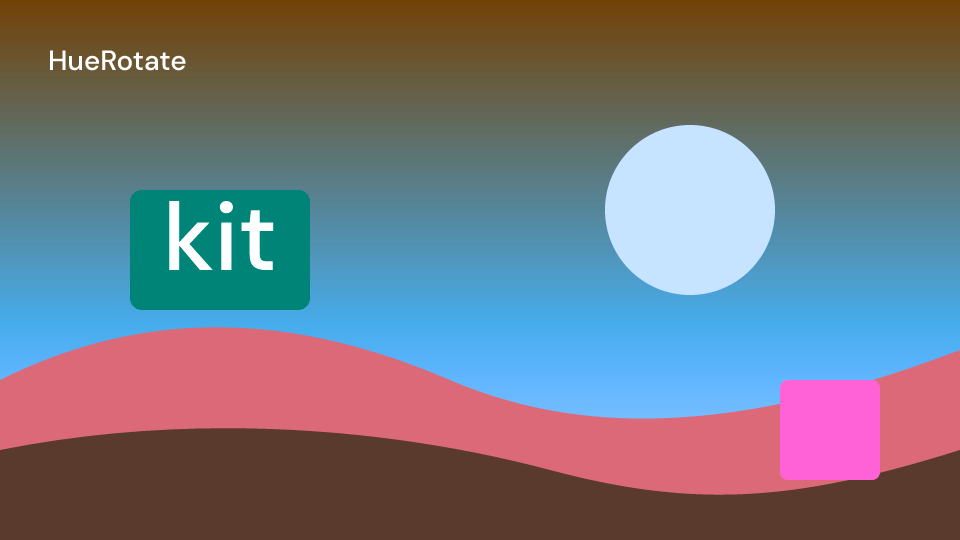
HueRotate 2 s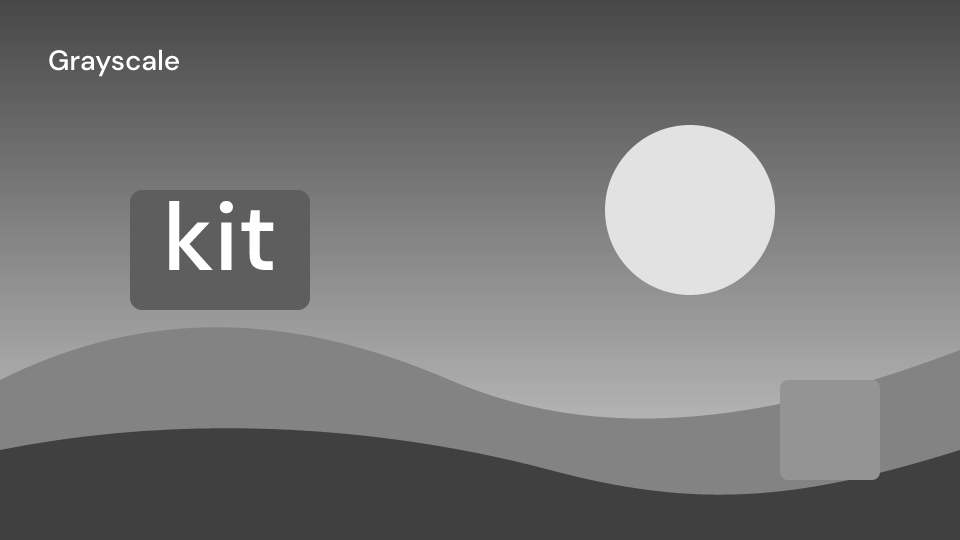
Grayscale 2 s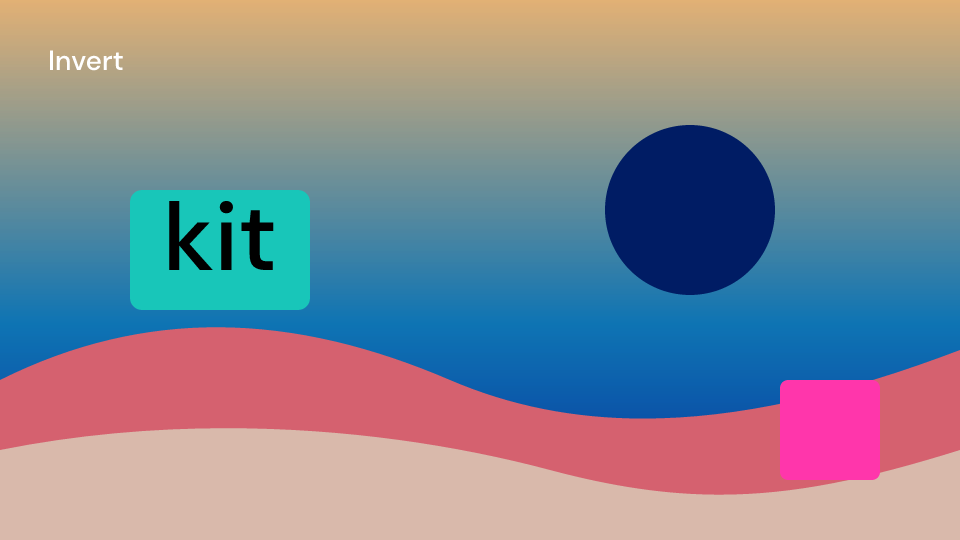
Invert 2 s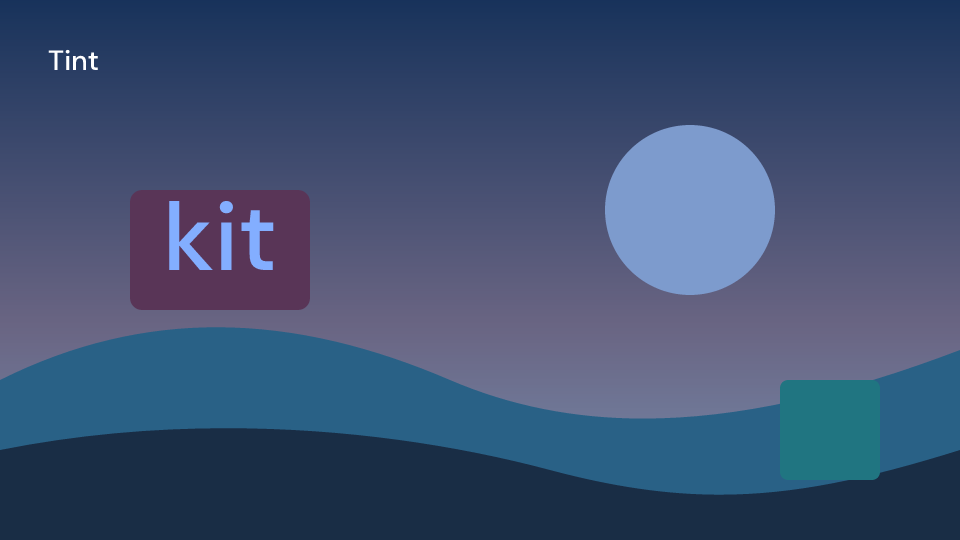
Tint 2 s
Duotone 2 s
Levels 2 s
Curves 2 s
Exposure 2 s
ColorCorrection 2 s
WhiteBalance 2 s
Vibrance 2 s
ShadowsHighlights 2 s
ColorKey 2 s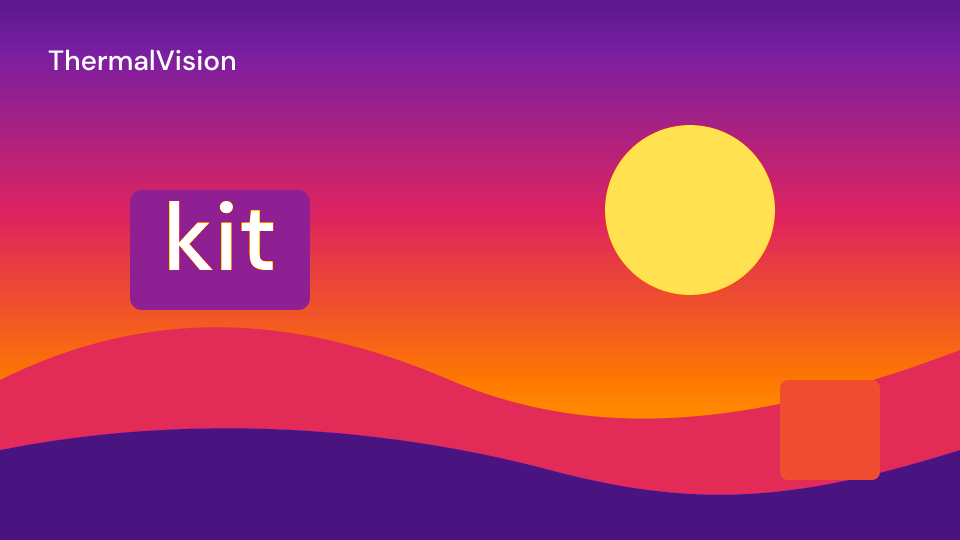
ThermalVision 2 s
Lut 2 s
ColorStack 2 s| Component | Props (defaults) | What it does |
|---|---|---|
Brightness |
amount (1.3) |
CSS brightness(): the colours times amount |
Contrast |
amount (1.4) |
CSS contrast() about mid grey |
Saturation |
amount (1.6) |
SVG saturate: 0 grey, 1 unchanged |
HueRotate |
degrees (90) |
the hues turned round the colour wheel (Remotion’s hue) |
Grayscale |
amount (1) |
CSS grayscale() |
Invert |
amount (1) |
CSS invert() |
Tint |
color (accent), amount (0.8) |
the picture in shades of color |
Duotone |
dark (background), light (accent), amount (1) |
dark tones dark, light tones light |
Exposure |
stops (0.5) |
every stop doubles the light |
WhiteBalance |
temperature (0.5, -1 cold to 1 warm), tint (0, -1 green to 1 magenta) |
gains of up to a fifth on red, green and blue |
Vibrance |
amount (0.8) |
half as strong as Saturation; approximate, a matrix cannot spare colours that are already saturated |
ColorCorrection |
brightness (1), contrast (1.1), saturation (1.2), hue (0) |
the four in that order, one matrix |
ColorStack |
matrices: Vec<ColorMatrix> |
several matrices composed into one feColorMatrix: a stack costs one filter |
Levels |
input (0.08, 0.92), gamma (1.2), output (0, 1) |
Photoshop’s levels on every channel |
Curves |
points (an S curve), red, green, blue (None) |
a smooth monotone curve through the points, then per channel |
Lut |
red, green, blue (lists of outputs) |
a 1D table per channel; approximate, a .cube LUT maps colours in 3D |
ShadowsHighlights |
shadows (0.6), highlights (0.3) |
lifts dark tones, pulls light ones down; approximate, a curve on the pixel’s own value |
ThermalVision |
palette (THERMAL_PALETTE) |
the luminance mapped onto the palette, cold to hot |
ColorKey |
color (green), tolerance (0.4), softness (0.2) |
a chroma key; linear in the colour, so it suits saturated screens |
ColorMatrix holds the matrix maths (brightness, contrast, exposure, saturation,
grayscale, hue_rotate, invert, tint, duotone, white_balance, vibrance, mix,
then, apply). a.then(b) is one matrix that does a, then b. Unlike two nested
effects, it does not clamp the colours in between. The table effects (Levels, Curves,
Lut, ShadowsHighlights, ThermalVision, ColorKey) do not reduce to a matrix: nest them
around or inside a stack, one filter each.
use fframes_kit::prelude::*;
fn photo<'a>(_ui: &mut Ui<'a, '_, '_>) -> Svgr<'a> {    svgr!(<rect x="0" y="0" width="1920" height="1080" fill="#f08a4b" />)}
// curves inside a two-matrix stack that warms up over two seconds: two filtersfn graded<'a>(ui: &mut Ui<'a, '_, '_>) -> Svgr<'a> {    let warmth = motion::clamp01(ui.seconds() / 2.0);    ui.show(ColorStack {        matrices: vec![ColorMatrix::exposure(0.3), ColorMatrix::white_balance(warmth, 0.0)],        children: children(|ui| ui.show(Curves { children: children(photo), ..ui.defaults() })),        ..ui.defaults()    })}
let red = ColorMatrix::grayscale(1.0).apply([1.0, 0.0, 0.0, 1.0]);assert!((red[0] - 0.213).abs() < 1e-6);
The gallery compares individual treatments of the same picture. Each value below is a separate alternative; arrange the returned layers as thumbnails to compare them:
use fframes_kit::prelude::*;
fn photo<'a>(_: &mut Ui<'a, '_, '_>) -> Svgr<'a> {    svgr!(<rect width="1920" height="1080" fill="#f08a4b" />)}
fn treatments<'a>(ui: &mut Ui<'a, '_, '_>) -> Vec<Svgr<'a>> {    vec![        ui.show(Brightness { amount: 1.3.into(), children: children(photo), ..ui.defaults() }),        ui.show(Contrast { amount: 1.4.into(), children: children(photo), ..ui.defaults() }),        ui.show(Saturation { amount: 1.6.into(), children: children(photo), ..ui.defaults() }),        ui.show(HueRotate { degrees: (90.0 + 90.0 * ui.seconds()).into(), children: children(photo), ..ui.defaults() }),        ui.show(Grayscale { amount: 1.0.into(), children: children(photo), ..ui.defaults() }),        ui.show(Invert { amount: 1.0.into(), children: children(photo), ..ui.defaults() }),        ui.show(Tint { amount: 0.8.into(), children: children(photo), ..ui.defaults() }),        ui.show(Duotone { children: children(photo), ..ui.defaults() }),        ui.show(Exposure { stops: 0.5.into(), children: children(photo), ..ui.defaults() }),        ui.show(WhiteBalance { children: children(photo), ..ui.defaults() }),        ui.show(Vibrance { children: children(photo), ..ui.defaults() }),        ui.show(ColorCorrection { children: children(photo), ..ui.defaults() }),        ui.show(Levels { children: children(photo), ..ui.defaults() }),        ui.show(Lut { children: children(photo), ..ui.defaults() }),        ui.show(ShadowsHighlights { children: children(photo), ..ui.defaults() }),        ui.show(ThermalVision { children: children(photo), ..ui.defaults() }),        ui.show(ColorKey { children: children(photo), ..ui.defaults() }),    ]}
Edges and shape
Section titled “Edges and shape”These work on the alpha edges of their children: text, logos and shapes on a transparent
background. Lengths are in the children’s user units; props follow Remotion’s names and
defaults.
Gallery scenes: EdgeEffects, Outline, Emboss, BevelAlpha, LongShadows, RoughenEdges, Shrinkwrap.
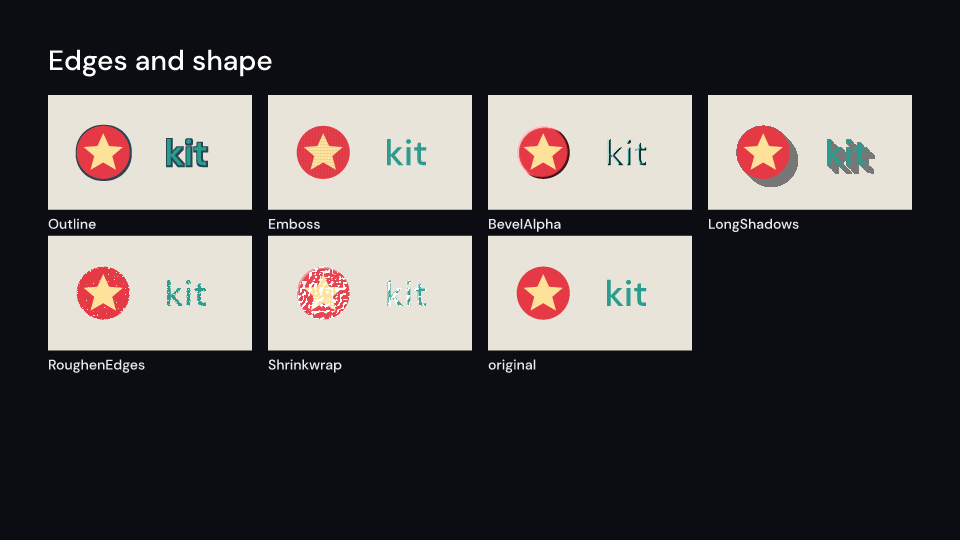
EdgeEffects 2 s
Outline 2 s
Emboss 2 s
BevelAlpha 2 s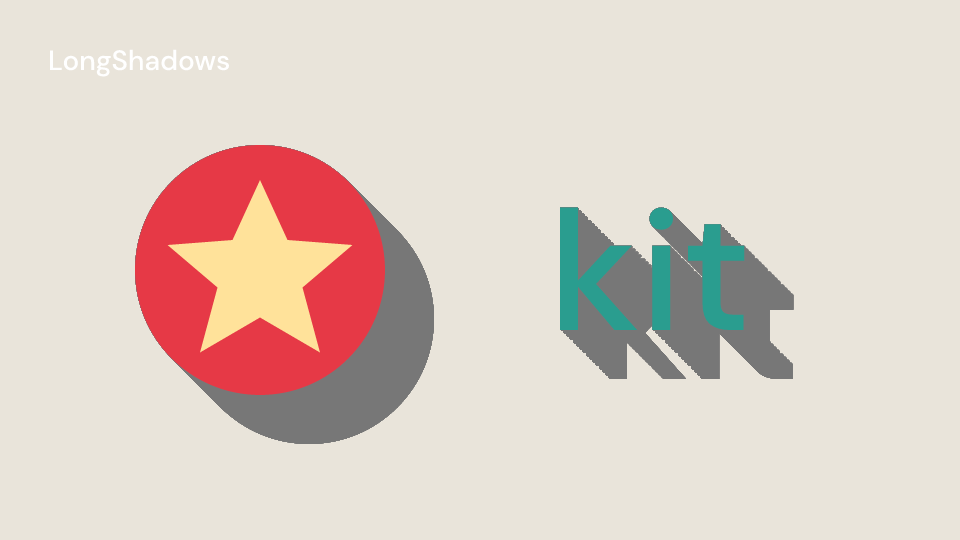
LongShadows 2 s
RoughenEdges 2 s
Shrinkwrap 2 s| Component | Props (defaults) | What it does |
|---|---|---|
Outline |
width (8), color (white), opacity (1), outline_only (false) |
a solid outline from feMorphology; the region grows a tenth of the box, wider outlines are cut |
Emboss |
amount (0.7), size (26), line_width (7), depth (0.75), angle (0), light_angle (135, from the top left), offset (0), area |
Remotion’s raised dash relief: a lit and shaded dash pattern masked by the children’s alpha; renders the children twice |
BevelAlpha |
edge_thickness (2), light_angle (-60, clockwise from above), light_color (white), light_intensity (0.4) |
highlights and shadows along the alpha edges, from the slope of the blurred alpha |
LongShadows |
length (240), angle (45, clockwise from the right), color (#777777), opacity (1), area |
the silhouette as a solid directional shadow, clipped to area |
RoughenEdges |
amount (1), border (26.5), scale (0.07), seed (231.2) |
a torn-paper edge: blurred alpha shifted by noise and cut at a threshold |
Shrinkwrap |
amount (1), highlight_intensity (0.75), wrinkle_density (0.42), edge_tension (0.45), seed |
plastic wrap glints on feTurbulence wrinkles and a highlight along the edges |
LongShadows doubles its copies: at most eight merges give 256 copies, one unit apart for a
shadow up to 255 units long. Overlapping copies of a semi-transparent silhouette add up.
BevelAlpha and Shrinkwrap measure slopes with feConvolveMatrix over neighbouring
device pixels, so a draft render at a smaller scale shows a stronger bevel. The SVG lighting
filters would scale correctly, but at half size the CPU and Skia backends draw them about
0.6% apart. Remotion’s shrinkwrap() also displaces the picture along the wrinkles. That
needs feDisplacementMap, so it waits with the other displacement effects.
use fframes_kit::prelude::*;
fn logo<'a>(_ui: &mut Ui<'a, '_, '_>) -> Svgr<'a> {    svgr!(<circle cx="960" cy="540" r="200" fill="#e63946" />)}
fn badge<'a>(ui: &mut Ui<'a, '_, '_>) -> Svgr<'a> {    let grow = motion::clamp01(ui.seconds());    ui.show(LongShadows {        length: Anim::Fixed(240.0 * grow),        children: children(|ui| ui.show(Outline { width: Anim::Fixed(6.0), children: children(logo), ..ui.defaults() })),        ..ui.defaults()    })}
For separate edge treatments of the same logo:
use fframes_kit::prelude::*;
fn logo<'a>(_: &mut Ui<'a, '_, '_>) -> Svgr<'a> {    svgr!(<circle cx="960" cy="540" r="200" fill="#e63946" />)}
fn edge_treatments<'a>(ui: &mut Ui<'a, '_, '_>) -> Vec<Svgr<'a>> { vec![ ui.show(Emboss { children: children(logo), ..ui.defaults() }), ui.show(BevelAlpha { children: children(logo), ..ui.defaults() }), ui.show(RoughenEdges { children: children(logo), ..ui.defaults() }), ui.show(Shrinkwrap { children: children(logo), ..ui.defaults() }), ]}| Component | Props (defaults) | What it does |
|---|---|---|
WhiteNoise |
amount (1), seed (0), grain (2), area |
grey static over the opaque parts; derive seed from the frame to make it move |
FractalNoise |
fractal_type (Basic, or Turbulent), scale (100), complexity (6), evolution (0°), cycle_evolution, cycle (1), contrast (1), brightness (0), offset_x, offset_y, seed, invert, amount (1), area |
layered grey noise for clouds and smoke, mixed over the opaque parts |
Both draw feTurbulence on a rectangle over area, masked by the children’s alpha, so the
children render twice. FractalNoise::evolution cross-fades to the next seed on every full
turn; with cycle_evolution the seeds repeat after cycle turns. Remotion’s other fractal
types, noiseType, subInfluence and subScaling have no feTurbulence equivalent.
Gallery scenes: NoiseEffects, WhiteNoise, FractalNoise.
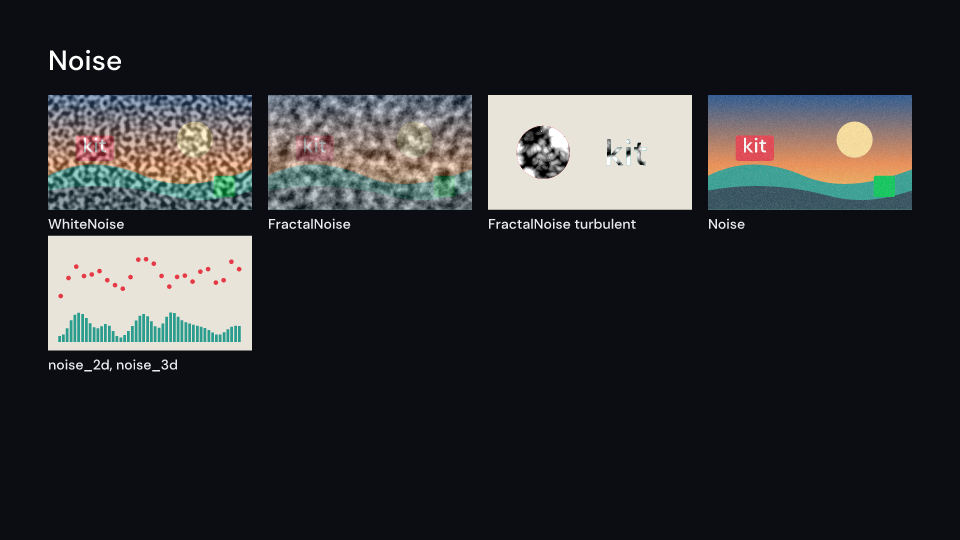
NoiseEffects 2 s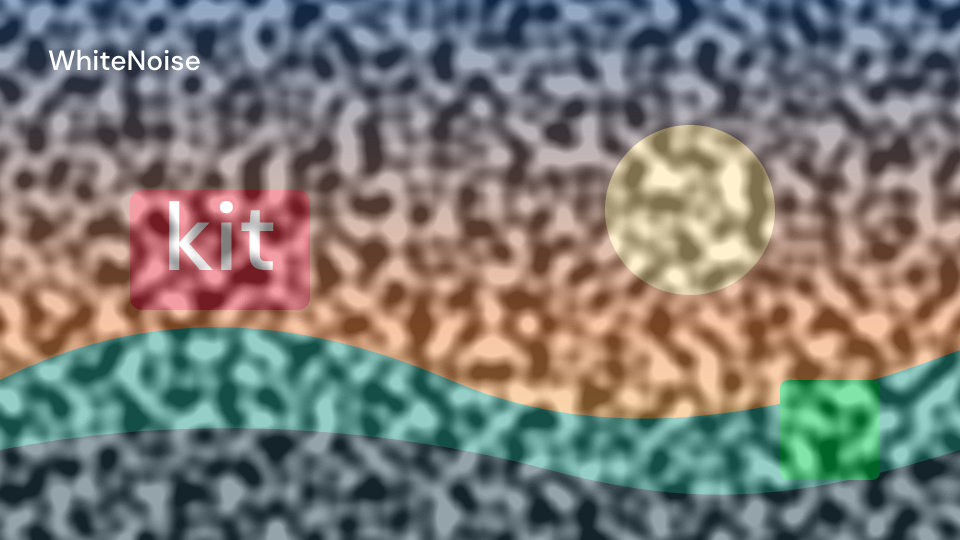
WhiteNoise 2 s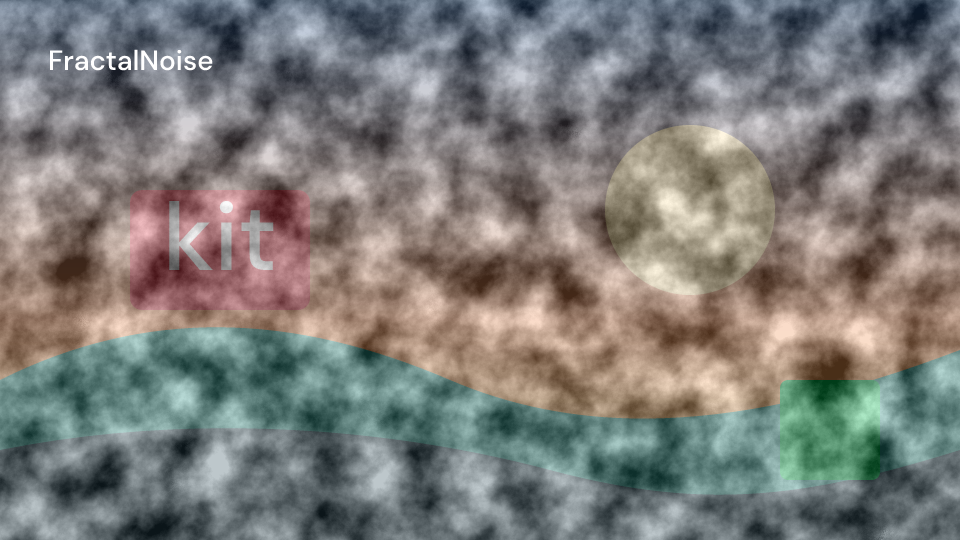
FractalNoise 2 sNoise detail near the pixel size samples differently on the CPU and Skia backends. A
white noise of one-unit grain in a fifth-size thumbnail differed in 1.2% of the pixels; at
about five output pixels per speck it differed in 0.07%. Keep grain and the finest
FractalNoise layer (scale / 2^(complexity - 1)) at a few output pixels where the backends
must agree.
motion::noise_2d, noise_3d and noise_4d are simplex noise for driving motion
(Remotion’s noise2D, noise3D, noise4D). They return -1 to 1, the same for the same seed
and coordinates. The seed is a number or a string.
use fframes_kit::prelude::*;
fn bobbing<'a>(ui: &mut Ui<'a, '_, '_>) -> Svgr<'a> {    let y = 540.0 + 80.0 * motion::noise_2d("buoy", 0.0, ui.seconds() * 0.6);    svgr!(<circle cx="960" cy={y} r="40" fill="#e63946" />)}
fn storm<'a>(ui: &mut Ui<'a, '_, '_>) -> Svgr<'a> {    let turn = 90.0 * ui.seconds();    ui.show(FractalNoise {        evolution: Anim::Fixed(turn),        amount: Anim::Fixed(0.6),        children: children(bobbing),        ..ui.defaults()    })}
fn static_noise<'a>(ui: &mut Ui<'a, '_, '_>) -> Svgr<'a> {    ui.show(WhiteNoise { grain: 5.0, children: children(bobbing), ..ui.defaults() })}
The displacement effects (noise displacement, turbulent displace, wave, waves, zigzag) are
not yet available. They need feDisplacementMap, which the CPU backend draws wrongly: the
svgr crate applies its scale twice and reads the map premultiplied (resvg issue 1160).
They come back when a fixed svgr arrives with an upstream update.
Pattern overlays
Section titled “Pattern overlays”| Component | Props (defaults) | What it does |
|---|---|---|
Scanlines |
amount (0.15), spacing (4), thickness (1), offset, premultiply, area |
CRT lines: the lines light the picture and the gaps darken it; animate offset to roll them |
DotGrid |
dot_size (16), grid_size (20), invert |
the children seen through round holes, or with the holes cut out |
Checkerboard |
colors (two pale blues), cell_size (80), gap (0), angle, offset_x, offset_y, mask_to_source_alpha |
cells over the children |
Gridlines |
grid_size (64), line_width (2), line_color (white), background_color (transparent), rotation, offset_x, offset_y, mask_to_source_alpha |
a square grid over the children |
Lines |
colors, direction (Horizontal or Vertical), thickness (40), gap (0), angle, offset, mask_to_source_alpha |
stripes over the children |
Rings |
colors, center (0.5, 0.5), thickness (40), gap (0), offset, mask_to_source_alpha |
concentric rings; animate offset to make them expand |
LinearGradientTint |
start (0, 0.5), end (1, 0.5), start_color (black), end_color (white), amount (0.5) |
the colours pulled towards a gradient, the alpha kept |
LinearGradient |
start, end, start_color, end_color |
a gradient filling the area; it replaces the layer, so it has no children |
Vignette |
amount (0.5), radius (0.65), center, feather (0.35), roundness (1), color (black), mode (Color or Alpha) |
darkened edges, or edges fading out with Alpha |
Positions such as start, end and center run from 0 to 1 across area (1920 by 1080
by default). With mask_to_source_alpha a pattern covers only the opaque parts of the
children, which then render twice; without it, it covers the whole area.
Gallery scenes: OverlayEffects, Scanlines, DotGrid, Checkerboard, Gridlines, Lines, Rings, LinearGradientTint, LinearGradient, Vignette.
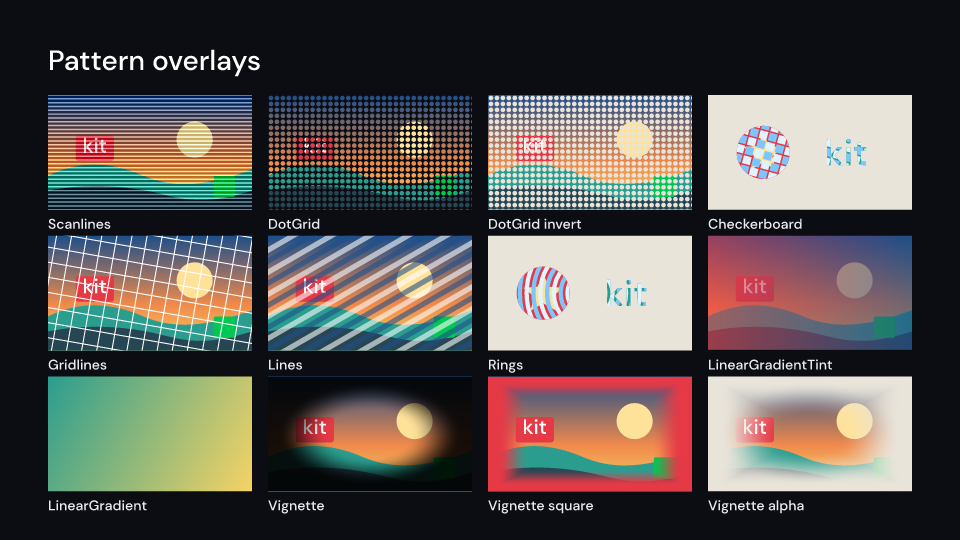
OverlayEffects 2 s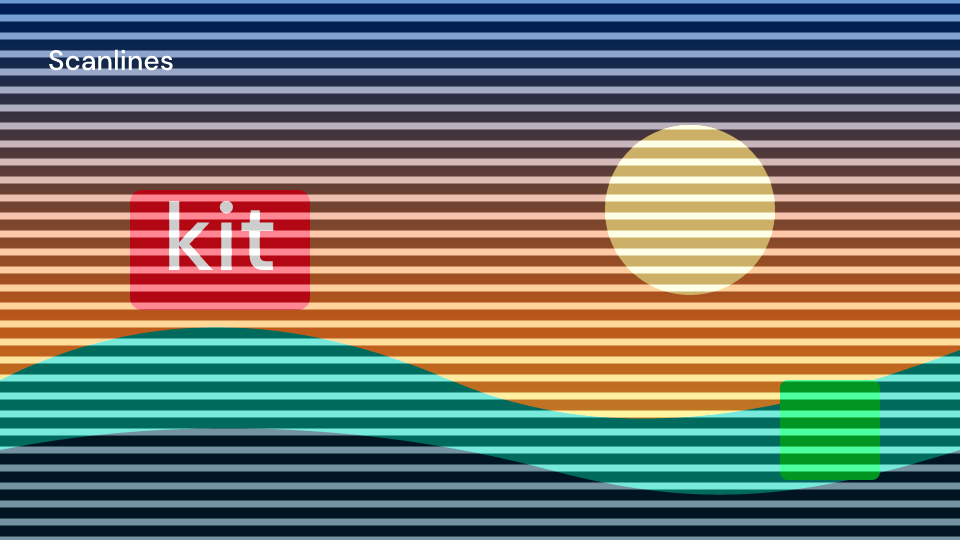
Scanlines 2 s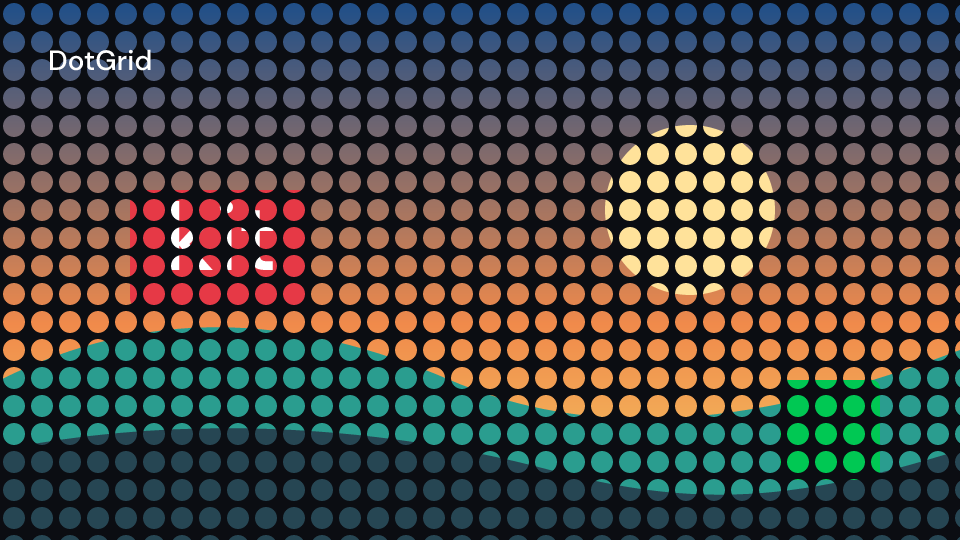
DotGrid 2 s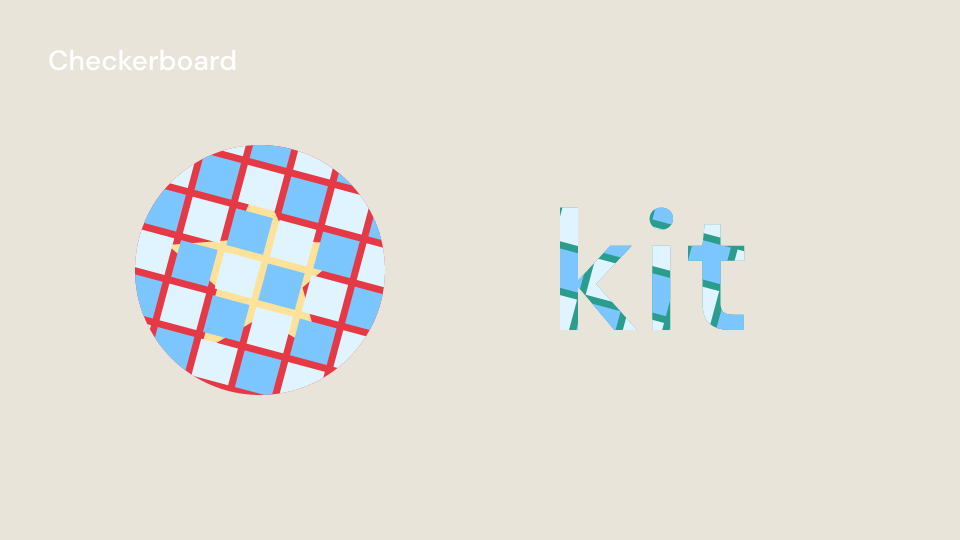
Checkerboard 2 s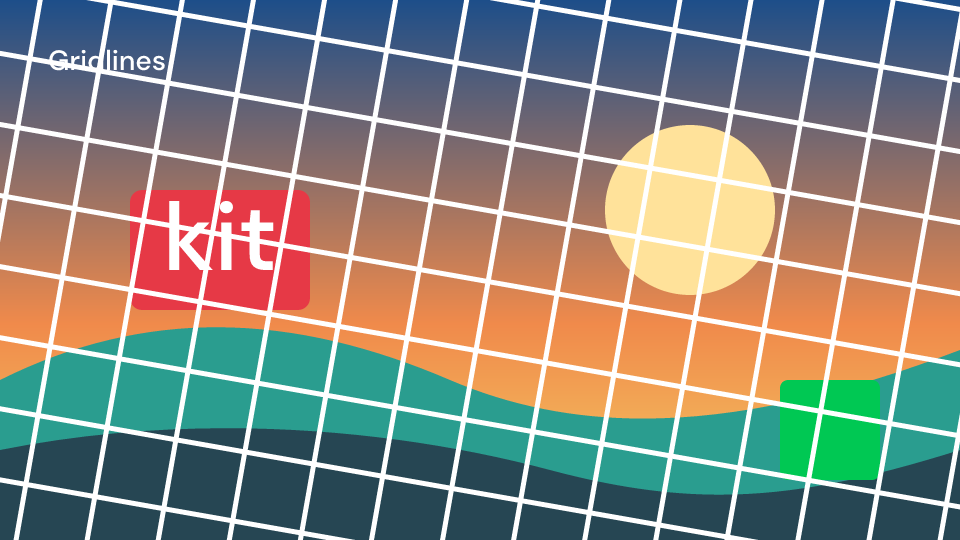
Gridlines 2 s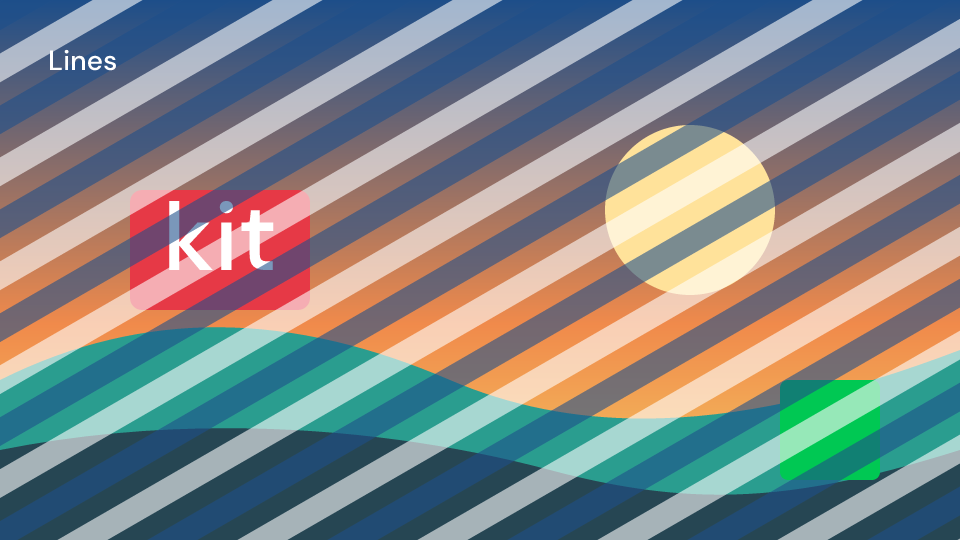
Lines 2 s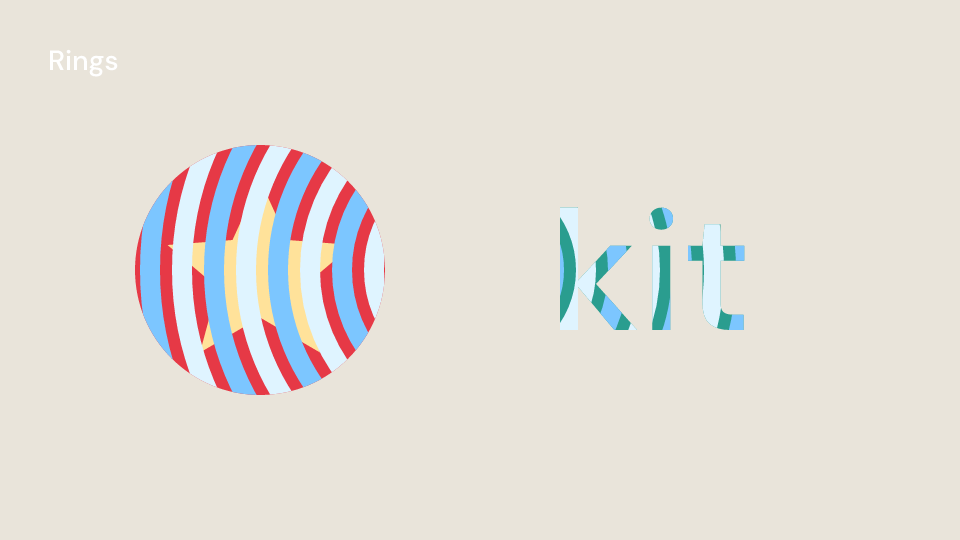
Rings 2 s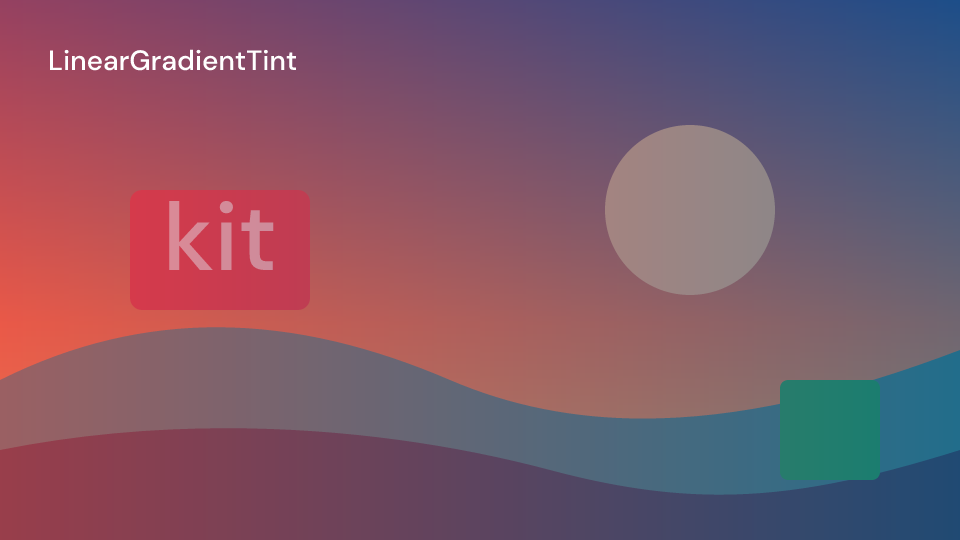
LinearGradientTint 2 s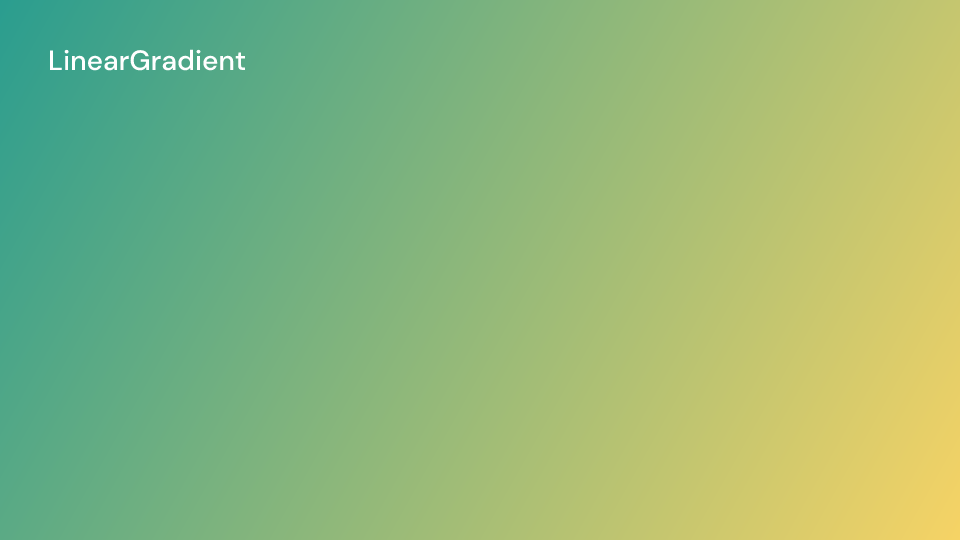
LinearGradient 2 s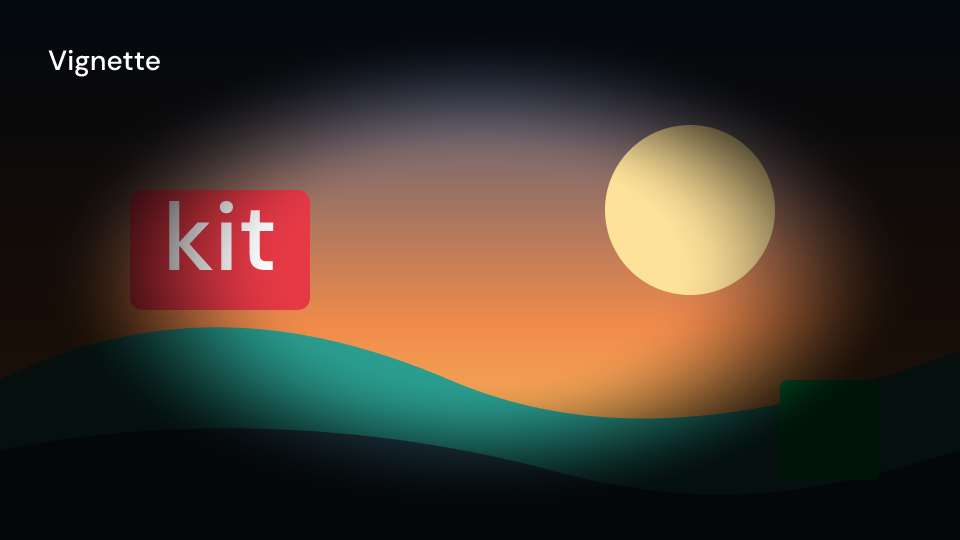
Vignette 2 sThe patterns are drawn as paths, not SVG <pattern> tiles: the backends round a small tile
to whole pixels differently, so its repeats drift apart across the picture. One pattern draws
at most MAX_PATTERN_SHAPES (20,000) stripes, cells or dots, and a finer one is drawn
coarser. Rings draws at most MAX_RINGS (1,024). As with noise, keep the lines and dots at
a few output pixels where the backends must agree.
Vignette is drawn with gradients, so it needs no filter. Its curve is a smoothstep sampled
at 16 points. Between roundness 0 and 1 the rectangle and the ellipse are mixed; Remotion
mixes the distances instead, so those shapes differ a little. Gridlines cannot tilt in 3D:
Remotion’s rotationX, rotationY and perspective are not available.
use fframes_kit::prelude::*;
fn crt<'a>(ui: &mut Ui<'a, '_, '_>) -> Svgr<'a> {    let roll = 8.0 * ui.seconds();    ui.show(Vignette {        amount: Anim::Fixed(0.7),        children: children(move |ui| {            ui.show(Scanlines {                amount: Anim::Fixed(0.3),                offset: roll,                children: children(|_| svgr!(<rect x="0" y="0" width="1920" height="1080" fill="#2a9d8f" />)),                ..ui.defaults()            })        }),        ..ui.defaults()    })}
Compare the gallery’s masks and overlays on one source:
use fframes_kit::prelude::*;
fn source<'a>(_: &mut Ui<'a, '_, '_>) -> Svgr<'a> {    svgr!(<rect width="1920" height="1080" fill="#2a9d8f" />)}
fn overlays<'a>(ui: &mut Ui<'a, '_, '_>) -> Vec<Svgr<'a>> {    vec![        ui.show(DotGrid { children: children(source), ..ui.defaults() }),        ui.show(Checkerboard { children: children(source), ..ui.defaults() }),        ui.show(Gridlines { children: children(source), ..ui.defaults() }),        ui.show(Lines { children: children(source), ..ui.defaults() }),        ui.show(Rings { children: children(source), ..ui.defaults() }),        ui.show(LinearGradientTint { children: children(source), ..ui.defaults() }),        ui.show(LinearGradient { start_color: Color::hex("#2a9d8f"), end_color: Color::hex("#f6d365"), ..ui.defaults() }),    ]}
Textures
Section titled “Textures”| Component | Props (defaults) | What it does |
|---|---|---|
Pattern |
scale (0.1), crop (left, top, right, bottom insets), gap_x, gap_y, offset_u, offset_v, row_offset, row_offset_every (0: never repeats), column_offset, column_offset_every, origin (0, 0), wrap (true) |
the children repeated as a grid of small copies, staggered by row or column |
Speckle |
density (0.08), size (4), randomness (1) |
small round holes punched through the children |
Flannel |
amount (0.7), size (96), softness (0.18), base_color, stripe_color |
plaid cloth printed on the children, shaded by their brightness |
Burlap |
amount (0.55), size (5), roughness (0.7), seed, color (black) |
woven sacking: strand gaps and blotches darken the picture |
Paper |
amount (1), color_front, color_back, contrast (0.3), roughness (0.4), fiber (0.3), fiber_size (0.2), crumples (0.3), crumple_size (0.35), folds (0.65), fold_count (5), seed (6), scale (0.6) |
a lit relief of fibres, crumples and creases shading and tinting the picture |
Pattern renders the children once and places the copies with <use>, at most MAX_TILES
(1,024); a smaller scale is drawn larger. It replaces the children and is transparent
between the tiles. The other textures keep the children’s alpha.
Gallery scenes: TextureEffects, PaperEffects, Pattern, Speckle, Flannel, Burlap, Paper.
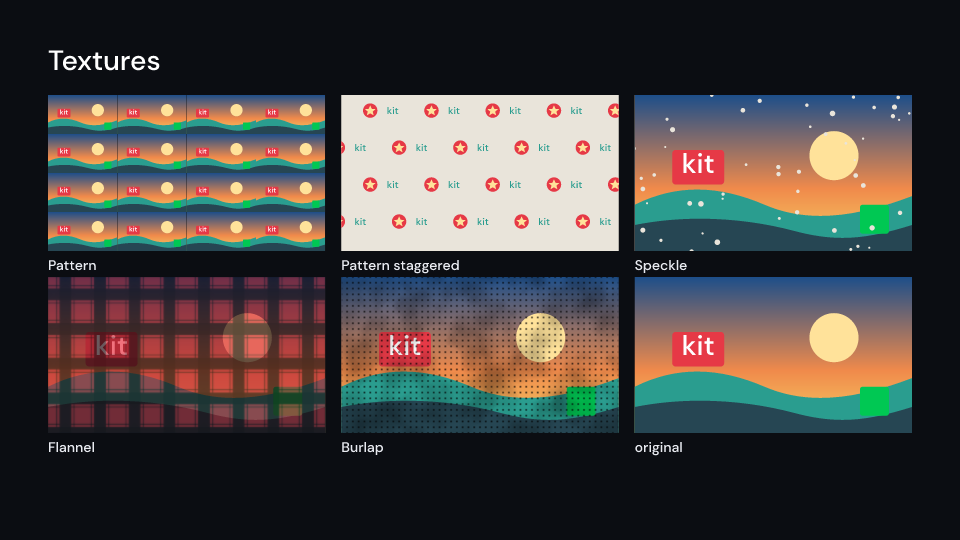
TextureEffects 2 s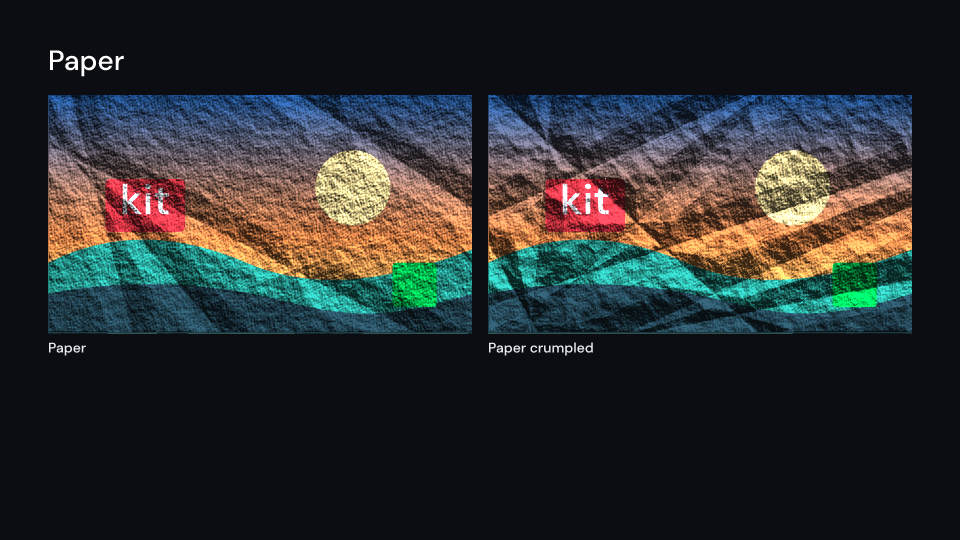
PaperEffects 1 s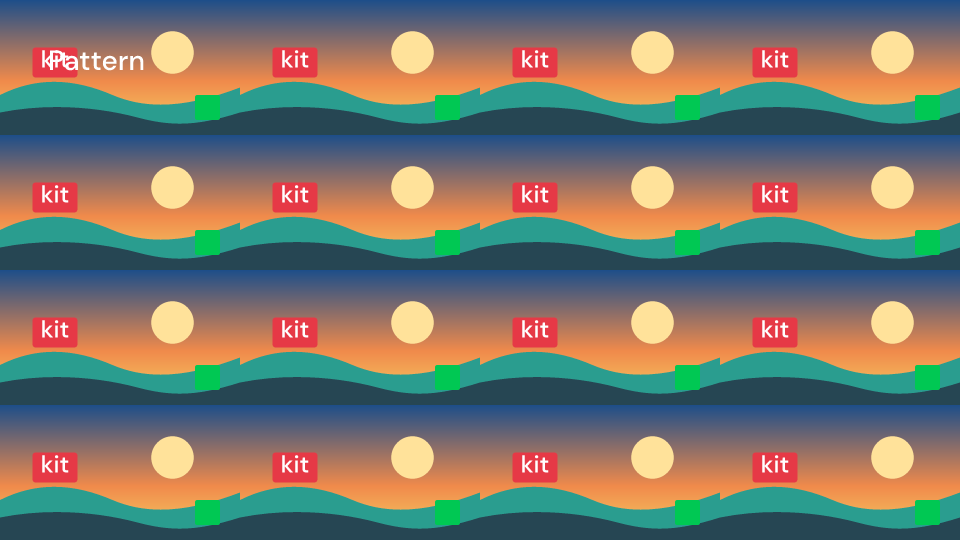
Pattern 2 s
Speckle 2 s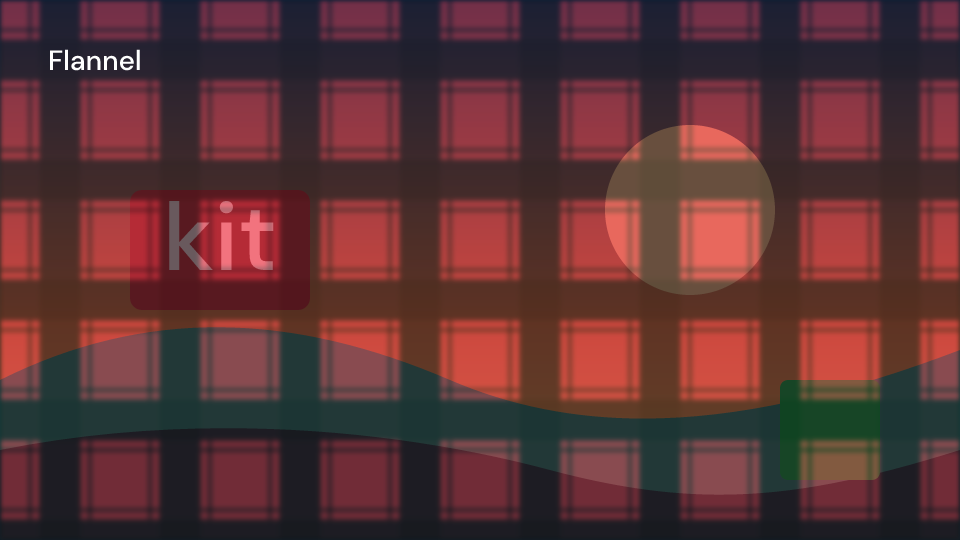
Flannel 2 s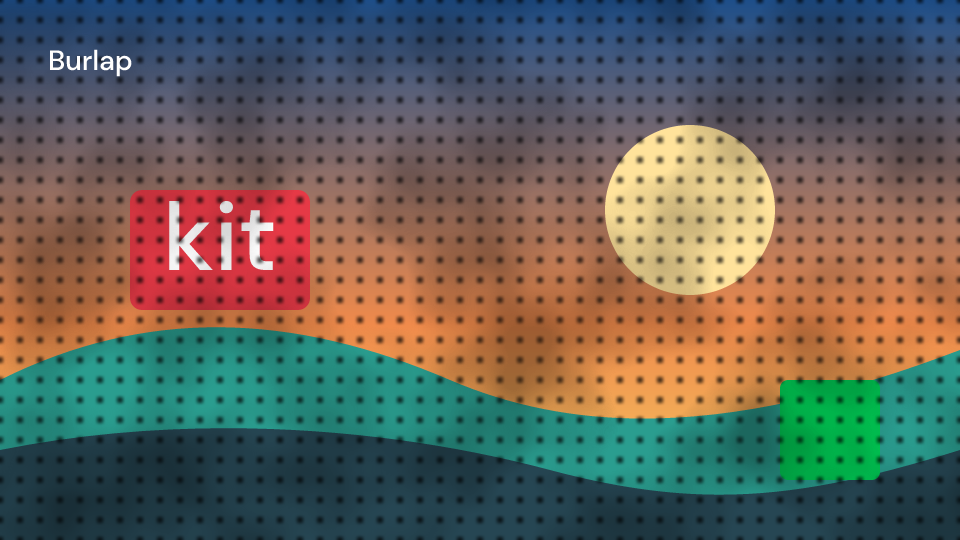
Burlap 2 s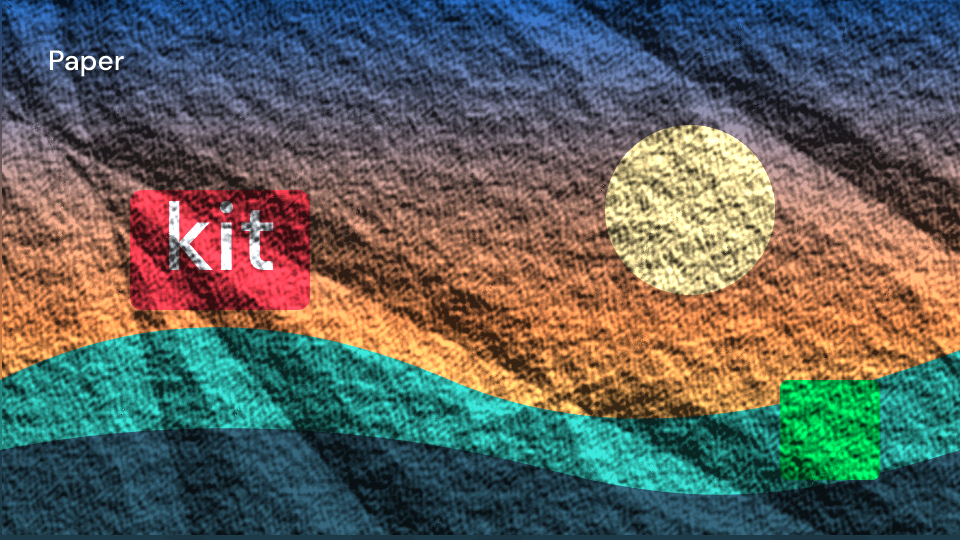
Paper 2 sThese are approximations of Remotion’s per-pixel shaders:
Flannelleaves out the pixel-sized thread ripple.Burlapleaves out the over and under weave, the strand jitter and the dashes; its strands are repeating gradients.Paperlights a relief built fromfeTurbulenceand drawn creases. It does not displace the picture along the folds (that needsfeDisplacementMap), its tint uses the average light, anddropsandfadeare not available.
Keep strands, fibres and holes a few output pixels wide, as with noise. Paper’s strong light
magnifies how differently the CPU and Skia backends sample feTurbulence: the gallery’s paper
differs in about 1% of the pixels at full size and 6.6% at half size. That is why it has no e2e
frame.
use fframes_kit::prelude::*;
fn photo<'a>(_: &mut Ui<'a, '_, '_>) -> Svgr<'a> {    svgr!(<rect x="0" y="0" width="1920" height="1080" fill="#f6d365" />)}
fn wallpaper<'a>(ui: &mut Ui<'a, '_, '_>) -> Svgr<'a> {    ui.show(Paper {        children: children(|ui| {            ui.show(Pattern {                scale: 0.2,                row_offset: 192.0,                row_offset_every: 2,                children: children(photo),                ..ui.defaults()            })        }),        ..ui.defaults()    })}
fn textures<'a>(ui: &mut Ui<'a, '_, '_>) -> Vec<Svgr<'a>> {    vec![        ui.show(Speckle { children: children(photo), ..ui.defaults() }),        ui.show(Flannel { children: children(photo), ..ui.defaults() }),        ui.show(Burlap { children: children(photo), ..ui.defaults() }),    ]}
Halftone and light
Section titled “Halftone and light”| Component | Props (defaults) | What it does |
|---|---|---|
Halftone |
shape (Circle, Square, Line), dot_size (20), dot_spacing (None: the dot size), rotation (degrees), offset, color (Solid, Source), dot_color (red), invert |
the children printed as dots that grow where they are dark; the dots replace them |
HalftoneLinearGradient |
first_dot_size (0), second_dot_size (40), first_stop (0, 0.5), second_stop (1, 0.5), grid_size (24), color, dot_color (black), mask_to_source_alpha |
dots growing along a gradient over the children, or the children seen only through them |
Starburst |
rays (12, 2 to 100), colors (accent and background), rotation (degrees), smoothness (0 to 1), origin (0.5, 0.5) |
rays of colour from a point; it replaces the layer and takes no children |
LightTrail |
direction (180, degrees clockwise from the right), distance (80, animatable), intensity (1), decay (0.9), threshold (0), samples (32, at most MAX_TRAIL_SAMPLES), color (white) |
a streak of light added behind the children’s silhouette |
Halftone compares every pixel’s brightness with a field of gradients that peaks in the dot
middles, inside one filter over the area. Remotion sizes a whole dot by the brightness at
its middle, so here a dot on an edge in the picture takes the edge’s shape. Circles are drawn
one by one, at most MAX_PATTERN_SHAPES; squares and lines are gradients. Starburst blends
a ray into the next in twelve steps, smoothly across the boundary. LightTrail averages
copies of the silhouette by doubling, like LongShadows, and its threshold looks only at the
alpha (Remotion also lets bright semi-transparent pixels through).
Gallery scenes: HalftoneEffects, HalftoneLinearGradient, LightTrail, Halftone, Starburst.
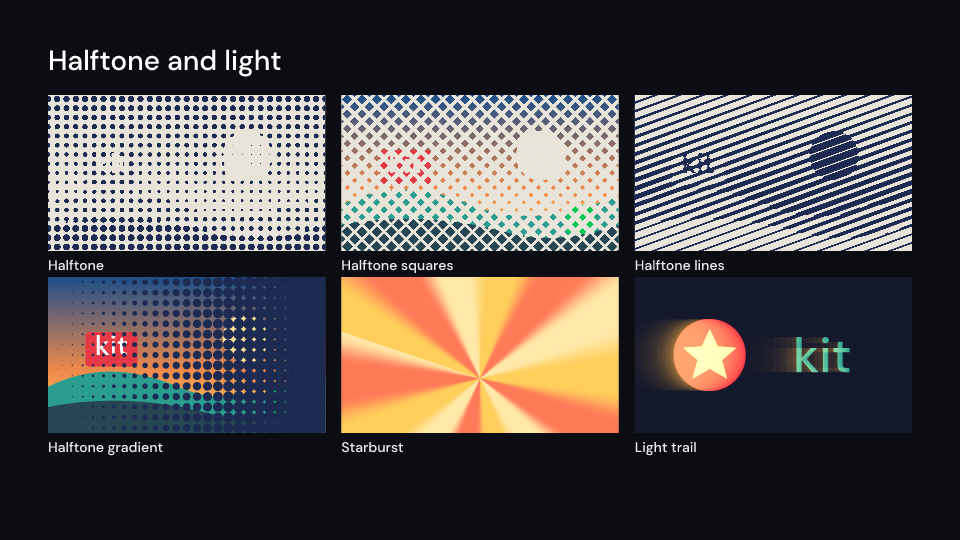
HalftoneEffects 2 s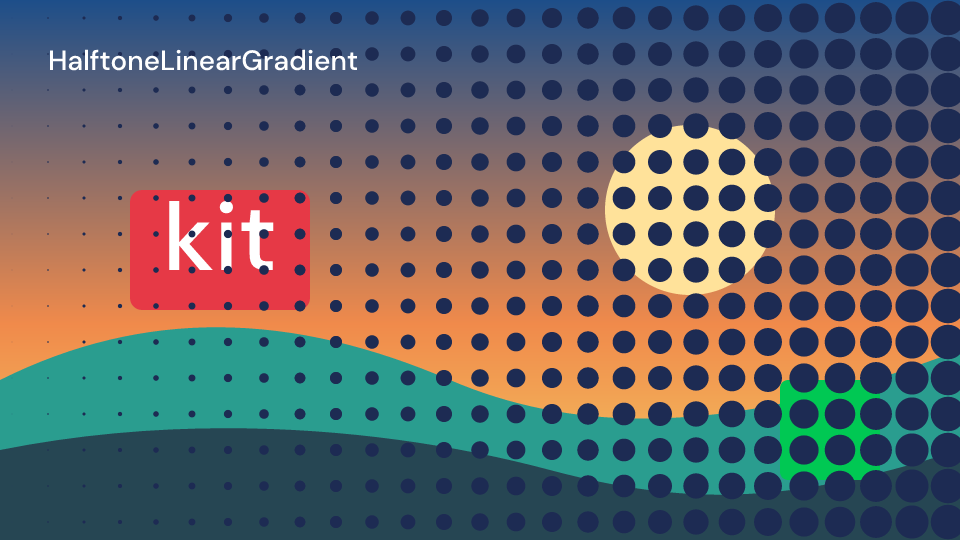
HalftoneLinearGradient 3 s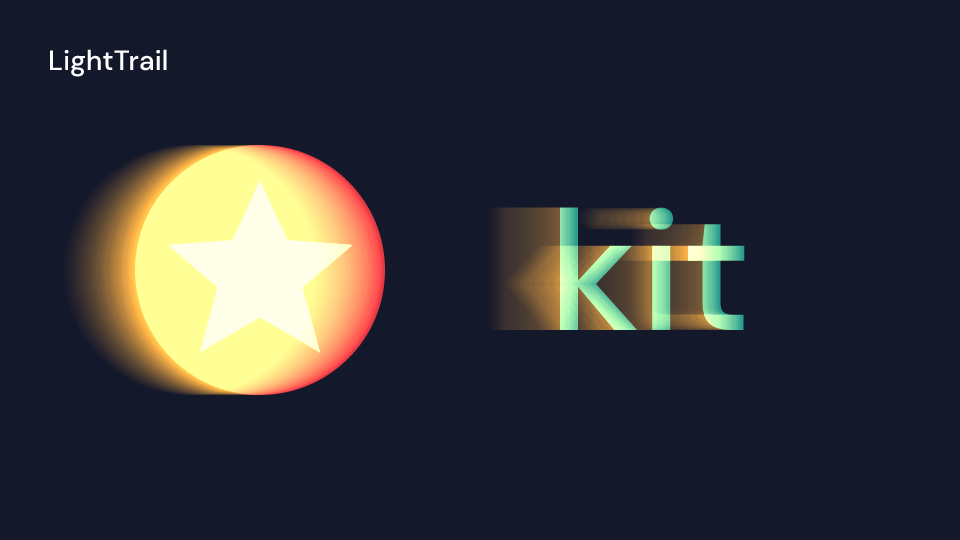
LightTrail 3 s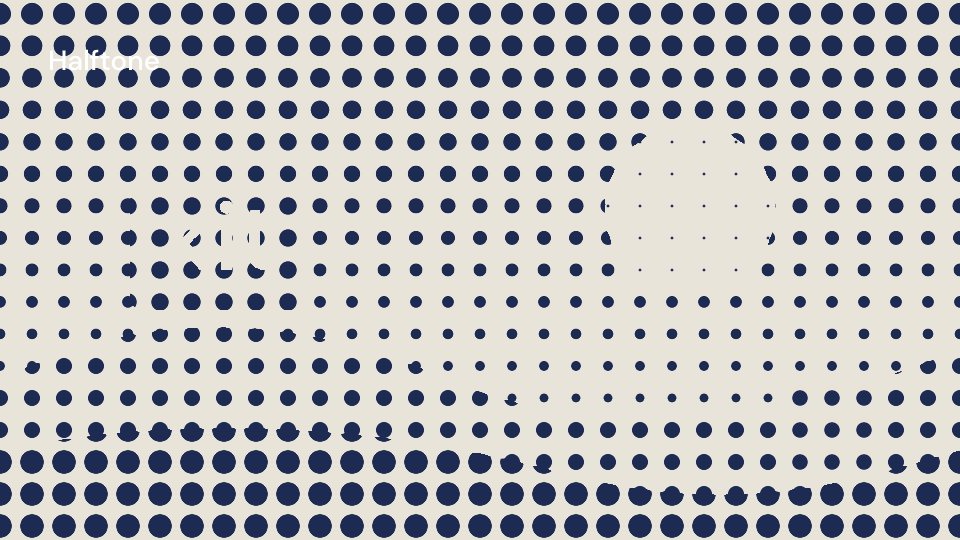
Halftone 2 s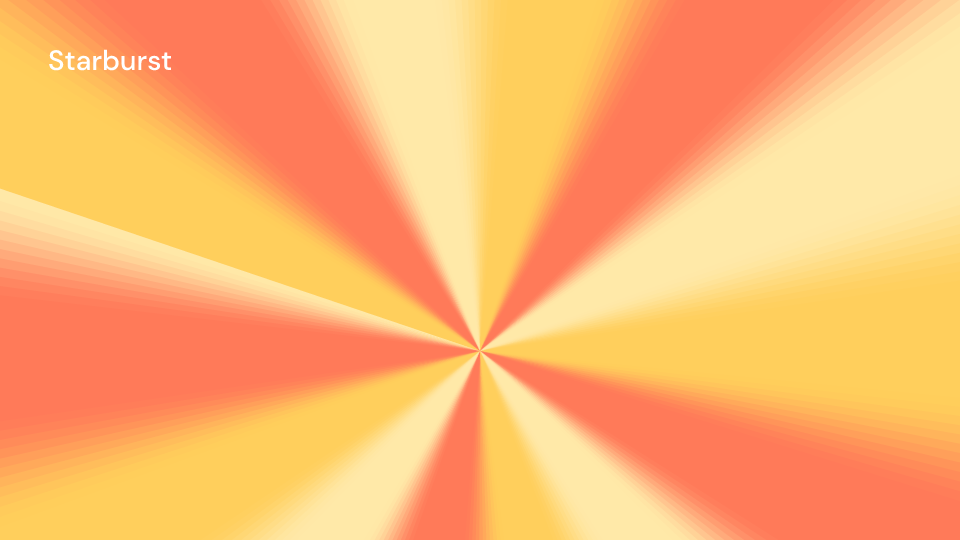
Starburst 2 suse fframes_kit::prelude::*;
fn photo<'a>(_: &mut Ui<'a, '_, '_>) -> Svgr<'a> { svgr!(<rect x="0" y="0" width="1920" height="1080" fill="#f6d365" />)}
fn poster<'a>(ui: &mut Ui<'a, '_, '_>) -> Svgr<'a> { let rays = ui.show(Starburst { rays: 16, rotation: 10.0 * ui.seconds(), smoothness: 0.4, ..ui.defaults() }); let dots = ui.show(Halftone { dot_size: 32.0, rotation: 45.0, color: HalftoneColor::Source, children: children(photo), ..ui.defaults() }); let gradient = ui.show(HalftoneLinearGradient { grid_size: 72.0, second_dot_size: 60.0, children: children(photo), ..ui.defaults() }); let trail = ui.show(LightTrail { distance: Anim::Fixed(240.0), children: children(|_| svgr!(<circle cx="1400" cy="540" r="120" fill="#ffffff" />)), ..ui.defaults() }); svgr!(<g>{rays}{dots}{gradient}{trail}</g>)}Geometry and reveals
Section titled “Geometry and reveals”| Component | Props (defaults) | What it does |
|---|---|---|
Mirror |
direction (Horizontal, Vertical), position (0.5, animatable), invert |
the part past position shows the other side reflected |
Tile |
rect (x, y, width, height: 640, 360, 640, 360), horizontal (true), vertical (true) |
rect of the children repeated across the area, every other copy mirrored |
Skew |
x (20 degrees), y (0), origin (0.5, 0.5) |
slanted like CSS skewX then skewY |
Scale |
scale (1), horizontal (true), vertical (true) |
scaled about the middle of the area |
Translate |
x, y (0), uv (false: units; true: shares of the area) |
moved |
VenetianBlinds |
progress (0.5), direction (Vertical, Horizontal), slats (12) |
shown through blinds opening from the middle of each slat |
Evolve |
progress (0.5), direction (Left, Right, Top, Bottom), feather (0.1) |
revealed by an edge sweeping across, softened over feather |
TvSignalOff |
amount (1) |
television test bars mixed in inside the children’s alpha |
All of them except TvSignalOff work inside the area from the origin and cut what leaves it,
like Remotion’s canvas. progress, position, scale, amount and the offsets and angles are animatable.
Remotion’s tile() finds the rectangle to repeat from the opaque pixels; fframes cannot
measure the children, so Tile takes it as rect. Where a mirrored side reaches past the
area, Remotion stretches the edge pixels and Mirror leaves it transparent. TvSignalOff
draws the bars over the children, so semi-transparent parts mix a little differently.
Gallery scenes: GeometryEffects, TvSignalOff, VenetianBlinds, EffectMirror, Tile, Skew, Scale, Translate, Evolve.
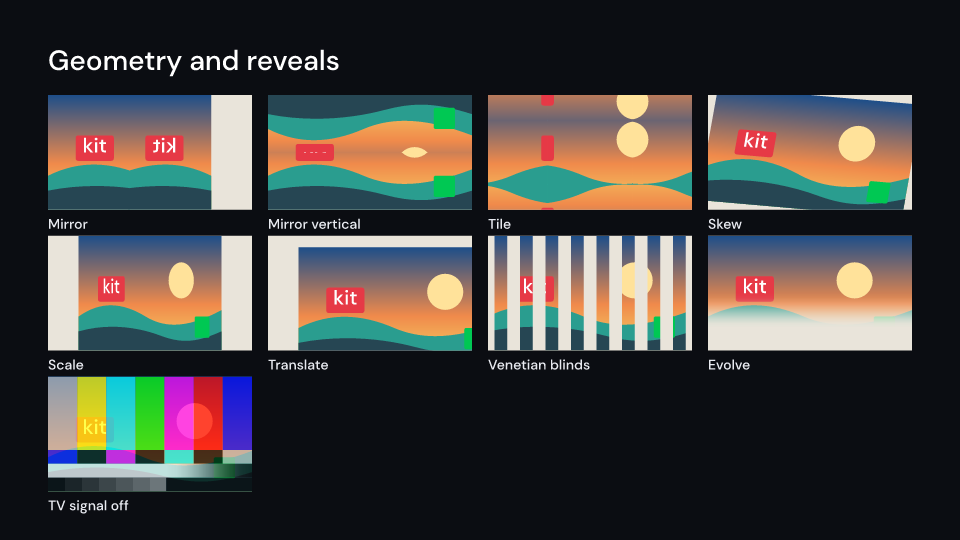
GeometryEffects 2 s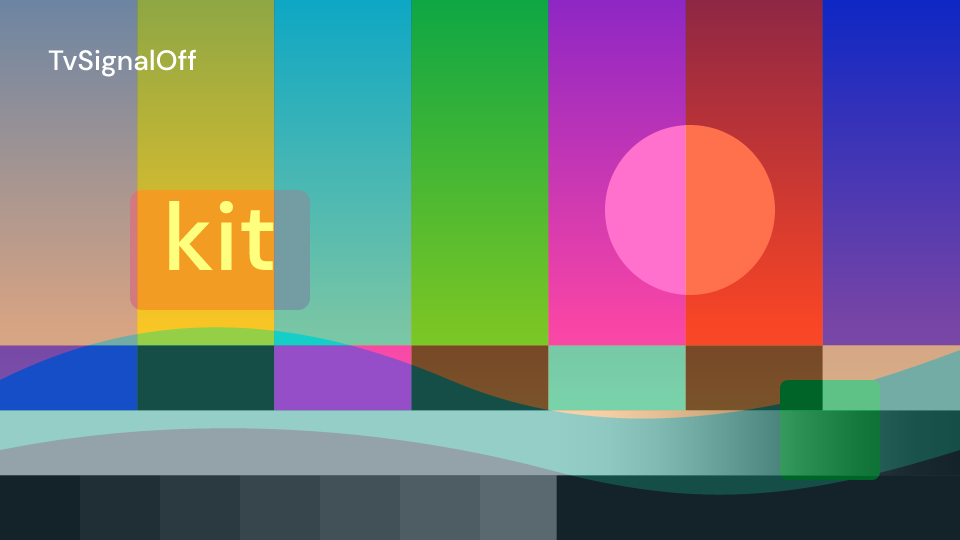
TvSignalOff 3 s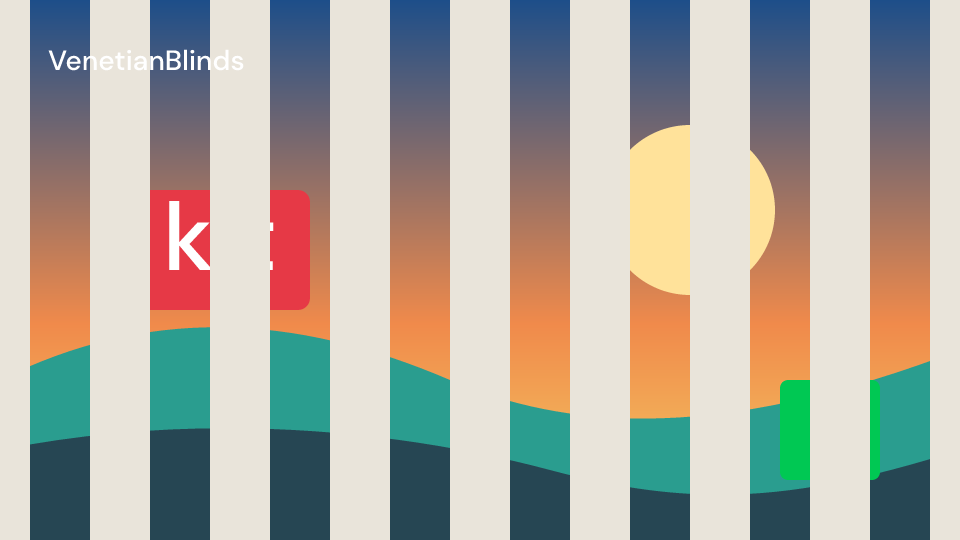
VenetianBlinds 3 s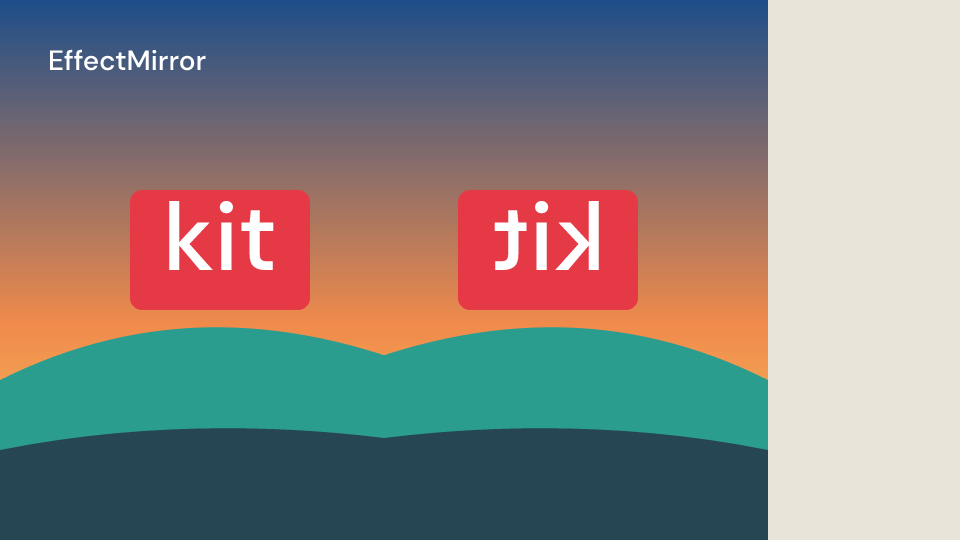
EffectMirror 2 s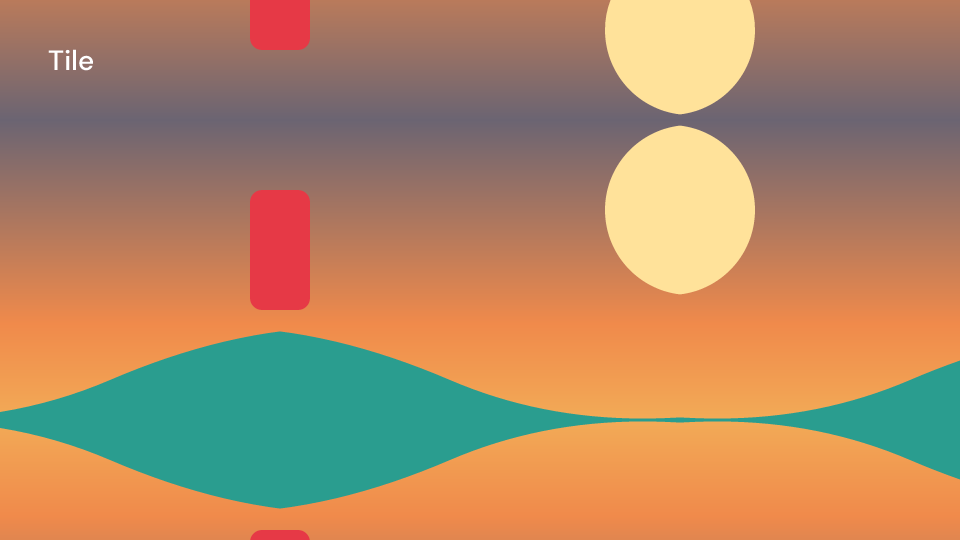
Tile 2 s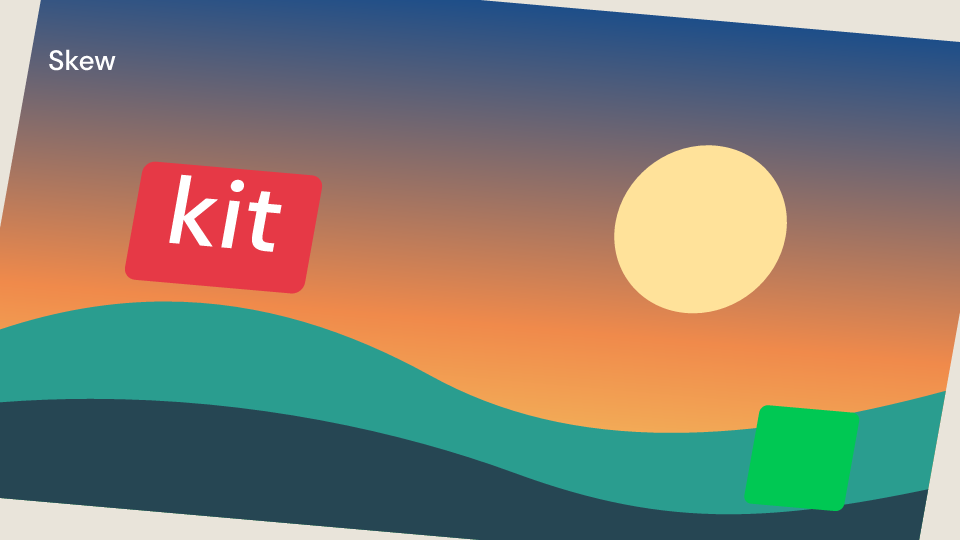
Skew 2 s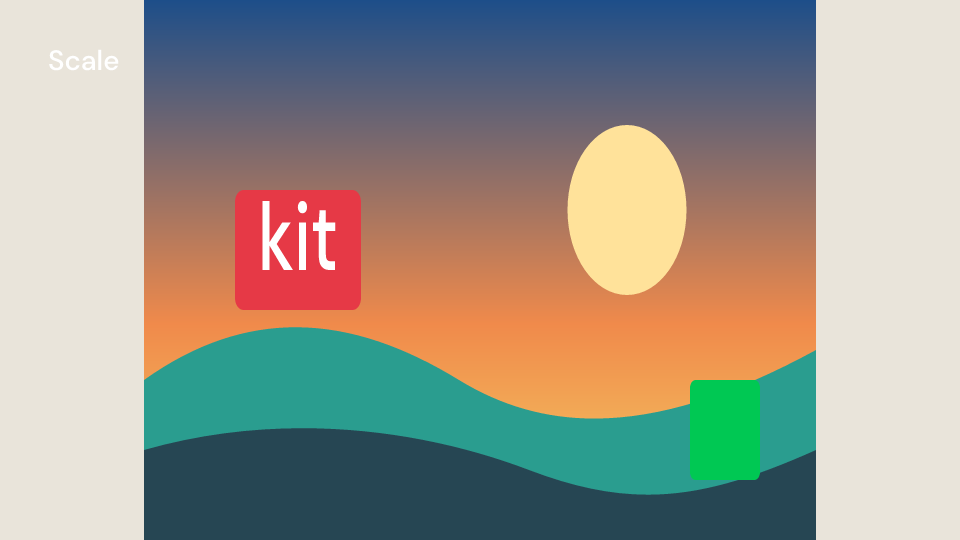
Scale 2 s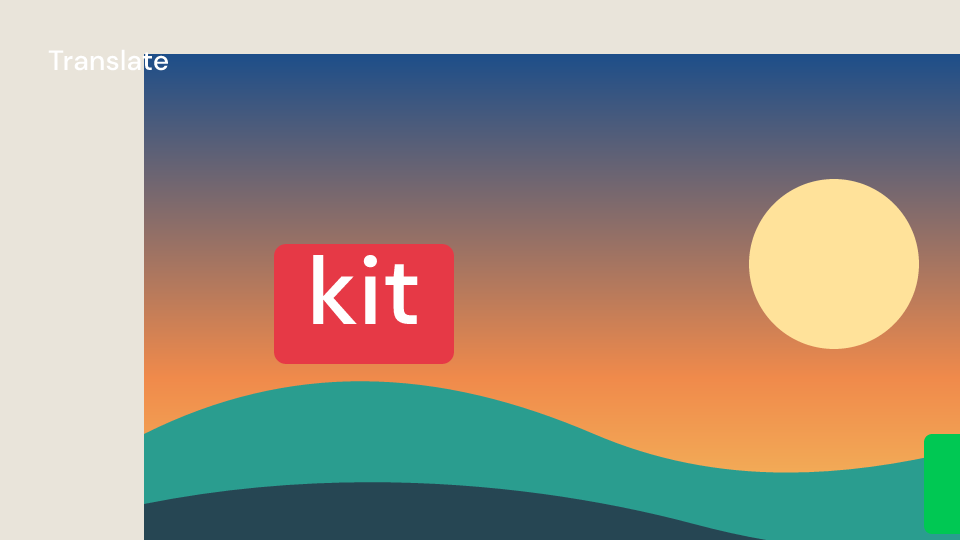
Translate 2 s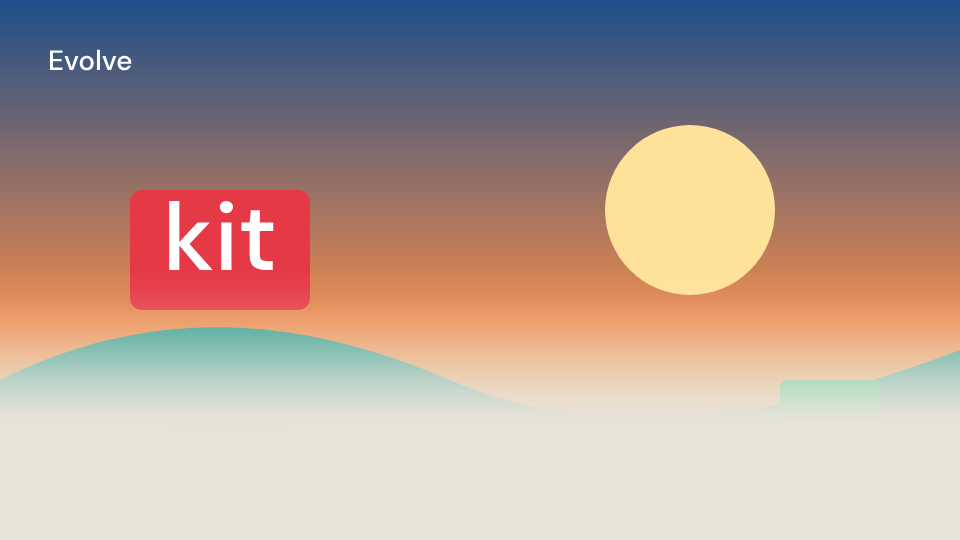
Evolve 2 sThe Evolve gallery clip uses Skia: the ordinary CPU renderer shows the soft edge in the
same position across this example’s frames.
Mirror and Tile lay a slightly larger copy under the exact one so that no seam shows
where copies meet; they render their children twice.
use fframes_kit::prelude::*;
fn photo<'a>(_: &mut Ui<'a, '_, '_>) -> Svgr<'a> {    svgr!(<rect x="0" y="0" width="1920" height="1080" fill="#f6d365" />)}
fn intro<'a>(ui: &mut Ui<'a, '_, '_>) -> Svgr<'a> {    let progress = Anim::Fixed((ui.seconds() / 1.5).min(1.0));    ui.show(VenetianBlinds {        progress,        slats: 8,        children: children(|ui| {            ui.show(TvSignalOff {                amount: Anim::Fixed(0.5),                children: children(|ui| ui.show(Mirror {                    children: children(photo), ..ui.defaults()                })),                ..ui.defaults()            })        }),        ..ui.defaults()    })}
fn transforms<'a>(ui: &mut Ui<'a, '_, '_>) -> Vec<Svgr<'a>> {    vec![        ui.show(Tile { rect: (560.0, 240.0, 800.0, 600.0), children: children(photo), ..ui.defaults() }),        ui.show(Skew { x: Anim::Fixed(15.0), children: children(photo), ..ui.defaults() }),        ui.show(Scale { scale: Anim::Fixed(0.8), children: children(photo), ..ui.defaults() }),        ui.show(Translate { x: Anim::Fixed(100.0), children: children(photo), ..ui.defaults() }),        ui.show(Evolve { progress: Anim::Fixed(0.5), children: children(photo), ..ui.defaults() }),    ]}
Region and progressive blur
Section titled “Region and progressive blur”| Component | Props (defaults) | What it does |
|---|---|---|
RegionBlur |
top_left (0.25, 0.25), bottom_right (0.75, 0.75), radius (40, animatable), feather (0 units), roundness (0 to 1) |
the children blurred inside a rectangle with soft edges and round corners |
LinearProgressiveBlur |
start (0, 0.5), end (1, 0.5), start_blur (0), end_blur (50) |
the blur grows along a line |
RadialProgressiveBlur |
center (0.5, 0.5), width (1), height (1), rotation (degrees), start (0), start_blur (0), end_blur (50) |
the blur grows from the centre out to an ellipse |
Positions are shares of the area. Radii are Remotion’s: a Gaussian with a standard deviation
of a third of the radius, so RegionBlur { radius: 30.0, .. } blurs like Blur { radius: 10.0, .. }. The progressive blurs draw blurred copies under graded masks: one copy for every 6
units of radius, at most MAX_BLUR_LEVELS (8) after the sharp one, cross-faded in between.
blur_levels(start, end) returns the radii. Near the edges of the area a blurred copy fades
out, where Remotion repeats the edge pixels, so the less blurred copy below shows through.
Gallery scenes: BlurEffects, RegionBlur, LinearProgressiveBlur, RadialProgressiveBlur.
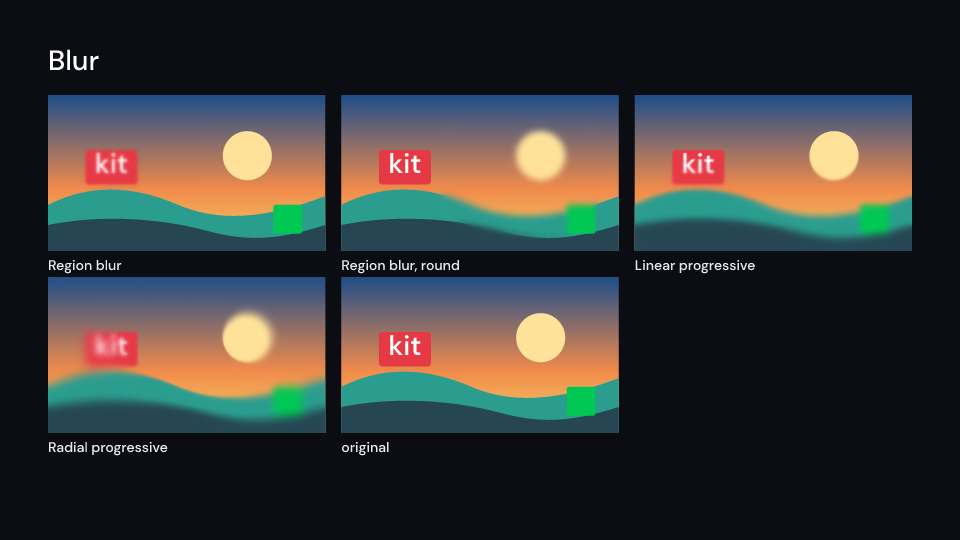
BlurEffects 2 s
RegionBlur 3 s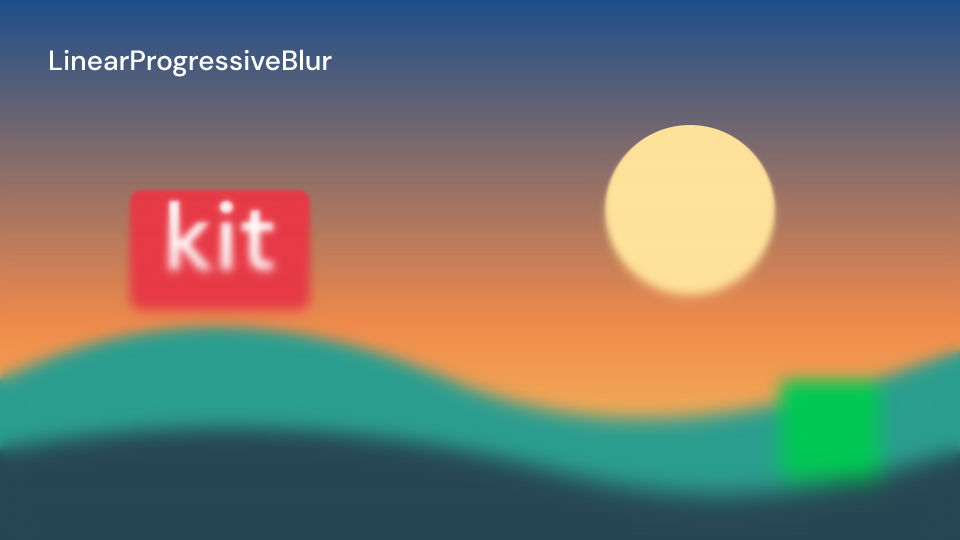
LinearProgressiveBlur 3 s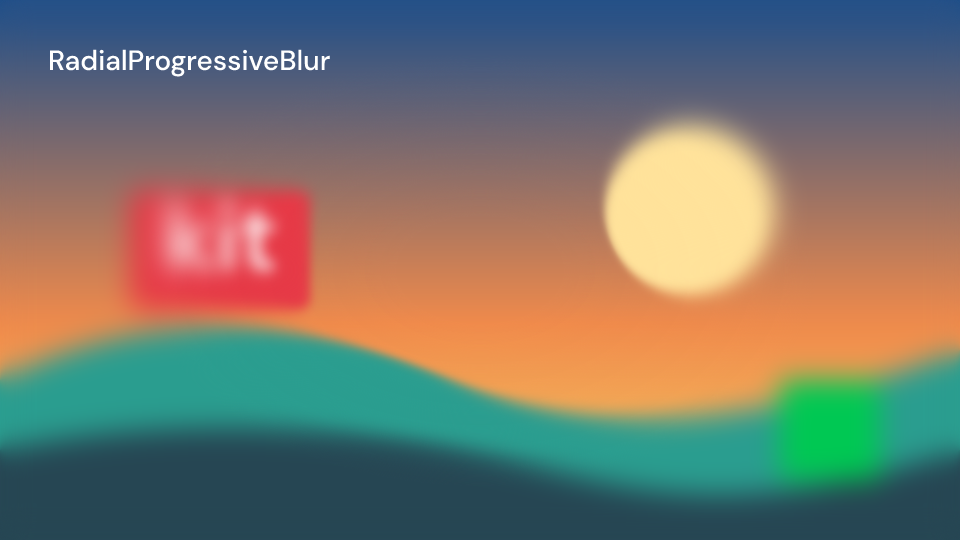
RadialProgressiveBlur 3 sWhat they cost, from the bench card filling a 1080p frame (BenchKit, 5 seconds, CPU backend,
the median of three render runs):
| Scene | Seconds | Against BenchKit |
|---|---|---|
BenchKit |
1.05 | 1.0 |
BenchRegionBlur |
1.80 | 1.7 |
BenchLinearProgressiveBlur |
7.39 | 7.0 |
BenchRadialProgressiveBlur |
7.38 | 7.0 |
Each blurred copy is a blur of the whole area, about 5 ms a frame at 1080p on the CPU backend;
the defaults (0 to 50) take eight, a smaller end_blur fewer.
use fframes_kit::prelude::*;
fn photo<'a>(_: &mut Ui<'a, '_, '_>) -> Svgr<'a> {    svgr!(<rect x="0" y="0" width="1920" height="1080" fill="#f6d365" />)}
fn tilt_shift<'a>(ui: &mut Ui<'a, '_, '_>) -> Svgr<'a> {    ui.show(RadialProgressiveBlur {        width: 1.2,        height: 0.5,        start: 0.4,        end_blur: 36.0,        children: children(|ui| {            ui.show(RegionBlur {                top_left: (0.7, 0.05),                bottom_right: (0.95, 0.2),                feather: 24.0,                roundness: 0.5,                children: children(photo),                ..ui.defaults()            })        }),        ..ui.defaults()    })}
fn linear_blur<'a>(ui: &mut Ui<'a, '_, '_>) -> Svgr<'a> {    ui.show(LinearProgressiveBlur {        start: (0.0, 0.25), end: (0.0, 1.0), end_blur: 60.0,        children: children(photo), ..ui.defaults()    })}
Not yet available
Section titled “Not yet available”These @remotion/effects effects move or sample single pixels, which SVG filters cannot do.
They need per-pixel code and are not in the kit yet: fisheye, barrel distortion, sphere,
cylinder, pixelate, linear and radial progressive pixelate, pixel dissolve, chromatic
aberration, zoom blur, lens blur, page turn, shatter, tear, corner pin, contour lines, liquid
contours and shine. Halftone approximates halftone() without its sampling, and Lut
approximates a LUT with per-channel tables instead of reading a LUT file. The displacement
effects wait for a fixed svgr (see “Noise”).
Remotion animation utilities
Section titled “Remotion animation utilities”makeTransform from @remotion/animation-utils is fframes::Transform, which the prelude
exports. It writes its parts in a fixed order: translate, rotate, scale, skew X, skew Y.
interpolateStyles is motion::progress over the input range, then motion::lerp for each
value.
use fframes_kit::prelude::*;
// makeTransform([translate(40, 0), rotate(15), scale(1.5)])let transform = Transform {    translate_x: 40.0,    rotate: 15.0_f64.into(),    scale: 1.5_f64.into(),    ..Default::default()};assert_eq!(transform.to_string(), "translate(40 0) rotate(15) scale(1.5)");
// interpolateStyles(frame, [0, 20], [{ opacity: 0, translateY: 40 }, { opacity: 1, translateY: 0 }])let t = motion::progress(5.0, 0.0, 20.0);let (opacity, y) = (motion::lerp(0.0, 1.0, t), motion::lerp(40.0, 0.0, t));assert_eq!((opacity, y), (0.25, 30.0));Components are plain structs. Set the fields you need and fill the rest with ..ui.defaults(): the defaults below come from the current theme (theme. values are fields of Theme).
The children at earlier local times behind themselves, each copy fainter, like Remotion’s <Trail>. samples copies (at most MAX_SAMPLES) are spacing seconds apart; the newest has opacity and they fade out linearly behind it. Before the local start there is nothing to repeat, so the trail grows in.
| Field | Type | Default | Description |
|---|---|---|---|
samples |
usize |
6 |
Number of earlier copies, at most MAX_SAMPLES; each one renders the children again. |
spacing |
f32 |
0.05 |
Seconds between one copy and the next, going back in time from the newest. |
opacity |
f32 |
0.5 |
Opacity of the newest copy, 0 transparent to 1 opaque; older copies fade out linearly behind it. |
children |
Children |
no_children() |
The content that leaves the trail (a closure taking the Ui). |
Methods:
fn copy(&self, i: usize) -> (f32, f32): How far back copyi(from 1, the newest) is and how opaque.
CameraMotionBlur
Section titled “CameraMotionBlur”Motion blur as a film camera records it, like Remotion’s <CameraMotionBlur>: the children are averaged over the time the shutter is open before each frame. shutter_angle is in degrees, 360 for the whole frame interval; samples (at most MAX_SAMPLES) are the moments averaged. Each is drawn over the earlier ones with opacity 1 / k for the k-th, so all count the same where the children are opaque.
| Field | Type | Default | Description |
|---|---|---|---|
shutter_angle |
f32 |
180.0 |
Degrees the shutter stays open per frame: 360 is the whole frame interval, 180 half of it (Remotion’s default). |
samples |
usize |
10 |
Moments averaged over the open shutter, at most MAX_SAMPLES; more is smoother and costs more renders. |
children |
Children |
no_children() |
The content that is blurred by its own motion (a closure taking the Ui). |
Methods:
fn offsets(&self, fps: usize) -> Vec<f32>: Seconds before the frame of each sample atfps, the earliest first and the frame itself last.
LightLeak
Section titled “LightLeak”Light leaking into the camera, like Remotion’s <LightLeak>: warm blobs of light flare up over the picture and fade out again within length seconds (the enclosing container’s length when None), brightest at opacity in the middle. seed picks where the blobs are and how they drift, and hue_shift turns their colours round the colour wheel in degrees (180 for blue light). Drawn with radial gradients in screen blending, so it works on every backend; size is the area from the top left and key names the gradients when two leaks share a frame.
| Field | Type | Default | Description |
|---|---|---|---|
seed |
u64 |
0 |
Picks where the blobs sit and how they drift; the same seed gives the same leak. |
hue_shift |
f32 |
0.0 |
Degrees the blob colours are turned round the colour wheel; 180 turns the warm light blue. |
length |
Option<f32> |
None |
Seconds the leak takes to flare up and fade out, local to the parent container; None uses the container’s length. |
opacity |
f32 |
0.85 |
Peak opacity of the blobs, 0 transparent to 1 opaque, reached in the middle of the leak. |
size |
(f32, f32) |
(1920.0, 1080.0) |
Width and height of the area the leak covers from the top left, in pixels of the canvas. |
key |
Option<&str> |
None |
Names the gradients when two leaks share a frame. |
Methods:
fn flares(&self, progress: f32) -> Vec<Flare>: The blobs atprogressthrough the leak, 0 to 1. Each flares up and fades along a half sine from its own start, so they peak one after another.
Its children blurred by a Gaussian of radius (the standard deviation, in view-box units), which can be animated: a focus pull, a background pushed back behind a title. A radius of 0 draws the children unfiltered. key names the filter when two blurs share a frame.
| Field | Type | Default | Description |
|---|---|---|---|
radius |
Anim<f32> |
Anim::Fixed(8.0) |
Gaussian standard deviation in view-box units; 0 draws the children unblurred. Animate it for a focus pull. |
key |
Option<&str> |
None |
Names the filter when two blurs share a frame. |
children |
Children |
no_children() |
The content that is blurred (a closure taking the Ui). |
Film grain over a size area from the top left: grey feTurbulence noise at opacity, drawn by every backend. frequency is the noise’s base frequency (higher is finer) and octaves its detail. The same seed gives the same grain; with animated the seed moves on every frame so the grain flickers like film. key names the filter when two noises share a frame.
| Field | Type | Default | Description |
|---|---|---|---|
seed |
u32 |
0 |
Seeds the grain; the same seed draws the same grain. |
opacity |
f32 |
0.12 |
0 transparent to 1 opaque. |
frequency |
f32 |
0.8 |
Base frequency of the noise: higher is finer grain. |
octaves |
u32 |
2 |
Layers of detail added to the noise; more is richer and slower. |
animated |
bool |
true |
true moves the seed on every frame so the grain flickers like film; false keeps it still. |
size |
(f32, f32) |
(1920.0, 1080.0) |
Width and height of the grain area from the top left, in pixels of the canvas. |
key |
Option<&str> |
None |
Names the filter when two noises share a frame. |
Methods:
fn seed_at(&self, index: usize) -> u32: The turbulence seed at local frameindex.
ShaderNoise
Section titled “ShaderNoise”Film grain on the GPU: a grey value per scale pixel cell at opacity, over a size area from the top left. The same seed gives the same grain; with animated it moves on every frame. Only the Skia backend runs shaders: the CPU backend draws nothing and the editor a placeholder, so use Noise where those matter.
| Field | Type | Default | Description |
|---|---|---|---|
seed |
u32 |
0 |
Seeds the grain; the same seed draws the same grain. |
opacity |
f32 |
0.12 |
0 transparent to 1 opaque. |
scale |
f32 |
2.0 |
Side of one grain cell in pixels of the canvas; at least 1. |
animated |
bool |
true |
true moves the seed on every frame so the grain flickers; false keeps it still. |
size |
(f32, f32) |
(1920.0, 1080.0) |
Width and height of the grain area from the top left, in pixels of the canvas. |
Brightness
Section titled “Brightness”Its children brighter or darker (CSS brightness()): amount 1 unchanged, 0 black.
| Field | Type | Default | Description |
|---|---|---|---|
amount |
Anim<f32> |
Anim::Fixed(1.3) |
Brightness factor on the colours: 1 unchanged, 0 black, above 1 brighter. |
key |
Option<&str> |
None |
Names the filter when two effects of this kind share a frame. |
children |
Children |
ui::no_children() |
The content the filter is applied to (a closure taking the Ui). |
Contrast
Section titled “Contrast”Its children with more or less contrast (CSS contrast()): amount 1 unchanged, 0 flat grey.
| Field | Type | Default | Description |
|---|---|---|---|
amount |
Anim<f32> |
Anim::Fixed(1.4) |
Contrast factor about mid grey: 1 unchanged, 0 flat grey, above 1 stronger. |
key |
Option<&str> |
None |
Names the filter when two effects of this kind share a frame. |
children |
Children |
ui::no_children() |
The content the filter is applied to (a closure taking the Ui). |
Saturation
Section titled “Saturation”Its children more or less saturated (SVG saturate): amount 1 unchanged, 0 grey.
| Field | Type | Default | Description |
|---|---|---|---|
amount |
Anim<f32> |
Anim::Fixed(1.6) |
Saturation factor: 1 unchanged, 0 grey, above 1 more saturated. |
key |
Option<&str> |
None |
Names the filter when two effects of this kind share a frame. |
children |
Children |
ui::no_children() |
The content the filter is applied to (a closure taking the Ui). |
HueRotate
Section titled “HueRotate”Its children with their hues turned round the colour wheel by degrees (SVG hueRotate), Remotion’s hue effect.
| Field | Type | Default | Description |
|---|---|---|---|
degrees |
Anim<f32> |
Anim::Fixed(90.0) |
Angle in degrees the hues are turned round the colour wheel. |
key |
Option<&str> |
None |
Names the filter when two effects of this kind share a frame. |
children |
Children |
ui::no_children() |
The content the filter is applied to (a closure taking the Ui). |
Grayscale
Section titled “Grayscale”Its children in grey (CSS grayscale()): amount 1 fully grey.
| Field | Type | Default | Description |
|---|---|---|---|
amount |
Anim<f32> |
Anim::Fixed(1.0) |
0 unchanged to 1 fully grey. |
key |
Option<&str> |
None |
Names the filter when two effects of this kind share a frame. |
children |
Children |
ui::no_children() |
The content the filter is applied to (a closure taking the Ui). |
Invert
Section titled “Invert”Its children as a negative (CSS invert()): amount 1 fully inverted.
| Field | Type | Default | Description |
|---|---|---|---|
amount |
Anim<f32> |
Anim::Fixed(1.0) |
0 unchanged to 1 fully inverted (0.5 is flat grey). |
key |
Option<&str> |
None |
Names the filter when two effects of this kind share a frame. |
children |
Children |
ui::no_children() |
The content the filter is applied to (a closure taking the Ui). |
Its children in shades of color, mixed with the original by amount.
| Field | Type | Default | Description |
|---|---|---|---|
color |
Color |
theme.colors.accent |
Colour the picture is tinted with; the picture turns shades of it. |
amount |
Anim<f32> |
Anim::Fixed(0.8) |
0 the original to 1 fully tinted. |
key |
Option<&str> |
None |
Names the filter when two effects of this kind share a frame. |
children |
Children |
ui::no_children() |
The content the filter is applied to (a closure taking the Ui). |
Duotone
Section titled “Duotone”Its children in two colours: dark tones turn dark and light tones light, mixed with the original by amount.
| Field | Type | Default | Description |
|---|---|---|---|
dark |
Color |
theme.colors.background |
Colour the dark tones turn. |
light |
Color |
theme.colors.accent |
Colour the light tones turn. |
amount |
Anim<f32> |
Anim::Fixed(1.0) |
0 the original to 1 fully two-coloured. |
key |
Option<&str> |
None |
Names the filter when two effects of this kind share a frame. |
children |
Children |
ui::no_children() |
The content the filter is applied to (a closure taking the Ui). |
Levels
Section titled “Levels”Photoshop’s levels on every colour channel: the input black and white points stretch to 0 and 1, gamma bends the mid tones (above 1 brighter), and the result lands between the output black and white points.
| Field | Type | Default | Description |
|---|---|---|---|
input |
(f32, f32) |
(0.08, 0.92) |
Black and white points of the input, 0 to 1; they stretch to 0 and 1. |
gamma |
Anim<f32> |
Anim::Fixed(1.2) |
Mid-tone curve: above 1 brighter, below 1 darker, 1 unchanged. |
output |
(f32, f32) |
(0.0, 1.0) |
Black and white points of the result, 0 to 1; 0 and 1 stretch to them. |
key |
Option<&str> |
None |
Names the filter when two effects of this kind share a frame. |
children |
Children |
ui::no_children() |
The content the filter is applied to (a closure taking the Ui). |
Curves
Section titled “Curves”Tone curves: a smooth curve through points (input, output, both 0 to 1, sorted by input) on every colour channel, then the optional per-channel curves red, green and blue. The default is a gentle S curve that adds contrast.
| Field | Type | Default | Description |
|---|---|---|---|
points |
&[(f32, f32)] |
&[(0.0, 0.0), (0.25, 0.2), (0.75, 0.82), (1.0, 1.0)] |
(input, output) pairs of the curve on every channel, both 0 to 1 and sorted by input; the default is a gentle S curve. |
red |
Option<&[(f32, f32)]> |
— | An extra curve applied to the red channel after points; None for none. |
green |
Option<&[(f32, f32)]> |
— | An extra curve applied to the green channel after points; None for none. |
blue |
Option<&[(f32, f32)]> |
— | An extra curve applied to the blue channel after points; None for none. |
key |
Option<&str> |
None |
Names the filter when two effects of this kind share a frame. |
children |
Children |
ui::no_children() |
The content the filter is applied to (a closure taking the Ui). |
Exposure
Section titled “Exposure”Its children exposed brighter or darker by stops: every stop doubles the light.
| Field | Type | Default | Description |
|---|---|---|---|
stops |
Anim<f32> |
Anim::Fixed(0.5) |
Photographic stops to brighten (positive) or darken (negative); each stop doubles the light. |
key |
Option<&str> |
None |
Names the filter when two effects of this kind share a frame. |
children |
Children |
ui::no_children() |
The content the filter is applied to (a closure taking the Ui). |
ColorCorrection
Section titled “ColorCorrection”A basic colour correction in one matrix: brightness, then contrast, then saturation (1 leaves each unchanged), then the hues turned by hue degrees.
| Field | Type | Default | Description |
|---|---|---|---|
brightness |
f32 |
1.0 |
Brightness factor applied first; 1 unchanged. |
contrast |
f32 |
1.1 |
Contrast factor applied second, about mid grey; 1 unchanged. |
saturation |
f32 |
1.2 |
Saturation factor applied third; 1 unchanged, 0 grey. |
hue |
f32 |
0.0 |
Degrees the hues are turned last. |
key |
Option<&str> |
None |
Names the filter when two effects of this kind share a frame. |
children |
Children |
ui::no_children() |
The content the filter is applied to (a closure taking the Ui). |
WhiteBalance
Section titled “WhiteBalance”Its children warmer or colder: temperature from -1 (blue) to 1 (orange) and tint from -1 (green) to 1 (magenta).
| Field | Type | Default | Description |
|---|---|---|---|
temperature |
Anim<f32> |
Anim::Fixed(0.5) |
-1 cold (blue) to 1 warm (orange). |
tint |
f32 |
0.0 |
-1 green to 1 magenta. |
key |
Option<&str> |
None |
Names the filter when two effects of this kind share a frame. |
children |
Children |
ui::no_children() |
The content the filter is applied to (a closure taking the Ui). |
Vibrance
Section titled “Vibrance”Its children with gentler extra saturation than Saturation; see ColorMatrix::vibrance for how it approximates vibrance.
| Field | Type | Default | Description |
|---|---|---|---|
amount |
Anim<f32> |
Anim::Fixed(0.8) |
Extra saturation, gentler than Saturation: 1 saturates half as much as Saturation at 2; 0 unchanged. |
key |
Option<&str> |
None |
Names the filter when two effects of this kind share a frame. |
children |
Children |
ui::no_children() |
The content the filter is applied to (a closure taking the Ui). |
ShadowsHighlights
Section titled “ShadowsHighlights”Shadows and highlights: shadows lifts the dark tones (up to a sixth at 1) and highlights pulls the light tones down, through a curve on every channel. An approximation: the real effect looks at each pixel’s neighbourhood, this curve only at the pixel’s own value.
| Field | Type | Default | Description |
|---|---|---|---|
shadows |
Anim<f32> |
Anim::Fixed(0.6) |
How much the dark tones are lifted, 0 to 1 (up to a sixth of the range). |
highlights |
f32 |
0.3 |
How much the light tones are pulled down, 0 to 1 (up to a sixth of the range). |
key |
Option<&str> |
None |
Names the filter when two effects of this kind share a frame. |
children |
Children |
ui::no_children() |
The content the filter is applied to (a closure taking the Ui). |
ColorKey
Section titled “ColorKey”A chroma key: what has the hue of color (a green or blue screen) turns transparent. Colours whose share of that hue is within tolerance of the key’s vanish, and softness is the width of the fade into opaque. Linear in the colour, so it works best on saturated screens; a grey color keys nothing.
| Field | Type | Default | Description |
|---|---|---|---|
color |
Color |
Color::rgb(0, 255, 0) |
Colour of the screen to remove; a grey colour keys nothing. |
tolerance |
f32 |
0.4 |
0 to 1: how far from the key hue still turns fully transparent; larger removes more. |
softness |
f32 |
0.2 |
0 to 1: width of the fade from transparent to opaque at the edge of the key. |
key |
Option<&str> |
None |
Names the filter when two effects of this kind share a frame. |
children |
Children |
ui::no_children() |
The content the filter is applied to (a closure taking the Ui). |
ThermalVision
Section titled “ThermalVision”Its children as a thermal camera sees them: the luminance mapped onto palette, cold to hot, evenly spaced (the default is THERMAL_PALETTE).
| Field | Type | Default | Description |
|---|---|---|---|
palette |
&[Color] |
&THERMAL_PALETTE |
Colours the luminance is mapped onto, evenly spaced from cold (dark) to hot (light); empty maps to black and white. |
key |
Option<&str> |
None |
Names the filter when two effects of this kind share a frame. |
children |
Children |
ui::no_children() |
The content the filter is applied to (a closure taking the Ui). |
A look-up table per colour channel: red, green and blue list the outputs for evenly spaced inputs from 0 to 1 (an empty list leaves the channel unchanged). An approximation of a LUT file: a .cube LUT maps colours in 3D, these tables map each channel on its own, so they hold curves and colour casts but not hue-dependent looks.
| Field | Type | Default | Description |
|---|---|---|---|
red |
&[f32] |
&[0.05, 0.3, 0.62, 0.86, 1.0] |
Red outputs for evenly spaced inputs from 0 to 1; empty leaves red unchanged. |
green |
&[f32] |
&[0.02, 0.27, 0.56, 0.82, 0.97] |
Green outputs for evenly spaced inputs from 0 to 1; empty leaves green unchanged. |
blue |
&[f32] |
&[0.12, 0.3, 0.5, 0.72, 0.88] |
Blue outputs for evenly spaced inputs from 0 to 1; empty leaves blue unchanged. |
key |
Option<&str> |
None |
Names the filter when two effects of this kind share a frame. |
children |
Children |
ui::no_children() |
The content the filter is applied to (a closure taking the Ui). |
ColorStack
Section titled “ColorStack”Several colour matrices drawn as one: matrices in order, chained with ColorMatrix::then into one feColorMatrix, so the stack costs one filter. Nested colour effects clamp between steps and a stack does not; see then. The table effects (Levels, Curves, Lut, ShadowsHighlights, ThermalVision, ColorKey) do not reduce to a matrix: nest them around or inside the stack.
| Field | Type | Default | Description |
|---|---|---|---|
matrices |
Vec<ColorMatrix> |
Vec::new() |
The colour matrices, applied in order and drawn as one filter. |
key |
Option<&str> |
None |
Names the filter when two effects of this kind share a frame. |
children |
Children |
ui::no_children() |
The content the filter is applied to (a closure taking the Ui). |
Outline
Section titled “Outline”A solid outline width units wide around the opaque parts of its children (Remotion’s outline()), in color at opacity. With outline_only the children are replaced by the filled silhouette in the outline colour. The filter region grows a tenth of the children’s box on every side; wider outlines are cut there.
| Field | Type | Default | Description |
|---|---|---|---|
width |
Anim<f32> |
Anim::Fixed(8.0) |
Outline width in the children’s user units. Animatable; the region grows a tenth of the box, so wider outlines are cut. |
color |
Color |
Color::WHITE |
Colour of the outline; its alpha multiplies opacity. |
opacity |
f32 |
1.0 |
0 transparent to 1 opaque. |
outline_only |
bool |
false |
true replaces the children with their silhouette filled in the outline colour; false draws the outline behind them. |
key |
Option<&str> |
None |
Names the filter when two effects of this kind share a frame. |
children |
Children |
ui::no_children() |
The content the filter is applied to (a closure taking the Ui). |
Emboss
Section titled “Emboss”A raised relief of repeated dashes pressed into its children (Remotion’s emboss()): cells size units square, each holding a dash line_width wide, lit from light_angle (degrees counter-clockwise from the right, 135 the top left) so one side of each dash catches the light and the other falls into shadow. depth (0 to 1) is the height of the relief, amount (0 to 1) its strength, angle turns the pattern and offset scrolls it (animate it to move the relief). The source colours and transparency stay: the relief is a pattern over the area from the origin, masked by the children’s alpha, so the children render twice.
| Field | Type | Default | Description |
|---|---|---|---|
amount |
Anim<f32> |
Anim::Fixed(0.7) |
0 to 1 strength of the relief. Animatable. |
size |
f32 |
26.0 |
Side of one dash cell in the children’s user units. |
line_width |
f32 |
7.0 |
Width of each dash in the children’s user units. |
depth |
f32 |
0.75 |
0 to 1 height of the relief; deeper dashes catch more light and shade. |
angle |
f32 |
0.0 |
Degrees the dash pattern is turned. |
light_angle |
f32 |
135.0 |
Degrees counter-clockwise from the right that the light comes from: 135 is the top left. |
offset |
f32 |
0.0 |
Scrolls the pattern along its own horizontal axis, in user units; animate it to move the relief. |
area |
(f32, f32) |
(1920.0, 1080.0) |
Width and height of the area the relief covers from the top left, in the children’s user units. |
key |
Option<&str> |
None |
Names the mask and pattern ids when two of these effects share a frame. |
children |
Children |
no_children() |
The content that is embossed, by its alpha (a closure taking the Ui). |
Methods:
fn facing(&self) -> [f32; 4]: How much each side of a dash faces the light, -1 to 1: top, bottom, left and right in the pattern’s own turned frame.
BevelAlpha
Section titled “BevelAlpha”Highlights and shadows along the alpha edges of its children, so text, logos and shapes look raised (Remotion’s bevelAlpha()). edge_thickness is the width of the rounded bevel, light_angle the light’s direction in degrees clockwise from above (0 lights the top edges), light_color the colour added to the lit edges (its alpha sets the strength) and light_intensity the strength of both, 0 to 1. A fully opaque picture has no alpha edges and stays as it is.
| Field | Type | Default | Description |
|---|---|---|---|
edge_thickness |
Anim<f32> |
Anim::Fixed(2.0) |
Width of the rounded bevel in the children’s user units; 0 or less leaves the picture unchanged. Animatable. |
light_angle |
f32 |
-60.0 |
Degrees clockwise from straight up that the light comes from: 0 lights the top edges, 90 the right ones. |
light_color |
Color |
Color::WHITE |
Colour added to the lit edges; its alpha sets the strength of the light. |
light_intensity |
f32 |
0.4 |
0 to 1 strength of the lit and the shaded edges. |
key |
Option<&str> |
None |
Names the filter when two effects of this kind share a frame. |
children |
Children |
ui::no_children() |
The content the filter is applied to (a closure taking the Ui). |
LongShadows
Section titled “LongShadows”The alpha silhouette of its children turned into a solid shadow length units long towards angle (degrees clockwise from the right, 45 down and right), in color at opacity (Remotion’s longShadows()): text and logos with long shadows, or a flat 3D extrusion. Drawn inside the area from the origin, so like Remotion the shadow stops at the canvas edge.
| Field | Type | Default | Description |
|---|---|---|---|
length |
Anim<f32> |
Anim::Fixed(240.0) |
Length of the shadow in the children’s user units; under 1 draws none, 255 or more is the practical limit. Animatable. |
angle |
f32 |
45.0 |
Degrees clockwise from the right the shadow points: 45 is down and right. |
color |
Color |
Color::rgb(0x77, 0x77, 0x77) |
Colour of the shadow; its alpha multiplies opacity. |
opacity |
f32 |
1.0 |
0 transparent to 1 opaque. |
area |
(f32, f32) |
(1920.0, 1080.0) |
Width and height of the area the shadow is drawn in from the top left, in the children’s user units; it stops at the edge. |
key |
Option<&str> |
None |
Names the filter when two of these effects share a frame. |
children |
Children |
no_children() |
The content that casts the shadow, drawn on top of it (a closure taking the Ui). |
RoughenEdges
Section titled “RoughenEdges”The edge of its children roughened like torn paper (Remotion’s roughenEdges()): amount 0 to 1, border how far the edge moves in and out, scale the size of the noise (smaller is finer) and seed the pattern; derive the seed from the frame to animate the edge. The alpha is blurred, shifted by feTurbulence noise and cut at a threshold, so the edge stays smooth at any scale.
| Field | Type | Default | Description |
|---|---|---|---|
amount |
Anim<f32> |
Anim::Fixed(1.0) |
0 unchanged to 1 fully roughened. Animatable. |
border |
f32 |
26.5 |
How far the edge moves in and out, in the children’s user units; 0 or less leaves it unchanged. |
scale |
f32 |
0.07 |
Size of the noise that tears the edge, 0.01 to 4: smaller is finer. |
seed |
f32 |
231.2 |
Picks the tear pattern (rounded to a whole number); derive it from the frame to animate the edge. |
key |
Option<&str> |
None |
Names the filter when two effects of this kind share a frame. |
children |
Children |
ui::no_children() |
The content the filter is applied to (a closure taking the Ui). |
Shrinkwrap
Section titled “Shrinkwrap”Its children shrink-wrapped in plastic (Remotion’s shrinkwrap()): glossy glints on feTurbulence wrinkles, brightest at highlight_intensity, a stretched highlight along the edges facing the top left at edge_tension, all scaled by amount (0 unchanged). wrinkle_density from 0 (broad folds) to 1 (tight texture) and seed pick the wrinkles. Remotion also displaces the picture along the wrinkles; that needs feDisplacementMap, which the CPU backend draws wrongly, so it is left out.
| Field | Type | Default | Description |
|---|---|---|---|
amount |
Anim<f32> |
Anim::Fixed(1.0) |
0 unchanged to 1 full strength of every wrap effect. Animatable. |
highlight_intensity |
f32 |
0.75 |
Brightness of the glossy glints on the wrinkles; 0 for none. |
wrinkle_density |
f32 |
0.42 |
0 broad folds to 1 tight texture. |
edge_tension |
f32 |
0.45 |
0 to 1 strength of the stretched highlight along the edges that face the top left. |
seed |
u32 |
0 |
Picks the wrinkle pattern. |
key |
Option<&str> |
None |
Names the filter when two effects of this kind share a frame. |
children |
Children |
ui::no_children() |
The content the filter is applied to (a closure taking the Ui). |
WhiteNoise
Section titled “WhiteNoise”Grey static over its children (Remotion’s whiteNoise()): TV static, signal loss, snow. amount mixes it in, 0 unchanged and 1 the visible pixels fully replaced; the children’s alpha stays. seed picks the pattern: derive it from the frame (ui.frame.index as u32) to make the static move. grain is the size of a speck in units: keep it at least two output pixels (2 for a full-size render, more for a scaled down one), since finer noise aliases and each backend samples it differently. Drawn with feTurbulence over the area from the origin; the children render twice.
| Field | Type | Default | Description |
|---|---|---|---|
amount |
Anim<f32> |
Anim::Fixed(1.0) |
0 the children unchanged to 1 the visible pixels fully replaced by static. Animatable. |
seed |
u32 |
0 |
Picks the pattern; derive it from the frame (ui.frame.index as u32) to make the static move. |
grain |
f32 |
2.0 |
Size of a speck in the children’s user units; keep it at least 2 output pixels or it aliases. |
area |
(f32, f32) |
(1920.0, 1080.0) |
Width and height of the area the static covers from the top left, in the children’s user units. |
key |
Option<&str> |
None |
Names the filter and mask ids when two of these effects share a frame. |
children |
Children |
no_children() |
The content the static is drawn over, only where it is opaque (a closure taking the Ui). |
FractalNoise
Section titled “FractalNoise”Layered grey noise for clouds, smoke and organic textures (Remotion’s fractalNoise()), drawn over its children where they are opaque and mixed in by amount (1 replaces the colours).
| Field | Type | Default | Description |
|---|---|---|---|
fractal_type |
FractalType |
FractalType::Basic |
Basic for soft layered clouds, Turbulent for sharp ridges like smoke or marble veins. |
scale |
f32 |
100.0 |
Size of the largest cells in the children’s user units; bigger is broader clouds. |
complexity |
u32 |
6 |
Number of layers of detail, 1 to 10; each is half the size and half the strength of the one before. |
evolution |
Anim<f32> |
Anim::Fixed(0.0) |
Degrees that morph the texture in place; each full turn moves on to the next seed, cross-fading on the way. Animatable. |
cycle_evolution |
bool |
false |
true repeats the seeds after cycle turns of evolution so the texture loops. |
cycle |
u32 |
1 |
Turns of evolution after which the seeds repeat when cycle_evolution is on; at least 1. |
contrast |
f32 |
1.0 |
Stretches the greys about mid grey: 1 unchanged, 0 flat grey, above 1 harder. |
brightness |
f32 |
0.0 |
Added to the greys after contrast: 0 unchanged, positive lighter, negative darker (about -0.5 to 0.5). |
offset_x |
f32 |
0.0 |
Horizontal shift of the texture in the children’s user units. |
offset_y |
f32 |
0.0 |
Vertical shift of the texture in the children’s user units. |
seed |
u32 |
0 |
Picks the texture; the same seed draws the same one. |
invert |
bool |
false |
true flips the greys, light for dark. |
amount |
Anim<f32> |
Anim::Fixed(1.0) |
0 the children unchanged to 1 the opaque pixels fully replaced by the noise. Animatable. |
area |
(f32, f32) |
(1920.0, 1080.0) |
Width and height of the area the noise covers from the top left, in the children’s user units. |
key |
Option<&str> |
None |
Names the filter and mask ids when two of these effects share a frame. |
children |
Children |
no_children() |
The content the noise is drawn over, only where it is opaque (a closure taking the Ui). |
Methods:
fn seeds(&self, evolution: f32) -> (u32, u32, f32): The two seedsevolutiondegrees cross-fades between, and how far it is from the first to the second.
Pattern
Section titled “Pattern”Its children repeated in a grid of small copies (Remotion’s pattern()). The copies are the children cut to crop (left, top, right and bottom insets in units) and scaled by scale, gap_x and gap_y units apart. The grid starts at origin moved by offset_u, offset_v (0 to 1 across the area). Each row is moved right by row_offset units more than the one above, starting over every row_offset_every rows (0 never), and each column down by column_offset units the same way; without wrap only the tiles right of and below the origin are drawn. It replaces the children, transparent between the tiles. The children render once and are reused with <use>, at most MAX_TILES times.
| Field | Type | Default | Description |
|---|---|---|---|
scale |
f32 |
0.1 |
Size of each copy as a share of the cropped children; 0.1 makes copies a tenth as wide and tall. Smaller scales are drawn larger once they would pass MAX_TILES copies. |
crop |
(f32, f32, f32, f32) |
(0.0, 0.0, 0.0, 0.0) |
(left, top, right, bottom) insets in the children’s user units that are cut off before copying. |
gap_x |
f32 |
0.0 |
Width in user units between copies side by side. |
gap_y |
f32 |
0.0 |
Height in user units between copies above each other. |
offset_u |
f32 |
0.0 |
Horizontal shift of the grid start as a 0 to 1 fraction of the area’s width, added to origin. |
offset_v |
f32 |
0.0 |
Vertical shift of the grid start as a 0 to 1 fraction of the area’s height, added to origin. |
row_offset |
f32 |
0.0 |
User units each row moves right more than the one above, restarting every row_offset_every rows. |
row_offset_every |
u32 |
0 |
Rows after which row_offset starts over; 0 never restarts it. |
column_offset |
f32 |
0.0 |
User units each column moves down more than the one before, restarting every column_offset_every columns. |
column_offset_every |
u32 |
0 |
Columns after which column_offset starts over; 0 never restarts it. |
origin |
(f32, f32) |
(0.0, 0.0) |
Where the grid starts, as 0 to 1 fractions of area (x, y). |
wrap |
bool |
true |
true fills the whole area; false draws only the copies right of and below the origin. |
area |
(f32, f32) |
(1920.0, 1080.0) |
Width and height of the area the copies fill from the top left, in the children’s user units. |
key |
Option<&str> |
None |
Names the clip and tile ids when two patterns share a frame. |
children |
Children |
no_children() |
The content that is copied (a closure taking the Ui). |
Methods:
fn tiles(&self) -> (f32, Vec<(f32, f32)>): The scale the tiles are drawn at and the top left corner of every tile that reaches into the area.
Scanlines
Section titled “Scanlines”Horizontal CRT lines over its children (Remotion’s scanlines()). Each line thickness units tall, one every spacing units, lights the picture and the gaps darken it, so the average brightness stays: amount is the strength, 0 unchanged. The light is added to every channel, or with premultiply scales the colours, which follows the picture’s brightness more closely. offset scrolls the lines (animate it for a rolling screen). Keep the lines at least two output pixels apart, finer lines alias. The children render twice, their alpha stays.
| Field | Type | Default | Description |
|---|---|---|---|
amount |
Anim<f32> |
Anim::Fixed(0.15) |
0 unchanged to 1 full strength of the lines. Animatable. |
spacing |
f32 |
4.0 |
Distance between the middles of two lines in the children’s user units; keep it at least 2 output pixels or it aliases. |
thickness |
f32 |
1.0 |
Height of each lit line in user units; at most spacing. |
offset |
f32 |
0.0 |
Scrolls the lines down by this many user units; animate it for a rolling screen. |
premultiply |
bool |
false |
true scales the colours instead of adding light to every channel, which follows the picture’s brightness more closely. |
area |
(f32, f32) |
(1920.0, 1080.0) |
Width and height of the area the lines cover from the top left, in the children’s user units. |
key |
Option<&str> |
None |
Names the filter and mask ids when two of these effects share a frame. |
children |
Children |
no_children() |
The content the lines are laid over (a closure taking the Ui). |
DotGrid
Section titled “DotGrid”Its children seen through a grid of round holes (Remotion’s dotGrid()): dots dot_size units across, grid_size units apart, the first centred half a cell from the origin. With invert the dots are cut out of the children instead.
| Field | Type | Default | Description |
|---|---|---|---|
dot_size |
f32 |
16.0 |
Diameter of each dot in the children’s user units. |
grid_size |
f32 |
20.0 |
Distance between dot centers in user units; the first dot is half a cell from the origin. |
invert |
bool |
false |
false shows the children only through the dots; true cuts the dots out of them. |
area |
(f32, f32) |
(1920.0, 1080.0) |
Width and height of the area the grid covers from the top left, in the children’s user units. |
key |
Option<&str> |
None |
Names the mask id when two grids share a frame. |
children |
Children |
no_children() |
The content seen through the dots (a closure taking the Ui). |
Checkerboard
Section titled “Checkerboard”A checkerboard over its children (Remotion’s checkerboard()): square cells cell_size units wide in colors taken in turn along each row and column, gap units of the children showing between them. angle turns the board about the middle of the area in degrees and offset_x, offset_y move it; with mask_to_source_alpha it covers only the opaque parts of the children (which then render twice).
| Field | Type | Default | Description |
|---|---|---|---|
colors |
Vec<Color> |
PALE_BLUES.to_vec() |
Colours of the cells, taken in turn along every row and column; empty draws no board. |
cell_size |
f32 |
80.0 |
Side of one square cell in the children’s user units. |
gap |
f32 |
0.0 |
Width in user units of the children showing between cells. |
angle |
f32 |
0.0 |
Degrees the board is turned about the middle of the area. |
offset_x |
f32 |
0.0 |
Horizontal shift of the board in user units. |
offset_y |
f32 |
0.0 |
Vertical shift of the board in user units. |
mask_to_source_alpha |
bool |
false |
true covers only the opaque parts of the children, which then render twice. |
area |
(f32, f32) |
(1920.0, 1080.0) |
Width and height of the area the board covers from the top left, in the children’s user units. |
key |
Option<&str> |
None |
Names the clip and mask ids when two boards share a frame. |
children |
Children |
no_children() |
The content the board is laid over (a closure taking the Ui). |
Gridlines
Section titled “Gridlines”A square grid of lines over its children (Remotion’s gridlines()): lines line_width units wide in line_color, grid_size units apart, over a background_color (transparent by default). rotation turns the grid about the middle of the area in degrees and offset_x, offset_y move it; with mask_to_source_alpha it covers only the opaque parts of the children (which then render twice). Remotion’s rotationX, rotationY and perspective tilt the grid in 3D, which SVG cannot draw; they are not available.
| Field | Type | Default | Description |
|---|---|---|---|
grid_size |
f32 |
64.0 |
Distance between line middles in the children’s user units. |
line_width |
f32 |
2.0 |
Width of each line in user units; 0 draws none. |
line_color |
Color |
Color::WHITE |
Colour of the lines. |
background_color |
Color |
Color::TRANSPARENT |
Colour filled between the lines; transparent shows the children. |
rotation |
f32 |
0.0 |
Degrees the grid is turned about the middle of the area. |
offset_x |
f32 |
0.0 |
Horizontal shift of the grid in user units. |
offset_y |
f32 |
0.0 |
Vertical shift of the grid in user units. |
mask_to_source_alpha |
bool |
false |
true covers only the opaque parts of the children, which then render twice. |
area |
(f32, f32) |
(1920.0, 1080.0) |
Width and height of the area the grid covers from the top left, in the children’s user units. |
key |
Option<&str> |
None |
Names the clip and mask ids when two grids share a frame. |
children |
Children |
no_children() |
The content the grid is laid over (a closure taking the Ui). |
Stripes over its children (Remotion’s lines()): bands thickness units wide in colors taken in turn, gap units of the children showing between them, running direction. angle turns them about the middle of the area in degrees and offset moves them across; with mask_to_source_alpha they cover only the opaque parts of the children (which then render twice).
| Field | Type | Default | Description |
|---|---|---|---|
colors |
Vec<Color> |
PALE_BLUES.to_vec() |
Colours of the stripes, taken in turn; empty draws none. |
direction |
LineDirection |
LineDirection::Horizontal |
Horizontal stripes run left to right and stack downwards; Vertical ones run top to bottom. |
thickness |
f32 |
40.0 |
Width of each stripe in the children’s user units; 0 draws none. |
gap |
f32 |
0.0 |
Width in user units of the children showing between stripes. |
angle |
f32 |
0.0 |
Degrees the stripes are turned about the middle of the area. |
offset |
f32 |
0.0 |
Moves the stripes across their direction, in user units. |
mask_to_source_alpha |
bool |
false |
true covers only the opaque parts of the children, which then render twice. |
area |
(f32, f32) |
(1920.0, 1080.0) |
Width and height of the area the stripes cover from the top left, in the children’s user units. |
key |
Option<&str> |
None |
Names the clip and mask ids when two of these effects share a frame. |
children |
Children |
no_children() |
The content the stripes are laid over (a closure taking the Ui). |
Concentric rings over its children (Remotion’s rings()): rings thickness units wide in colors taken in turn, gap units of the children showing between them, round center (0 to 1 across the area). offset moves the rings outwards (animate it to make them expand); with mask_to_source_alpha they cover only the opaque parts of the children (which then render twice). Draws at most MAX_RINGS rings.
| Field | Type | Default | Description |
|---|---|---|---|
colors |
Vec<Color> |
PALE_BLUES.to_vec() |
Colours of the rings, taken in turn from the middle outwards; empty draws none. |
center |
(f32, f32) |
(0.5, 0.5) |
Middle of the rings as 0 to 1 fractions of area (x, y). |
thickness |
f32 |
40.0 |
Width of each ring in the children’s user units; 0 draws none. |
gap |
f32 |
0.0 |
Width in user units of the children showing between rings. |
offset |
f32 |
0.0 |
Moves the rings outwards in user units; animate it to make them expand. |
mask_to_source_alpha |
bool |
false |
true covers only the opaque parts of the children, which then render twice. |
area |
(f32, f32) |
(1920.0, 1080.0) |
Width and height of the area the rings cover from the top left, in the children’s user units. |
key |
Option<&str> |
None |
Names the clip and mask ids when two of these effects share a frame. |
children |
Children |
no_children() |
The content the rings are laid over (a closure taking the Ui). |
Methods:
fn bands(&self) -> Vec<(i64, f32, f32)>: The rings that reach into the area: their index in the colour cycle and their inner and outer radius, from the middle outwards.
LinearGradientTint
Section titled “LinearGradientTint”Its children’s colours pulled towards a gradient (Remotion’s linearGradientTint()): the tint runs from start_color at start to end_color at end (0 to 1 across the area) and amount mixes it in, 0 unchanged and 1 the gradient’s colours. The alpha stays. Drawn with an feImage of the gradient in a filter over the area.
| Field | Type | Default | Description |
|---|---|---|---|
start |
(f32, f32) |
(0.0, 0.5) |
Where the gradient starts, as 0 to 1 fractions of area (x, y). |
end |
(f32, f32) |
(1.0, 0.5) |
Where the gradient ends, as 0 to 1 fractions of area (x, y). |
start_color |
Color |
Color::BLACK |
Colour of the gradient at start, held before it. |
end_color |
Color |
Color::WHITE |
Colour of the gradient at end, held after it. |
amount |
Anim<f32> |
Anim::Fixed(0.5) |
0 the children unchanged to 1 fully the gradient’s colours; their alpha stays. Animatable. |
area |
(f32, f32) |
(1920.0, 1080.0) |
Width and height of the area the gradient covers from the top left, in the children’s user units. |
key |
Option<&str> |
None |
Names the filter ids when two of these effects share a frame. |
children |
Children |
no_children() |
The content that is tinted (a closure taking the Ui). |
LinearGradient
Section titled “LinearGradient”A gradient filling the area (Remotion’s linearGradient()), from start_color at start to end_color at end (0 to 1 across the area). It replaces the layer, so it takes no children: put it inside a group with the layers it covers.
| Field | Type | Default | Description |
|---|---|---|---|
start |
(f32, f32) |
(0.0, 0.5) |
Where the gradient starts, as 0 to 1 fractions of area (x, y). |
end |
(f32, f32) |
(1.0, 0.5) |
Where the gradient ends, as 0 to 1 fractions of area (x, y). |
start_color |
Color |
Color::BLACK |
Colour of the gradient at start, held before it. |
end_color |
Color |
Color::WHITE |
Colour of the gradient at end, held after it. |
area |
(f32, f32) |
(1920.0, 1080.0) |
Width and height of the rectangle the gradient fills from the top left, in user units. |
key |
Option<&str> |
None |
Names the gradient id when two gradients share a frame. |
Vignette
Section titled “Vignette”Darkened edges round its children (Remotion’s vignette()). The middle up to radius stays clear, then the vignette grows over feather to amount (both 0 to 1, where 1 is the edge of the area seen from center). roundness 1 makes it an ellipse with the area’s proportions and 0 a rectangle; in between the two shapes are mixed (Remotion mixes the distances, so the in-between shapes differ a little). mode lays color over the edges, also where the children are transparent, or fades the children out towards them. The curve is a smoothstep sampled at 16 points and drawn with gradients, so it costs no filter.
| Field | Type | Default | Description |
|---|---|---|---|
amount |
Anim<f32> |
Anim::Fixed(0.5) |
0 to 1 strength of the vignette at full darkness. Animatable. |
radius |
f32 |
0.65 |
0 to 1 distance from center up to which the picture stays clear, where 1 is the edge of the area. |
center |
(f32, f32) |
(0.5, 0.5) |
Middle of the clear area as 0 to 1 fractions of area (x, y). |
feather |
f32 |
0.35 |
0 to 1 width over which the vignette grows from clear to full amount, after radius. |
roundness |
f32 |
1.0 |
0 a rectangle to 1 an ellipse with the area’s proportions. |
color |
Color |
Color::BLACK |
Colour laid over the edges in Color mode. |
mode |
VignetteMode |
VignetteMode::Color |
Color lays color over the edges, also where the children are transparent; Alpha fades the children out towards them. |
area |
(f32, f32) |
(1920.0, 1080.0) |
Width and height of the area the vignette covers from the top left, in the children’s user units. |
key |
Option<&str> |
None |
Names the gradient and mask ids when two vignettes share a frame. |
children |
Children |
no_children() |
The content that is darkened (a closure taking the Ui). |
Speckle
Section titled “Speckle”Small holes punched through its children (Remotion’s speckle()): a share density of the cells of a grid gets a round hole size units across. randomness moves the holes off the cell centres and varies their size (0 keeps a regular grid). One cell is 2.5 holes wide; a grid finer than about 20,000 holes is drawn coarser.
| Field | Type | Default | Description |
|---|---|---|---|
density |
f32 |
0.08 |
0 to 1 share of the grid cells that get a hole. |
size |
f32 |
4.0 |
Diameter of a hole in the children’s user units; one cell is 2.5 holes wide. |
randomness |
f32 |
1.0 |
0 to 1: how far holes move off the cell centers and vary in size; 0 keeps a regular grid. |
area |
(f32, f32) |
(1920.0, 1080.0) |
Width and height of the area the holes cover from the top left, in the children’s user units. |
key |
Option<&str> |
None |
Names the mask id when two of these effects share a frame. |
children |
Children |
no_children() |
The content the holes are punched through (a closure taking the Ui). |
Methods:
fn holes(&self) -> Vec<(f32, f32, f32)>: The holes: their centres and radii.
Flannel
Section titled “Flannel”Plaid cloth printed on its children (Remotion’s flannel()): wide and fine stripes of stripe_color across and down a base_color cloth, a check size units wide, shaded by the children’s brightness and mixed in by amount. softness blurs the stripe edges. The children’s alpha stays. Remotion’s thread-level weave (a pixel-sized ripple) is left out. Drawn with an feImage of the plaid in a filter over the area.
| Field | Type | Default | Description |
|---|---|---|---|
amount |
Anim<f32> |
Anim::Fixed(0.7) |
0 the children unchanged to 1 fully plaid, shaded by their brightness. Animatable. |
size |
f32 |
96.0 |
Width in the children’s user units of one wide check; the fine stripes repeat at half of it. |
softness |
f32 |
0.18 |
0 to 1 blur of the stripe edges; 0 is crisp. |
base_color |
Color |
Color::hex("#c92f3d") |
Colour of the cloth between the stripes. |
stripe_color |
Color |
Color::hex("#241015") |
Colour of the stripes; crossings are drawn darker. |
area |
(f32, f32) |
(1920.0, 1080.0) |
Width and height of the area the plaid covers from the top left, in the children’s user units. |
key |
Option<&str> |
None |
Names the filter ids when two of these effects share a frame. |
children |
Children |
no_children() |
The content that is printed with plaid (a closure taking the Ui). |
Burlap
Section titled “Burlap”Coarse woven sacking over its children (Remotion’s burlap()): strands size units wide run across and down, the gaps between them and blotchy roughness darken the picture towards color, mixed in by amount. seed picks the blotches. Remotion’s over and under weave, strand jitter and dashes are left out. The strands are repeating gradients, so they stay sharp at any size, but keep them a few output pixels wide; finer cloth aliases. The children render twice, their alpha stays.
| Field | Type | Default | Description |
|---|---|---|---|
amount |
Anim<f32> |
Anim::Fixed(0.55) |
0 the children unchanged to 1 fully woven; at most the share color covers the gaps. Animatable. |
size |
f32 |
5.0 |
Width of one strand in the children’s user units; keep it a few output pixels wide or it aliases. |
roughness |
f32 |
0.7 |
0 to 1 strength of the blotchy darkening on top of the weave. |
seed |
u32 |
0 |
Picks the blotches. |
color |
Color |
Color::BLACK |
Colour the gaps and blotches darken the picture towards. |
area |
(f32, f32) |
(1920.0, 1080.0) |
Width and height of the area the cloth covers from the top left, in the children’s user units. |
key |
Option<&str> |
None |
Names the gradient, filter and mask ids when two burlaps share a frame. |
children |
Children |
no_children() |
The content that is covered with burlap, by its alpha (a closure taking the Ui). |
Paper texture on its children (Remotion’s paper()): fibres, crumples, fine roughness and fold_count creases make a relief lit from the top right, which shades the picture and tints it between color_back (in the shade) and color_front, mixed in by amount. contrast is the strength of the light, fiber, crumples, roughness and folds the strength of each part and fiber_size, crumple_size their sizes, all relative to scale (the texture is scale times the area’s height across five units). seed picks the texture and the creases.
| Field | Type | Default | Description |
|---|---|---|---|
amount |
Anim<f32> |
Anim::Fixed(1.0) |
0 the children unchanged to 1 fully paper. Animatable. |
color_front |
Color |
Color::hex("#9fadbc") |
Tint of the lit parts of the paper. |
color_back |
Color |
Color::WHITE |
Tint of the shaded parts of the paper. |
contrast |
f32 |
0.3 |
0 to 1 strength of the light that shades the relief. |
roughness |
f32 |
0.4 |
0 to 1 strength of the fine grain. |
fiber |
f32 |
0.3 |
0 to 1 strength of the fibres. |
fiber_size |
f32 |
0.2 |
Size of the fibres relative to scale. |
crumples |
f32 |
0.3 |
0 to 1 strength of the crumples. |
crumple_size |
f32 |
0.35 |
Size of the crumples relative to scale. |
folds |
f32 |
0.65 |
0 to 1 strength of the creases. |
fold_count |
u32 |
5 |
Number of creases; at most 64. |
seed |
u32 |
6 |
Picks the texture and where the creases lie. |
scale |
f32 |
0.6 |
Size of the texture: scale times the area’s height spans five units. |
area |
(f32, f32) |
(1920.0, 1080.0) |
Width and height of the area the paper covers from the top left, in the children’s user units. |
key |
Option<&str> |
None |
Names the filter and gradient ids when two papers share a frame. |
children |
Children |
no_children() |
The content that is printed on paper (a closure taking the Ui). |
Halftone
Section titled “Halftone”Its children printed as a grid of dots (Remotion’s halftone()): a dot every dot_spacing units (dot_size when None), as large as dot_size where the children are black and shrinking to nothing where they are white or transparent (the other way round with invert). The grid is centred on the area, turned by rotation degrees clockwise and moved by offset. Dots are dot_color or, with HalftoneColor::Source, the children’s colours; they replace the children.
| Field | Type | Default | Description |
|---|---|---|---|
shape |
HalftoneShape |
HalftoneShape::Circle |
Circle, Square, or Line stripes as long as the area and as thick as a dot. |
dot_size |
f32 |
20.0 |
Width of the largest dot in the children’s user units, reached where the children are black. |
dot_spacing |
Option<f32> |
None |
Distance between dot centers in user units; None uses dot_size. Below dot_size later dots overdraw earlier ones. |
rotation |
f32 |
0.0 |
Degrees the grid is turned clockwise about the middle of the area. |
offset |
(f32, f32) |
(0.0, 0.0) |
(x, y) shift of the grid in user units; it is taken off the centered position, so positive values move the dots left and up. |
color |
HalftoneColor |
HalftoneColor::Solid |
Solid paints the dots dot_color; Source takes the children’s colours under each dot. |
dot_color |
Color |
Color::rgb(0xff, 0, 0) |
Colour of the dots when color is Solid; its alpha is kept. |
invert |
bool |
false |
true makes dots grow where the children are white instead of black. |
area |
(f32, f32) |
(1920.0, 1080.0) |
Width and height of the area the grid covers from the top left, in the children’s user units. |
key |
Option<&str> |
None |
Names the filter and gradient ids when two halftones share a frame. |
children |
Children |
no_children() |
The content that is printed as dots (a closure taking the Ui). |
HalftoneLinearGradient
Section titled “HalftoneLinearGradient”Dots growing along a gradient over its children (Remotion’s halftoneLinearGradient()): a dot every grid_size units, centred on the area, first_dot_size wide at first_stop growing to second_dot_size at second_stop (0 to 1 across the area). Solid dots in dot_color are laid over the children, only over their opaque parts with mask_to_source_alpha; HalftoneColor::Source keeps the children only inside the dots.
| Field | Type | Default | Description |
|---|---|---|---|
first_dot_size |
f32 |
0.0 |
Dot width in user units at first_stop; 0 draws no dot there. |
second_dot_size |
f32 |
40.0 |
Dot width in user units at second_stop. |
first_stop |
(f32, f32) |
(0.0, 0.5) |
Where the gradient starts, as 0 to 1 fractions of area (x, y). |
second_stop |
(f32, f32) |
(1.0, 0.5) |
Where the gradient ends, as 0 to 1 fractions of area (x, y). |
grid_size |
f32 |
24.0 |
Distance between dot centers in user units; the grid is centered on the area. |
color |
HalftoneColor |
HalftoneColor::Solid |
Solid lays dots of dot_color over the children; Source keeps the children only inside the dots. |
dot_color |
Color |
Color::BLACK |
Colour of the dots when color is Solid. |
mask_to_source_alpha |
bool |
false |
true draws solid dots only over the opaque parts of the children. |
area |
(f32, f32) |
(1920.0, 1080.0) |
Width and height of the area the grid covers from the top left, in the children’s user units. |
key |
Option<&str> |
None |
Names the mask ids when two of these effects share a frame. |
children |
Children |
no_children() |
The content the dots are laid over (a closure taking the Ui). |
Methods:
fn dots(&self) -> Vec<(f32, f32, f32)>: The dots(x, y, radius); a grid finer thanMAX_PATTERN_SHAPESdots is drawn coarser.
Starburst
Section titled “Starburst”Rays of colour from a point (Remotion’s starburst()): rays (2 to 100) wedges round origin (0 to 1 across the area), coloured with colors in turn and turned rotation degrees clockwise; the first ray starts on the left. smoothness (0 to 1) blends each ray into the next over that share of a ray. It replaces the layer, so it takes no children.
| Field | Type | Default | Description |
|---|---|---|---|
rays |
u32 |
12 |
Number of wedges round origin, 2 to 100. |
colors |
Vec<Color> |
vec![theme.colors.accent, theme.colors.background] |
Colours of the wedges, used in turn; empty draws nothing. |
rotation |
f32 |
0.0 |
Degrees the rays are turned clockwise; the first ray starts on the left. |
smoothness |
f32 |
0.0 |
0 to 1: the share of a ray over which it blends into the next; 0 for hard edges. |
origin |
(f32, f32) |
(0.5, 0.5) |
Where the rays meet, as 0 to 1 fractions of area (x, y). |
area |
(f32, f32) |
(1920.0, 1080.0) |
Width and height of the area the rays fill from the top left, in pixels of the canvas. |
key |
Option<&str> |
None |
Names the clip id when two starbursts share a frame. |
Methods:
fn wedges(&self) -> Vec<(f32, f32, usize)>: The rays as(start, end, colour index), in degrees clockwise from the right.
LightTrail
Section titled “LightTrail”A streak of light trailing its children (Remotion’s lightTrail()): copies of their silhouette in color, distance units long towards direction (degrees clockwise from the right, 180 to the left), each copy decay (0 to 1) as bright as the one before, added to the children at intensity. samples (1 to 64) sets how Remotion spaces the copies, so the falloff and brightness follow it; threshold (0 to 1) leaves out pixels less opaque than it. Drawn inside the area from the origin.
| Field | Type | Default | Description |
|---|---|---|---|
direction |
f32 |
180.0 |
Degrees clockwise from the right the trail points: 180 trails to the left. |
distance |
Anim<f32> |
Anim::Fixed(80.0) |
Length of the trail in the children’s user units; 0 or less draws none. Animatable. |
intensity |
f32 |
1.0 |
Brightness of the trail added to the children; 1 is Remotion’s default, 0 draws none. |
decay |
f32 |
0.9 |
0 to 1: how bright each copy is compared with the one before it; lower fades faster. |
threshold |
f32 |
0.0 |
0 to 1: pixels less opaque than this leave no trail; 0 trails every pixel. |
samples |
u32 |
32 |
1 to 64: how Remotion spaces the copies; the falloff and brightness follow it. |
color |
Color |
Color::WHITE |
Colour of the trail; its alpha scales the brightness. |
area |
(f32, f32) |
(1920.0, 1080.0) |
Width and height of the area the trail is drawn in from the top left, in the children’s user units. |
key |
Option<&str> |
None |
Names the filter when two of these effects share a frame. |
children |
Children |
no_children() |
The content that leaves the trail (a closure taking the Ui). |
Methods:
fn gain(&self) -> f32: How bright the trail of a solid silhouette is, before the colour’s alpha: Remotion’s sum of the sample weights over their count, timesintensity.
Mirror
Section titled “Mirror”Its children reflected about a line (Remotion’s mirror()): the part past position (0 to 1 across the area; the right, or the bottom with MirrorDirection::Vertical) shows the other side mirrored, or the other way round with invert. Where the mirrored side reaches past the area, Remotion stretches the edge pixels; here it stays transparent. The children render twice.
| Field | Type | Default | Description |
|---|---|---|---|
direction |
MirrorDirection |
MirrorDirection::Horizontal |
Horizontal reflects about a vertical line (left and right match), Vertical about a horizontal line. |
position |
Anim<f32> |
Anim::Fixed(0.5) |
Where the mirror line is, 0 to 1 across the area (from the left, or from the top for Vertical). Animatable. |
invert |
bool |
false |
false keeps the near side and mirrors it onto the far side; true does the opposite. |
area |
(f32, f32) |
(1920.0, 1080.0) |
Width and height of the area the effect covers from the top left, in the children’s user units. |
key |
Option<&str> |
None |
Names the mask and clip ids when two mirrors share a frame. |
children |
Children |
no_children() |
The content that is mirrored (a closure taking the Ui). |
Its children repeated across the area like tiles, every other copy mirrored so the edges meet (Remotion’s tile()): the copies of rect (x, y, width, height) are laid side by side with horizontal and above and below with vertical. Remotion finds the rectangle from the opaque pixels; here it is given, as fframes cannot measure the children. At most MAX_TILES copies are drawn, each twice: a slightly larger one under the exact ones hides the seams between them. The children render twice.
| Field | Type | Default | Description |
|---|---|---|---|
rect |
(f32, f32, f32, f32) |
(640.0, 360.0, 640.0, 360.0) |
The (x, y, width, height) rectangle of the children that is repeated, in the children’s user units; it stays where it is. |
horizontal |
bool |
true |
true repeats the rectangle side by side across the area. |
vertical |
bool |
true |
true repeats the rectangle above and below across the area. |
area |
(f32, f32) |
(1920.0, 1080.0) |
Width and height of the area the copies fill from the top left, in the children’s user units. |
key |
Option<&str> |
None |
Names the mask, clip and tile ids when two tiles share a frame. |
children |
Children |
no_children() |
The content that is tiled (a closure taking the Ui). |
Methods:
fn copies(&self) -> Vec<(i64, i64)>: The copies as (column, row) counted from the original, at mostMAX_TILES.
Its children slanted (Remotion’s skew()): x degrees along the horizontal, then y along the vertical, like CSS skewX and skewY, about origin (0 to 1 across the area). Cut to the area.
| Field | Type | Default | Description |
|---|---|---|---|
x |
Anim<f32> |
Anim::Fixed(20.0) |
Degrees of slant along the horizontal, like CSS skewX. Animatable. |
y |
Anim<f32> |
Anim::Fixed(0.0) |
Degrees of slant along the vertical, like CSS skewY, applied after x. Animatable. |
origin |
(f32, f32) |
(0.5, 0.5) |
Fixed point of the slant, as 0 to 1 fractions of area (x, y); (0.5, 0.5) is the middle. |
area |
(f32, f32) |
(1920.0, 1080.0) |
Width and height of the area the result is cut to from the top left, in the children’s user units. |
key |
Option<&str> |
None |
Names the clip id when two skews share a frame. |
children |
Children |
no_children() |
The content that is slanted (a closure taking the Ui). |
Its children scaled by scale about the middle of the area (Remotion’s scale()), only across with vertical off and only up and down with horizontal off. Cut to the area.
| Field | Type | Default | Description |
|---|---|---|---|
scale |
Anim<f32> |
Anim::Fixed(1.0) |
Scale factor about the middle of the area: 1 unchanged, 2 twice as big. Animatable; negative values count as 0. |
horizontal |
bool |
true |
false leaves the width unscaled. |
vertical |
bool |
true |
false leaves the height unscaled. |
area |
(f32, f32) |
(1920.0, 1080.0) |
Width and height of the area the result is cut to from the top left, in the children’s user units. |
key |
Option<&str> |
None |
Names the clip id when two scales share a frame. |
children |
Children |
no_children() |
The content that is scaled (a closure taking the Ui). |
Translate
Section titled “Translate”Its children moved by x and y (Remotion’s xyTranslate()), or with uv by those shares of the area, 1 the full width or height (Remotion’s uvTranslate()). Cut to the area.
| Field | Type | Default | Description |
|---|---|---|---|
x |
Anim<f32> |
Anim::Fixed(0.0) |
Horizontal shift in the children’s user units (right is positive), or with uv a share of the area’s width. Animatable. |
y |
Anim<f32> |
Anim::Fixed(0.0) |
Vertical shift in the children’s user units (down is positive), or with uv a share of the area’s height. Animatable. |
uv |
bool |
false |
true reads x and y as shares of the area’s width and height (1 is the full size); false as user units. |
area |
(f32, f32) |
(1920.0, 1080.0) |
Width and height of the area the result is cut to from the top left, in the children’s user units. |
key |
Option<&str> |
None |
Names the clip id when two translates share a frame. |
children |
Children |
no_children() |
The content that is moved (a closure taking the Ui). |
VenetianBlinds
Section titled “VenetianBlinds”Its children shown through blinds that open (Remotion’s venetianBlinds()): slats strips across the area, each showing a band from its middle that is progress (0 hidden to 1 open) of the strip wide.
| Field | Type | Default | Description |
|---|---|---|---|
progress |
Anim<f32> |
Anim::Fixed(0.5) |
0 hidden to 1 fully open: the share of each slat’s width that shows. Animatable. |
direction |
BlindsDirection |
BlindsDirection::Vertical |
Whether the slats stand upright side by side or lie one above the other. |
slats |
u32 |
12 |
Number of strips across the area; at least 1. |
area |
(f32, f32) |
(1920.0, 1080.0) |
Width and height of the area the blinds cover from the top left, in the children’s user units. |
key |
Option<&str> |
None |
Names the mask when two of these effects share a frame. |
children |
Children |
no_children() |
The content shown through the blinds (a closure taking the Ui). |
Methods:
fn bands(&self, progress: f32) -> Vec<(f32, f32, f32, f32)>: The open bands as(x, y, w, h)atprogress.
Evolve
Section titled “Evolve”Its children revealed by an edge sweeping across the area (Remotion’s evolve()): from the direction side, progress (0 hidden to 1 shown) of the way across, the edge softened over feather (0 to 1) of the area behind it.
| Field | Type | Default | Description |
|---|---|---|---|
progress |
Anim<f32> |
Anim::Fixed(0.5) |
0 hidden to 1 fully shown: how far the edge has swept across the area. Animatable. |
direction |
EvolveDirection |
EvolveDirection::Left |
The side of the area the reveal starts from. |
feather |
f32 |
0.1 |
0 to 1 share of the area over which the edge softens behind progress; 0 for a hard edge. |
area |
(f32, f32) |
(1920.0, 1080.0) |
Width and height of the area the sweep covers from the top left, in the children’s user units. |
key |
Option<&str> |
None |
Names the mask when two of these effects share a frame. |
children |
Children |
no_children() |
The content that is revealed (a closure taking the Ui). |
Methods:
fn stops(&self, progress: f32) -> Vec<(f32, f32)>: The mask along the sweep as(offset, opacity)stops atprogress: shown up toprogress, then a smoothstep down to hidden overfeather.
TvSignalOff
Section titled “TvSignalOff”Its children replaced by television test bars (Remotion’s tvSignalOff()), mixed in by amount (0 to 1) inside the children’s alpha: seven colour bars, a row of thin bars, white running into a dark ramp and a grey scale. The bars are drawn over the children, so semi-transparent parts mix a little differently from Remotion. The children render twice.
| Field | Type | Default | Description |
|---|---|---|---|
amount |
Anim<f32> |
Anim::Fixed(1.0) |
0 the children only to 1 fully test bars, inside the children’s alpha. Animatable. |
area |
(f32, f32) |
(1920.0, 1080.0) |
Width and height of the test picture from the top left, in the children’s user units. |
key |
Option<&str> |
None |
Names the filter ids when two of these effects share a frame. |
children |
Children |
no_children() |
The content that the test bars replace (a closure taking the Ui). |
Methods:
fn bars(&self) -> Vec<(f32, f32, f32, f32, Color)>: The flat parts of the test picture as(x, y, w, h, colour).
RegionBlur
Section titled “RegionBlur”Its children blurred inside a rectangle (Remotion’s regionBlur()): from top_left to bottom_right (0 to 1 across the area), blurred by radius like Remotion’s (a Gaussian of a third of it), the edge softened over feather units and the corners rounded by roundness (0 square to 1 fully round). The blurred copy is laid over the sharp children, so the children render twice.
| Field | Type | Default | Description |
|---|---|---|---|
top_left |
(f32, f32) |
(0.25, 0.25) |
Top left corner of the blurred rectangle, as 0 to 1 fractions of area. |
bottom_right |
(f32, f32) |
(0.75, 0.75) |
Bottom right corner of the blurred rectangle, as 0 to 1 fractions of area. |
radius |
Anim<f32> |
Anim::Fixed(40.0) |
Blur radius like Remotion’s (a Gaussian of a third of it); 0 or less shows the children unblurred. Animatable. |
feather |
f32 |
0.0 |
Width in area units over which the rectangle’s edge softens; 0 for a hard edge. |
roundness |
f32 |
0.0 |
Corner rounding: 0 square to 1 fully round. |
area |
(f32, f32) |
(1920.0, 1080.0) |
Width and height of the area the effect covers from the top left, in the children’s user units. |
key |
Option<&str> |
None |
Names the filters when two of these effects share a frame. |
children |
Children |
no_children() |
The content that is blurred inside the rectangle (a closure taking the Ui). |
LinearProgressiveBlur
Section titled “LinearProgressiveBlur”Its children blurred more and more along a line (Remotion’s linearProgressiveBlur()): start_blur at start, growing to end_blur at end (both 0 to 1 across the area), radii like Remotion’s (a Gaussian of a third of them). Drawn as blurred copies under graded masks, one for every 6 units of radius and at most MAX_BLUR_LEVELS, so the children render up to nine times.
| Field | Type | Default | Description |
|---|---|---|---|
start |
(f32, f32) |
(0.0, 0.5) |
Where the blur starts, as 0 to 1 fractions of area (x, y); it has start_blur there. |
end |
(f32, f32) |
(1.0, 0.5) |
Where the blur ends, as 0 to 1 fractions of area (x, y); it has end_blur there. |
start_blur |
f32 |
0.0 |
Blur radius at start, like Remotion’s (a Gaussian of a third of it); 0 is sharp. |
end_blur |
f32 |
50.0 |
Blur radius at end, like Remotion’s (a Gaussian of a third of it). |
area |
(f32, f32) |
(1920.0, 1080.0) |
Width and height of the area the effect covers from the top left, in the children’s user units. |
key |
Option<&str> |
None |
Names the filters when two of these effects share a frame. |
children |
Children |
no_children() |
The content that is blurred (a closure taking the Ui). |
RadialProgressiveBlur
Section titled “RadialProgressiveBlur”Its children blurred more and more away from a point (Remotion’s radialProgressiveBlur()): start_blur inside start (0 the centre to 1 the ellipse), growing to end_blur on and outside an ellipse round center, width by height (shares of the area) and turned rotation degrees. Radii are like Remotion’s (a Gaussian of a third of them). Drawn as blurred copies under graded masks, one for every 6 units of radius and at most MAX_BLUR_LEVELS, so the children render up to nine times.
| Field | Type | Default | Description |
|---|---|---|---|
center |
(f32, f32) |
(0.5, 0.5) |
Center of the ellipse as 0 to 1 fractions of area (x, y). |
width |
f32 |
1.0 |
Width of the ellipse as a share of the area’s width, 1 spanning it. |
height |
f32 |
1.0 |
Height of the ellipse as a share of the area’s height, 1 spanning it. |
rotation |
f32 |
0.0 |
Degrees the ellipse is turned. |
start |
f32 |
0.0 |
0 to 1 share of the ellipse inside which the blur stays start_blur: 0 only at the centre, 1 all the way to the ellipse. |
start_blur |
f32 |
0.0 |
Blur radius inside start, like Remotion’s (a Gaussian of a third of it); 0 is sharp. |
end_blur |
f32 |
50.0 |
Blur radius on and outside the ellipse, like Remotion’s (a Gaussian of a third of it). |
area |
(f32, f32) |
(1920.0, 1080.0) |
Width and height of the area the effect covers from the top left, in the children’s user units. |
key |
Option<&str> |
None |
Names the filters when two of these effects share a frame. |
children |
Children |
no_children() |
The content that is blurred (a closure taking the Ui). |